


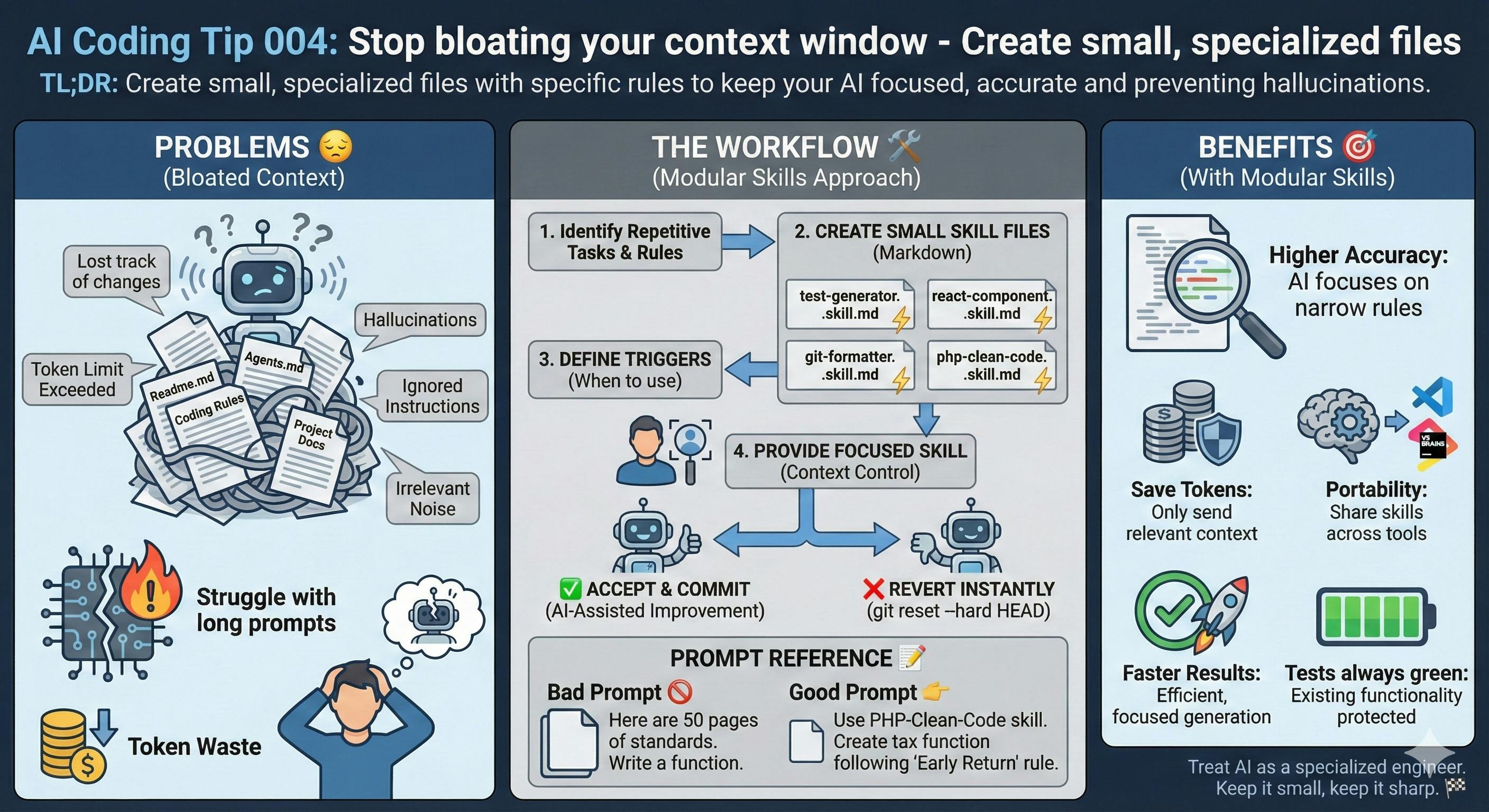
Stop bloating your context window.
TL;DR: Create small, specialized files with specific rules to keep your AI focused, accurate and preventing hallucinations.
Common Mistake ❌
You know the drill - you paste your entire project documentation or every coding rule into a single massive Readme.md or Agents.md.
Then you expect the AI to somehow remember everything at once.
This overwhelms the model and leads to "hallucinations" or ignored instructions.
Problems Addressed 😔
- Long prompts consume the token limit quickly, leading to context exhaustion.
- Large codebases overloaded with information for agents competing for the short attention span.
- The AI gets confused by rules and irrelevant noise that do not apply to your current task.
- Without specific templates, the AI generates non-standardized code that doesn't follow your team's unique standards.
- The larger the context you use, the more likely the AI is to generate hallucinated code that doesn't solve your problem.
- Multistep workflows can confuse your next instruction.
How to Do It 🛠️
- Find repetitive tasks you do very often, for example: writing unit tests, creating React components, adding coverage, formatting Git commits, etc.
- Write a small Markdown file (a.k.a. skill) for each task. Keep it between 20 and 50 lines.
- Follow the Agent Skills format.
- Add a "trigger" at the top of the file. This tells the AI when to use these specific rules.
- Include the technology (e.g., Python, JUnit) and the goal of the skill in the metadata.
- Give the files to your AI assistant (Claude, Cursor, or Windsurf) only when you need them, restricting context to cheaper subagents (Junior AIs) invoking them from a more intelligent (and expensive) orchestrator.
- Have many very short agents.md for specific tasks following the divide-and-conquer principle.
- Put the relevant skills on agents.md.
Benefits 🎯
- Higher Accuracy: The AI focuses on a narrow set of rules.
- Save Tokens: You only send the context that matters for the specific file you edit.
- Portability: You can share these "skills" with your team across different AI tools.
Context 🧠
Modern AI models have a limited "attention span."
When you dump too much information on them, the model literally loses track of the middle part of your prompt.
Breaking instructions into "skills" mimics how human experts actually work: they pull specific knowledge from their toolbox only when a specific problem comes up.
Skills.md is an open, standardized format for packaging procedural knowledge that agents can use.
Originally developed by Anthropic and now adopted across multiple agent platforms.
A SKILL.md file contains instructions in a structured format with YAML.
The file also has progressive disclosure. Agents first see only the skill name and description, then load full instructions only when relevant (when the trigger is pulled).
Prompt Reference 📝
Bad prompt 🚫
Here are 50 pages of our company coding standards and business rules.

Now, please write a simple function to calculate taxes.
Good prompt 👉
After you install your skill:
Good Prompt
Use the PHP-Clean-Code skill.

Create a tax calculator function
from the business specification taxes.md

Follow the 'Early Return' rule defined in that skill.
Considerations ⚠️
Using skills for small projects is overkill.
If all your code fits comfortably in your context window, you're wasting time writing agents.md or skills.md files.
You also need to keep your skills updated regularly.
If your project architecture changes, your skill files must change too, or the AI will give you outdated advice.
Remember, outdated documentation is much worse than no documentation at all.
Type 📝
[X] Semi-Automatic
Limitations ⚠️
Don't go crazy creating too many tiny skills.
If you have 100 skills for one project, you'll spend more time managing files than actually coding.
Group related rules into logical sets.
Tags 🏷️
- Complexity
Level 🔋
[X] Intermediate
Related Tips 🔗
- Keep a file like AGENTS.md for high-level project context.
- Create scripts to synchronize skills across different IDEs.
Conclusion 🏁
Modular skills turn a generic AI into a specialized engineer that knows exactly how you want your code written.
When you keep your instructions small, incremental, and sharp, you get better results.
More Information ℹ️
https://skills.sh/?embedable=true
https://agentskills.io/home?embedable=true
Also Known As 🎭
- Instruction-Sets
- Prompt-Snippets
Tools 🧰
Most skills come in different flavors for:
- Cursor
- Windsurf
- GitHub Copilot
Disclaimer 📢
The views expressed here are my own.
I am a human who writes as best as possible for other humans.
I use AI proofreading tools to improve some texts.
I welcome constructive criticism and dialogue.
I shape these insights through 30 years in the software industry, 25 years of teaching, and writing over 500 articles and a book.
This article is part of the AI Coding Tip series.
https://hackernoon.com/ai-coding-tip-003-force-read-only-planning?embedable=true