


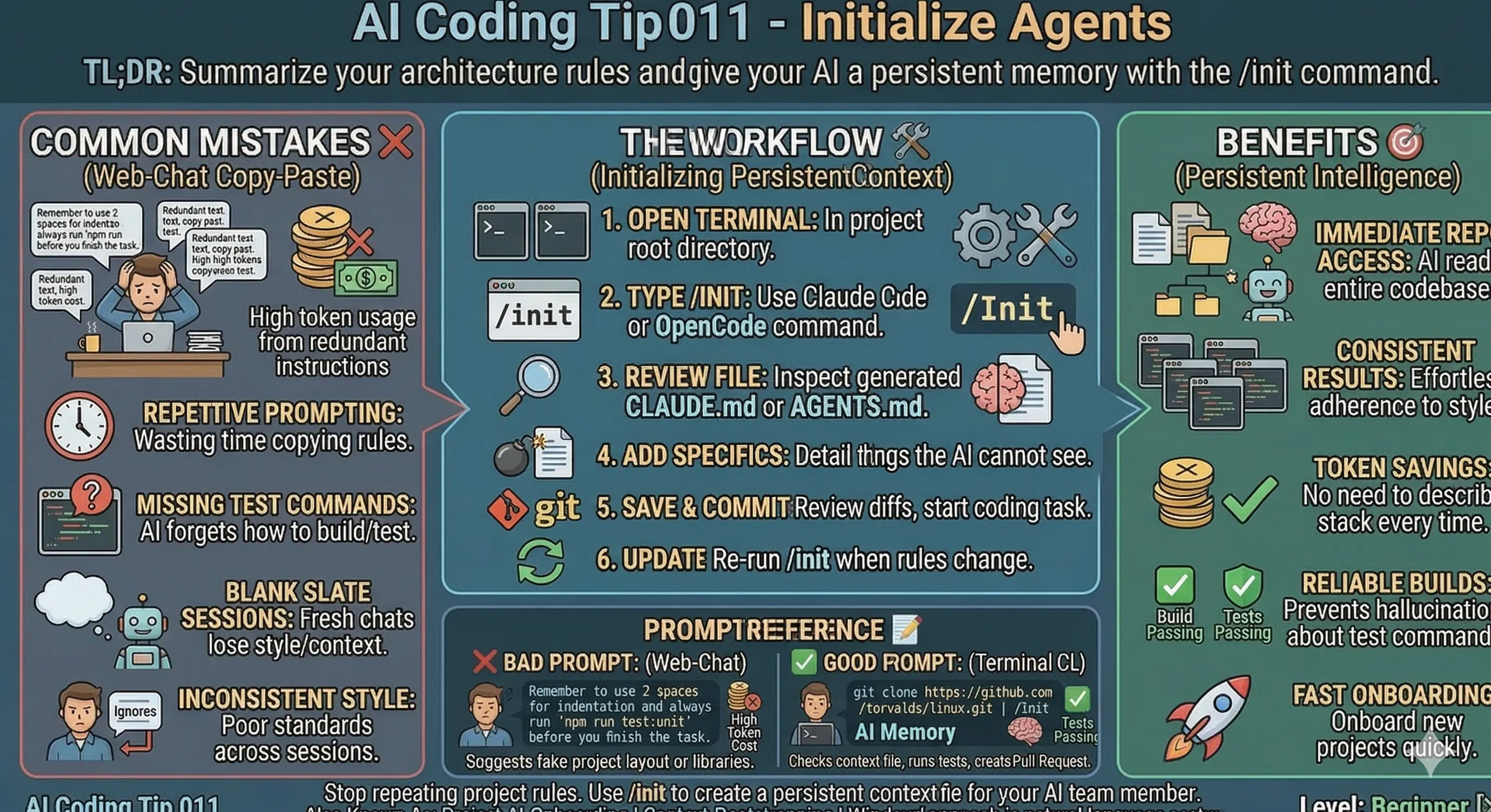
Summarize your architecture rules and give your AI a persistent memory
TL;DR: When you use the /init command, you create a context file that saves you from repeating instructions in every new session.
Common Mistake ❌
You waste time copying and pasting the same project rules into every new chat.
You forgot to tell the AI about your specific commands and instructions.
When you start a fresh session, the AI loses all previous context about your coding style or architecture.
Problems Addressed 😔
- Repetitive and manual meta-prompting
- Inconsistent code styles across sessions
- High token usage from redundant instructions
- AI hallucinations about build or test commands
- Onboarding new projects
How to Do It 🛠️
- Open your terminal in your project root directory.
- Type
/initif you use Claude Code or OpenCode. - Review the generated
CLAUDE.mdorAGENTS.mdfile. - Add specific "landmines" or things the AI can't see in the code.
- Save the file, review the commit diffs, and start your next coding task.
- You can do it again when you have new rules.
- Create your own system prompts, persist them, and keep an eye on them regularly.
Benefits 🎯
When you initialize (/Init) your project, the AI reads all the repository immediately.
You get consistent results without extra effort.
You save tokens because you don't have to describe your stack every time.
Context 🧠
AI assistants start every session with a blank slate.
They don't remember what you told them yesterday.
Tools like Claude Code look for a specific file to understand your project.
When you provide this saved file, you close the gap between separate AI sessions.
Prompt Reference 📝
Bad Prompt:
Remember to use 2 spaces for indentation
and always run 'npm run test:unit'
before you finish the task.
Good Prompt:
git clone https://github.com/torvalds/linux.git

/Init
Considerations ⚠️
Keep the generated file short.
When you add too much text, the AI might get confused.
Don't include information that the AI can already find in your package.json or README.md.
Type 📝
[X] Automatic
Limitations ⚠️
You can only use this tip with AI tools that support persistent context files.
If you change your build tools, you can update the Markdown file manually, run /init again, or do both.
In Windsurf, there is no literal /init terminal command that automatically generates a configuration file, as Claude Code or OpenCode does.
Windsurf uses a more agentic approach where the AI (Cascade) either discovers your rules automatically or creates them when you ask.
Try this prompt:
Cascade: initialize a .windsurfrules file for this project. Include my tech stack, coding standards, and build commands.
Tags 🏷️
- Standards
Level 🔋
[X] Beginner
Related Tips 🔗
https://hackernoon.com/ai-coding-tip-006-review-every-line-before-commit?embedable=true
- Use .cursorrules for local preferences
- Create modular AGENTS.md files for monorepos
- Keep your README.md updated for better AI indexing
Conclusion 🏁
When you use /init, you turn your AI from a temporary contributor into a permanent team member.
More Information ℹ️
https://opencode.ai/docs/rules/?embedable=true
https://docs.cursor.com/context/rules-for-ai?embedable=true
https://docs.windsurf.com/windsurf/cascade/memories?embedable=true
Also Known As 🎭
- Project-AI-Onboarding
- Context-Bootstrapping
Tools 🧰
- Claude Code
- OpenCode
- Cursor (via .cursorrules)
Disclaimer 📢
The views expressed here are my own.
I am a human who writes as best as possible for other humans.
I use AI proofreading tools to improve some texts.
I welcome constructive criticism and dialogue.
I shape these insights through 30 years in the software industry, 25 years of teaching, and writing over 500 articles and a book.
This article is part of the AI Coding Tip series.