
I tested eight piano apps on two pianos for three weeks. Here's what I'd actually recommend.
If you search for "best piano learning app" today, you will find dozens of comparison articles that all rank roughly the same eight products, yet almost none of them analyze the actual technology under the hood. That is a missed opportunity, because in my opinion one of the biggest factors separating these apps is not their song library or their color scheme. As a bit of a geek myself, I'd point to far more interesting things: their adaptive learning algorithms, their efficiency in audio signal processing, and how they translate raw microphone or MIDI input into meaningful, real-time feedback. Think about it: some of these apps have worked really hard to nail note detection in a pretty remarkable way. It is not easy to detect an I-V-vi-IV chord progression while the neighbor's dog is barking, your partner is shouting at you to stop and come eat, or your kid is in the next room singing Baby Shark on repeat.
I spent three weeks testing all eight apps covered in this article on a Roland FP-30X (via USB-MIDI) and a Kawai acoustic upright (via microphone only). My research also included over 1,000 user reviews from the App Store, Google Play, and Reddit, plus hours reading through existing comparison articles and material about these apps to identify which features and pricing claims were consistent across sources. The result is this comparison: an attempt at a technically grounded, data-informed guide to help you pick the right piano app in 2026. Full methodology below.
TL;DR: The Top 3
- Skoove (Editor's Pick): Best for beginners (adults and kids) who want real musical literacy. AI feedback + sheet music from lesson one. $149.99/yr.
- Simply Piano: Best for engagement and quick wins. The most popular app globally with 50M+ installs and an addictive gamified experience. $119-$150/yr.
- Flowkey: Best for song-first learners. Premium arrangements with split-screen video + notation. Yamaha hardware bundle. $119.88/yr.
Full reviews of all 8 apps, pricing tables, and a decision guide follow below.
Authored by Fabian Lindhofen
Last updated: February 2026. App features, pricing, and availability are subject to change.
Quick Comparison: All 8 Piano Learning Apps at a Glance
Here is a side-by-side comparison of all eight piano learning apps tested in February 2026, ranked by overall recommendation.
|
App |
Best For |
AI / Tech |
Annual Price |
Rating (iOS) |
Platforms |
Link |
|---|---|---|---|---|---|---|
|
Skoove 🥇 |
Beginners (adults & kids), sheet music literacy |
AI audio feedback, adaptive lesson paths |
$149.99/yr |
4.6 |
iOS, Android |
|
|
Simply Piano |
Absolute beginners & gamified engagement |
MusicSense acoustic engine |
$119-$150/yr |
4.7 |
iOS, Android |
|
|
Flowkey |
Song-first learners & visual mimicry |
Audio + MIDI dual input, Wait Mode |
$119.88/yr |
4.7 |
iOS, Android, Web |
|
|
Yousician |
Gamification & multi-instrument learners |
Polyphonic audio engine, AI difficulty |
$119.99-$179.99/yr |
4.7 |
iOS, Android, PC, Mac |
|
|
Pianote |
Intermediate players wanting real teachers |
Video-based, community-driven |
$197-$200/yr |
4.7 |
iOS, Android, Web |
|
|
Playground Sessions |
Budget-friendly gamified learning |
MIDI-focused feedback, Quincy Jones curriculum |
$107.88-$215.88/yr |
4.8 |
iOS, Android, PC, Mac |
|
|
Piano Marvel |
Serious students & sight-reading mastery |
SASR assessment, MIDI precision tracking |
$110-$130/yr |
4.7 |
iOS, Web, Win, Mac (Android beta) |
|
|
Hoffman Academy |
Kids & families; holistic music education |
Video-led, minimal AI |
$179-$239/yr |
N/A |
Web |
Skoove (Editor's Pick)
- Founded: 2014 (Berlin)
- iOS Rating: 4.6
- Play Store: 4.6
- Annual Price: $149.99
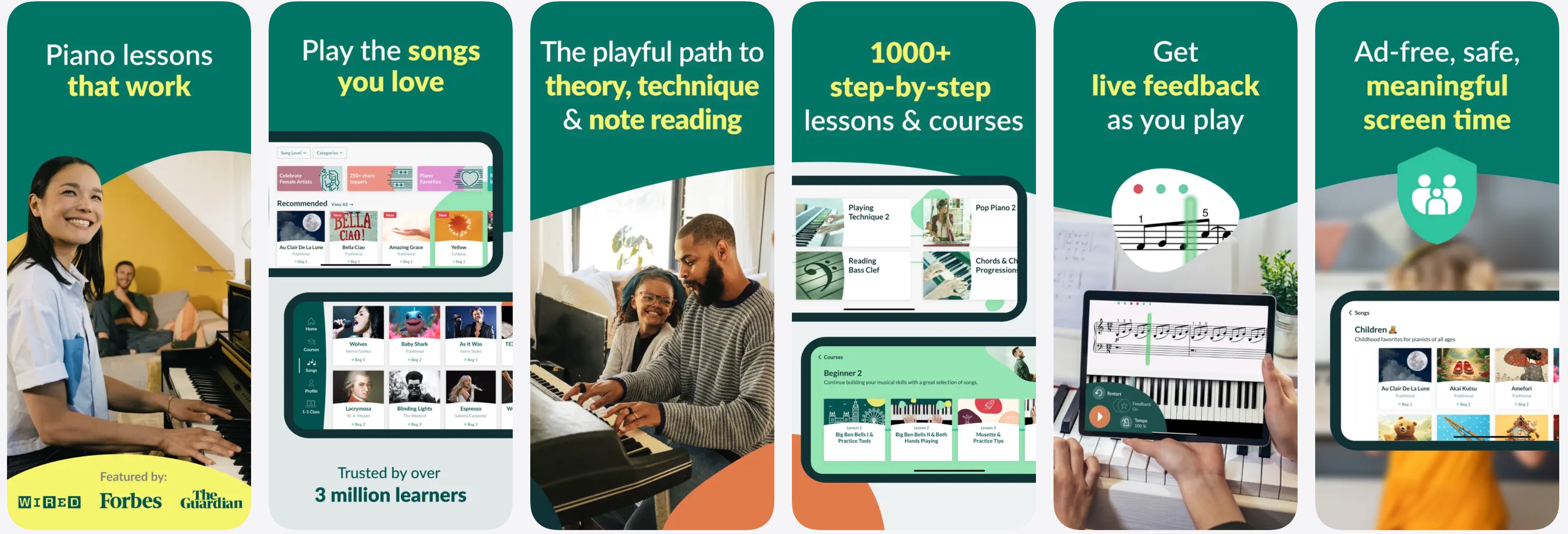
Skoove is the best piano learning app for beginners (both adults and kids) who want to develop true musical literacy rather than just following colored dots. Built by Learnfield GmbH in Berlin (which acquired the violin app Trala in April 2025), Skoove offers 500+ structured lessons and 800+ songs that teach actual sheet music reading from day one while an AI engine listens and adapts in real time.
The curriculum follows a comprehensively structured learning path (covering right hand, left hand, and hand synchronization), but unlike a static textbook, it's interactive. The app intelligently waits when you slow down and highlights errors so you can self-correct. This approach helps kids develop true musical literacy (reading notes, understanding rhythm, and honing technique) rather than depending on gamification rewards, giving young learners skills that transfer to real-world playing.
The audio recognition on my acoustic piano performed well for two-hand passages, while the MIDI input was even more accurate. Skoove also has hardware partnerships with Roland, Kawai, and Alesis. If you purchase a qualifying keyboard, you'll receive several months of free Premium access, similar to the Flowkey-Yamaha deal.
Tech Highlights
- AI-driven real-time audio feedback via microphone or MIDI
- Adaptive lesson pacing that adjusts to your performance
- Sheet music display from lesson one (not just falling notes)
- 500+ structured lessons covering theory, technique, and sight-reading
- 800+ songs with arrangements by professional pianists
- Available across iOS, Android, macOS, and web browsers
- Hardware bundles with Roland, Kawai, and Alesis keyboards
Pros
- Teaches real sheet music reading with AI feedback
- Structured curriculum suitable for adults, kids, and intermediates
- Clean, mature interface that avoids childish gamification
- High-precision acoustic piano recognition accuracy
Cons
-
Song library smaller than Flowkey or Simply Piano
-
Monthly price ($29.99) is steep without annual commitment
-
Less "addictive" for users who need gamification to stay motivated
"Very good for beginners especially those who are trying to learn classical music. I learned a song within three days of just installing the app. Thank you Skoove."
Nosajgip, iOS App Store, 5 stars
Best for: Beginners of all ages (adults and kids) who want to build genuine musical literacy, not just follow along with falling notes.
Simply Piano
- Founded: 2014 (Tel Aviv)
- iOS Rating: 4.7
- Play Store: 4.6
- Annual Price: $119 to $150
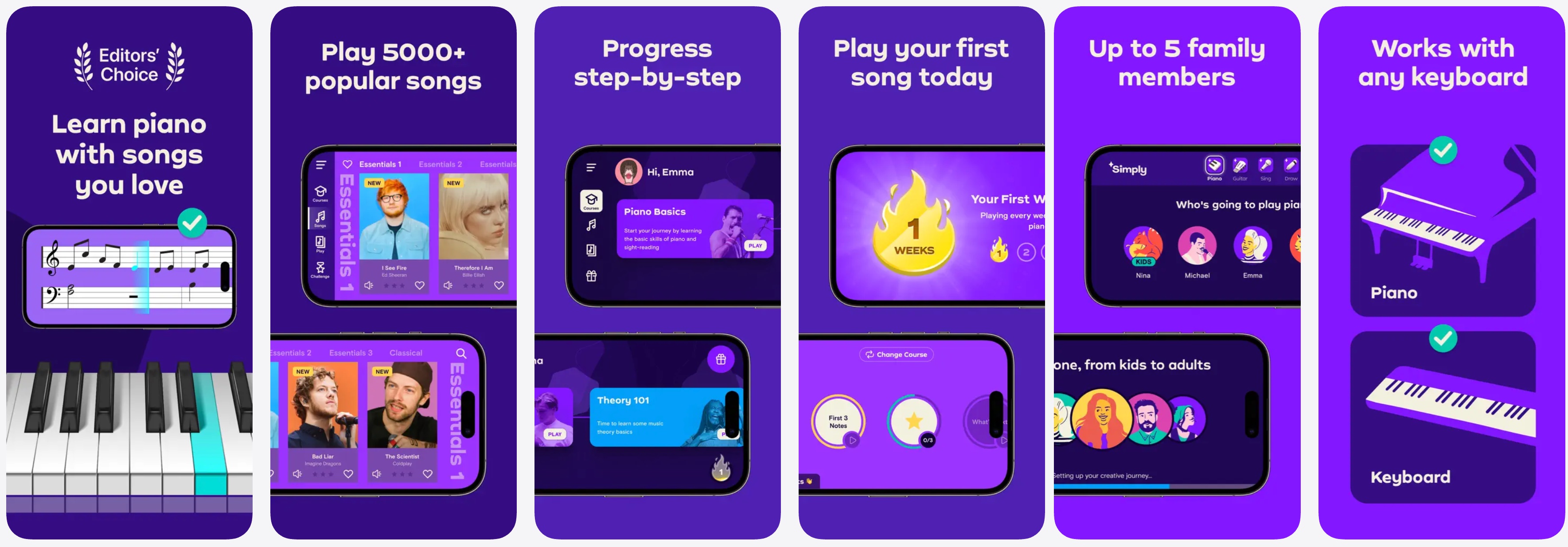
Simply Piano is a strong choice for beginners who prioritize gamification and immediate rewards. With 50M+ Google Play installs, nearly 790,000 iOS ratings, and backing from Google Ventures at a $1B+ valuation, Simply Piano has proven that its gamified model keeps people coming back, a retention achievement no competitor has matched at this scale.
The proprietary MusicSense acoustic engine listens via your device's microphone and performed well with single-note melodies in my testing. However, fast polyphonic passages and background noise caused occasional misreads (MIDI input avoids these issues). The dual-track curriculum, Soloist (melody) and Chords (accompaniment), is a thoughtful design, and the late-2024 Apple Vision Pro launch with AR piano overlays makes Simply Piano the most technologically ambitious app on this list.
The trade-off lies in pedagogical depth: the scrolling-note interface enhances reflexes more than music literacy. Users who wish to read sheet music or grasp theory will ultimately need to complement their learning with a more structured tool.
Tech Highlights
- MusicSense proprietary acoustic recognition engine
- Apple Vision Pro AR integration (launched Dec 2024)
- Dual learning paths: Soloist (melody) and Chords (accompaniment)
- 5-Minute Workout feature for short practice sessions
- Touch Courses for users without a piano
Pros
- Largest user community and massive song library
- Highly effective onboarding for absolute beginners
- Gamified structure keeps motivation high
- Apple Vision Pro integration is genuinely innovative
Cons
- Scrolling note interface can hinder real sight-reading development
- Pricing opacity: exact costs are hard to find before downloading
- Content ceiling for intermediate/advanced players
- User complaints about subscription cancellation friction
"I loved it, completed it, and am still playing the piano years later. I'm here because of Simply Piano."
u/wilbur111, r/pianolearning
Best for: Beginners who thrive on gamification and want to play pop songs quickly.
Flowkey
- Founded: 2014 (Berlin)
- iOS Rating: 4.7
- Play Store: 4.5
- Annual Price: $119.88
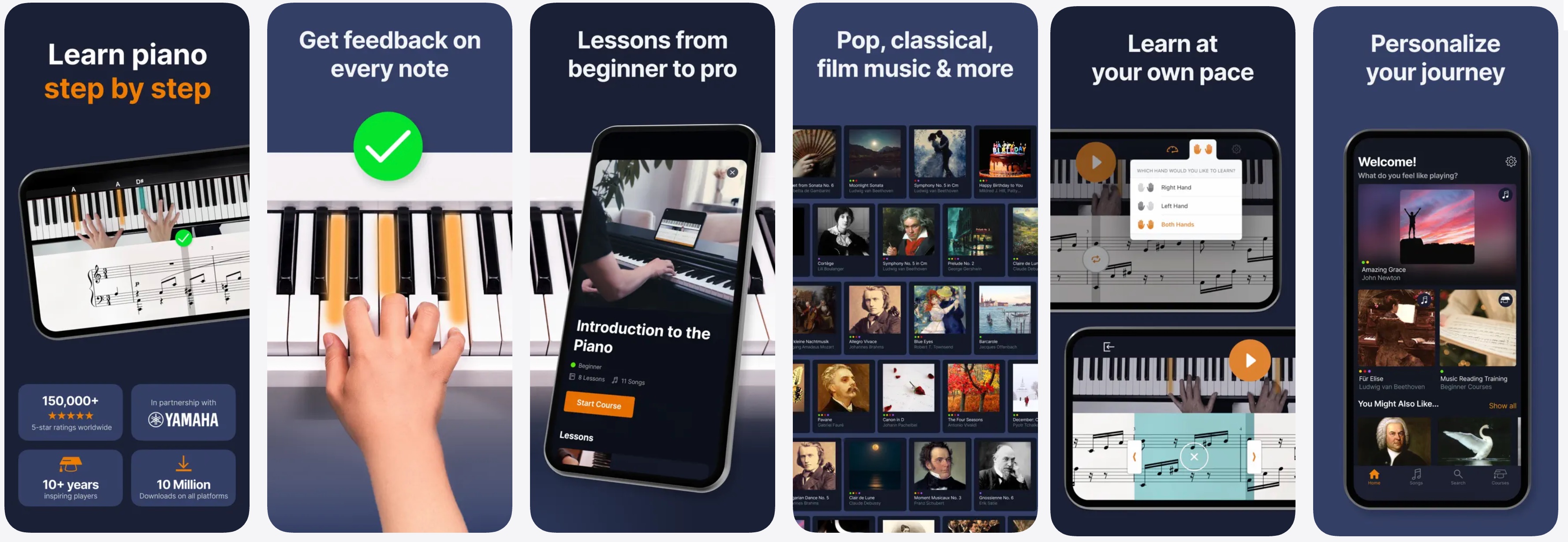
Flowkey is the best piano app for learners who want to play specific songs with a premium, non-gamified experience. It features a unique split-screen interface that displays a bird's-eye view of a real pianist's hands alongside synchronized scrolling sheet music. This dual-coding approach is particularly appealing to adult learners who may find gamification patronizing. The standout "Wait Mode" pauses the music until you play the correct note, making it ideal for self-paced practice (though microphone input sometimes misses rapid passages; MIDI is more reliable).
Flowkey's song library is its crown jewel: professional arrangements of pop, film scores, classical, and jazz at multiple difficulty levels, so you can start with a simplified Hans Zimmer piece and work up to the full version. The strategic Yamaha partnership, bundling three months of free Premium with qualifying keyboard purchases, gives Flowkey a hardware acquisition funnel no competitor matches.
Tech Highlights
- Dual-input audio recognition (microphone + MIDI)
- Wait Mode: music pauses until you play the correct note
- Split-screen: live pianist video + synchronized sheet music
- Loop and slow-motion practice tools (50%, 75% speed)
- Hand separation toggle for left/right hand practice
- Yamaha partnership for hardware-bundled subscriptions
Pros
- Best song library quality in the market (professional arrangements)
- Elegant, adult-focused interface
- Wait Mode is genuinely useful for self-paced practice
- Strong Yamaha hardware partnership
Cons
- Microphone recognition struggles with fast passages
- No built-in metronome (a significant omission)
- Reports of licensed pop songs being removed without notice
- Teaches mimicry more than independent musicianship
"I love the playing hands. I can see every fingering. I also love the left, right, both, speed and looping. The classical pieces are correct, and the pop songs are completely piano — not a few notes or chords like Playground Sessions."
u/Vera-65 (67-year-old beginner), r/piano
Best for: Self-motivated adult learners who want to play specific songs and prefer a visually elegant experience over gamification.
Yousician
- Founded: 2010 (Helsinki)
- iOS Rating: 4.7
- Play Store: 4.4
- Annual Price: $119.99 to $179.99
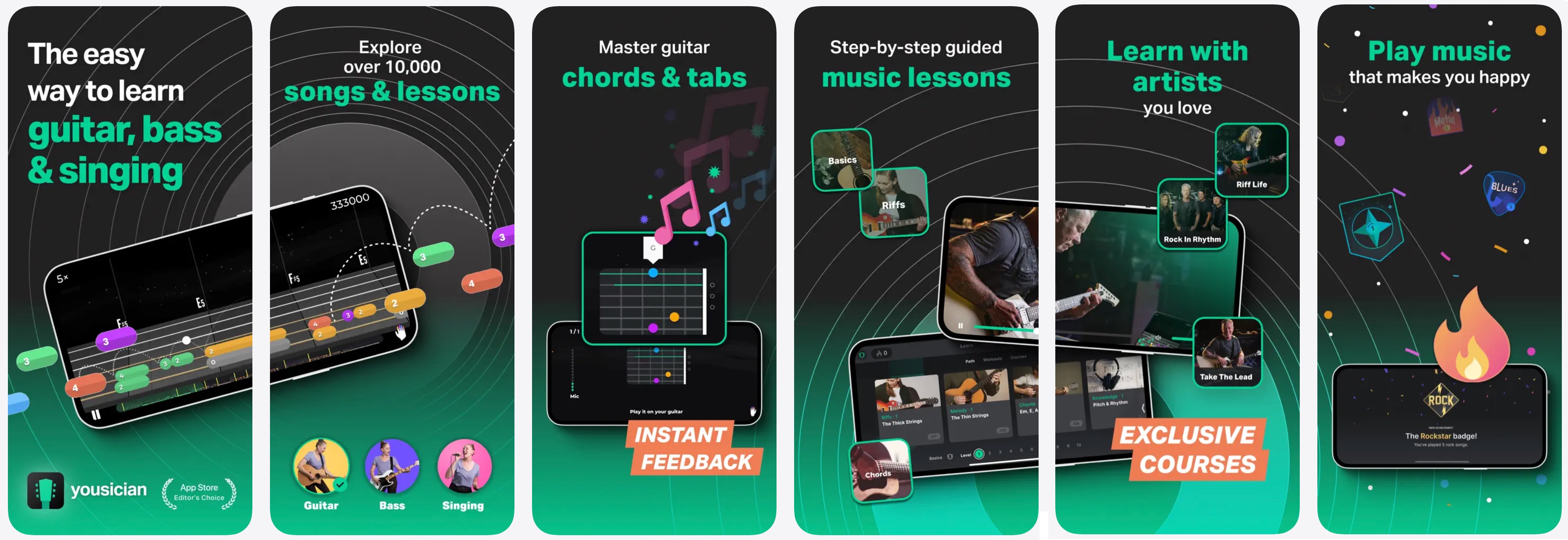
Yousician is the best piano app for gamification-driven learners who also want to explore other instruments. Founded in Helsinki by engineers, it features a polyphonic audio engine that grades accuracy and timing in real time via a microphone, awarding stars, tracking streaks, and ranking you on weekly leaderboards, a motivation system that genuinely helps users build daily practice habits.
In my testing, single-note passages were accurately registered about 85-90% of the time on an acoustic piano, but chord recognition was less reliable in noisy rooms. The hybrid notation system (color-coded bars or standard sheet music) is a smart bridge for players transitioning toward traditional reading. The major differentiator is five instruments (guitar, piano, ukulele, bass, and voice) under one subscription, plus artist partnerships (Billie Eilish, Metallica), though popular songs require the pricier Premium+ tier.
Tech Highlights
- Polyphonic audio recognition via device microphone
- AI-powered difficulty adjustment across skill tree
- Hybrid notation: color-coded bars or standard sheet music
- Multi-instrument support (guitar, piano, ukulele, bass, voice)
- Weekly leaderboard challenges for community engagement
- Artist partnerships: Billie Eilish, Metallica song collections
Pros
- Best gamification system for maintaining daily practice
- Five instruments under one subscription (unique in the market)
- High-profile artist partnerships with curated song collections
- Available on desktop (PC/Mac) in addition to mobile
Cons
- Popular songs locked behind Premium+ tier (higher cost)
- Piano is not the flagship; guitar engine gets more attention
- Gamification can mask lack of real musicianship development
- Subscription cancellation complaints are common
"This really helped me when I was trying to play music by myself, and it's really awesome because then I could actually understand and play different songs by myself without needing this app."
Skittlegirl2008, iOS App Store, 5 stars
Best for: Multi-instrument hobbyists and gamification-motivated learners who need external structure to build a daily practice habit.
Pianote
- Parent Company: Musora Media
- iOS Rating: 4.7
- Play Store: 4.2
- Annual Price: $197 to $200
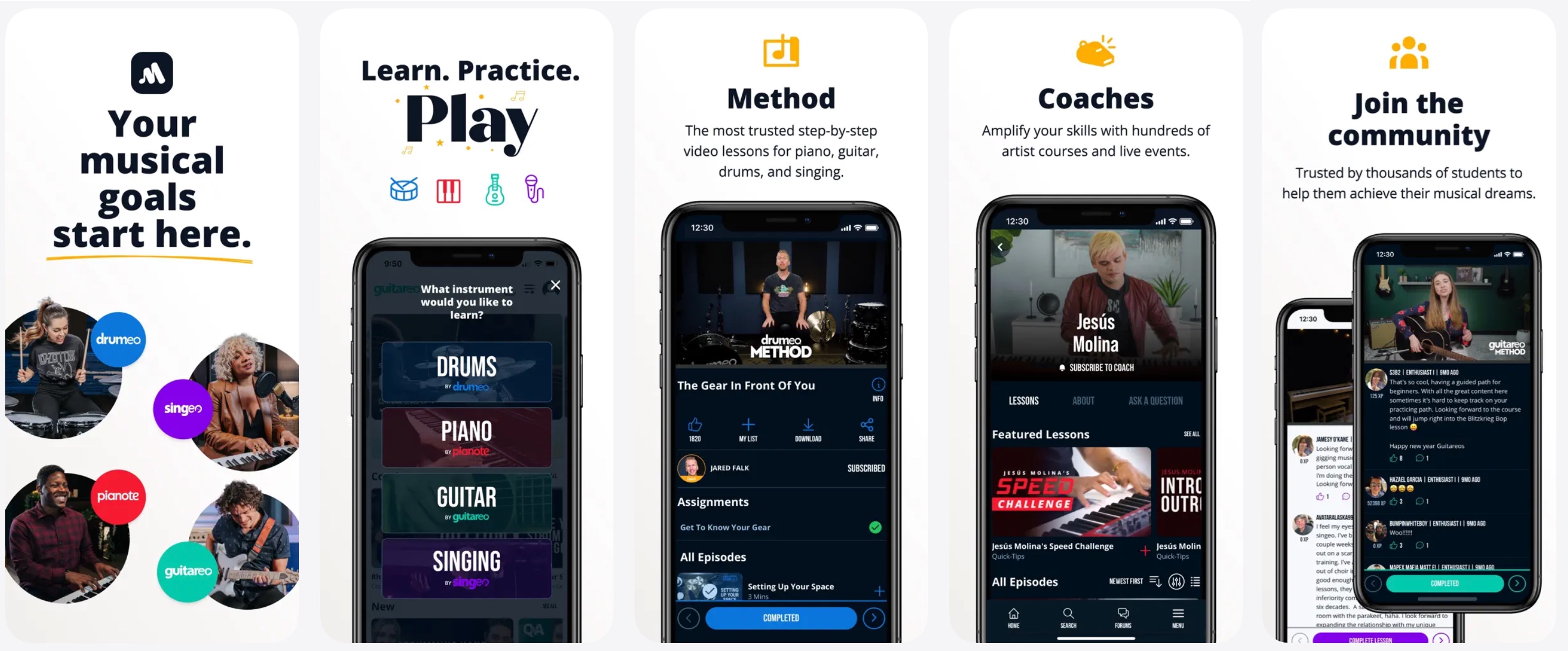
Pianote is the best option for intermediate players who need real human instruction to break through a plateau. Owned by Musora Media (Drumeo, Guitareo), Pianote offers cinematic video lessons with close-up camera angles, community forums, and live Q&A sessions with real piano teachers. Unlike many learning apps, there is no AI feedback or automated play-along scoring. Instead, Pianote offers an experience that feels more like attending an online piano school.
That makes it the ideal complement to an AI-driven tool like Skoove or Flowkey: start with an interactive app for the basics, then graduate to Pianote when you need a human perspective on technique, expression, and theory. At roughly $200/year, it is the most expensive option here, but still a fraction of the cost of weekly private lessons.
*Note: The standalone Pianote app has transitioned into the unified Musora app, where Pianote's piano lessons now sit alongside Drumeo, Guitareo, and Singeo content. Users can still access Pianote lessons through the Musora: The Music Lessons App on iOS and Android.
Tech Highlights
- Professional video production with multi-camera setups
- Real teacher interaction via community forums and live sessions
- Comprehensive music theory curriculum beyond note-hitting
- Cross-platform access (web, iOS), Musora ecosystem (Drumeo, Guitareo)
- Downloadable practice resources and play-along tracks
Pros
- Human instructors provide depth algorithms cannot replicate
- Excellent production quality and lesson structure
- Strong community with real peer feedback
- Covers music theory, technique, and expression in depth
Cons
-
No real-time AI feedback on your playing
-
Most expensive option on this list
-
Less suited for absolute beginners who need interactive guidance
-
Android app is limited; best experienced on web
"I have it for almost a year now and I really like it. I can now read notes and play simple songs with both hands. I like that they have loads of content on specific subjects so that I can explore."
u/Old_Neat5233, r/pianolearning
Best for: Intermediate players who want real teacher guidance, music theory depth, and community feedback beyond what algorithms provide.
Playground Sessions
- Co Created By: Quincy Jones
- iOS Rating: 4.8
- Play Store: 3.7
- Annual Price: ~$107 to $216
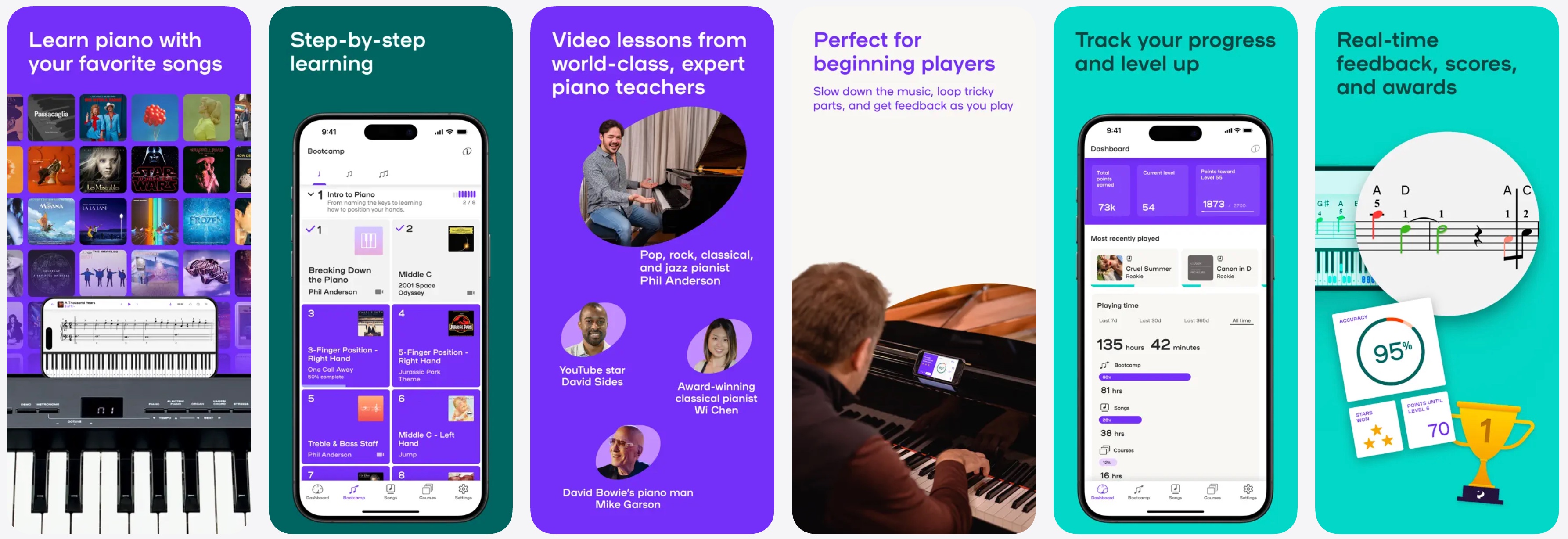
Playground Sessions is the best choice for MIDI keyboard owners seeking a structured curriculum with a one-time payment. Co-created by the late Quincy Jones (who passed away in November 2024), it blends gamification with bootcamp-style video instruction from real musicians. The app is MIDI-optimized, giving it an accuracy edge over microphone-based competitors, though acoustic piano users will find the experience limited.
Song arrangements are a common complaint (some feel overly simplified), but the structured lesson progression is more methodical than that of pure gamification apps. A lifetime subscription (~$350, often discounted to ~$290) is rare in this market and appeals to users who dislike recurring charges.
Tech Highlights
- MIDI-optimized input for higher accuracy
- Video instruction integrated with interactive exercises
- Bootcamp-style structured curriculum
- Quincy Jones co-designed lesson progression
- Desktop application available (PC/Mac)
- Lifetime subscription option (~$350, often discounted)
Pros
- Curriculum has genuine musical credibility (Quincy Jones)
- MIDI-first approach means high-accuracy feedback
- Lifetime subscription option eliminates recurring cost anxiety
- Blends video instruction with interactive exercises
Cons
- Song arrangements often heavily simplified
- Google Play ratings are notably lower (3.7) than iOS
- Smaller user base means less community support
- Microphone recognition is secondary to MIDI
"I have been with Playground Sessions for 2 and a half years. I am 71 and I have never learned how to play piano before. Thanks to Playground Sessions I can now play with both hands instead of one finger at a time. Love it."
u/ClickWarm, r/pianolearning
Best for: Learners with a MIDI keyboard who want a balance of gamification and structured curriculum, especially those who prefer a one-time payment.
Piano Marvel
- Founded: 2009 (Colorado)
- iOS Rating: 4.7
- Play Store: N/A
- Annual Price: $110 to $130
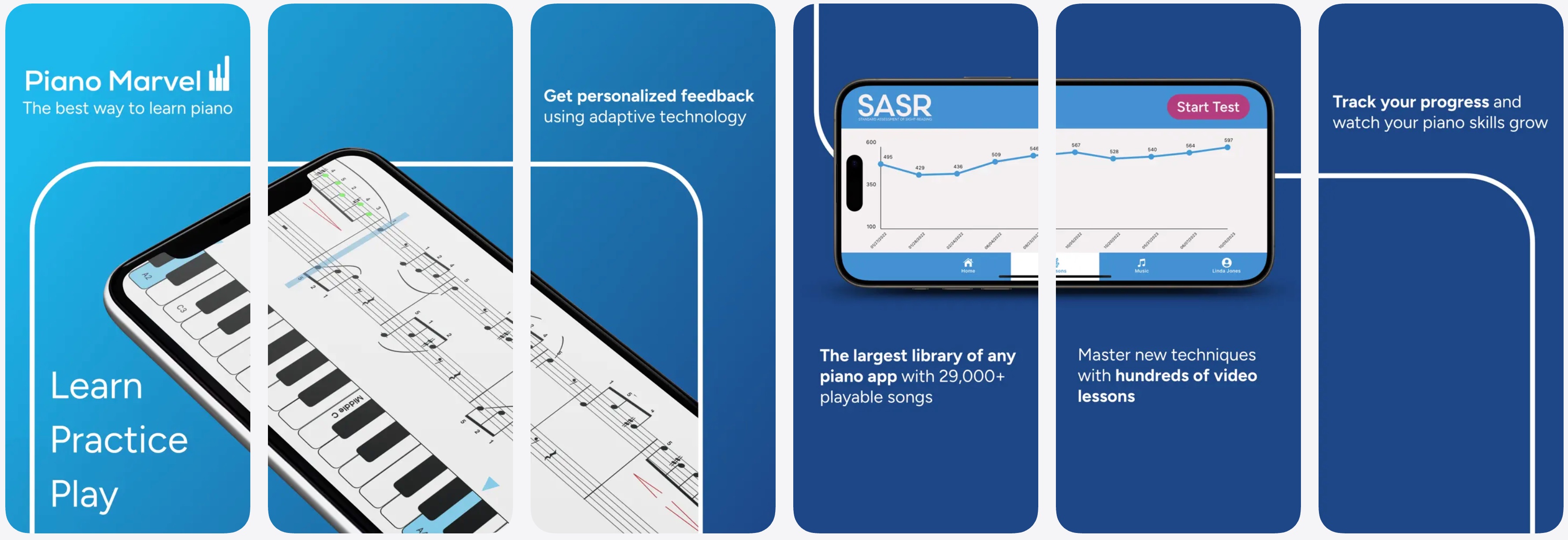
Piano Marvel is the best piano app for serious students focused on sight-reading and academic-level progression. Used by universities and private teachers, its proprietary SASR (Standard Assessment of Sight Reading) system measures reading fluency with scientific-style scoring via MIDI input, claiming 99% two-note polyphony accuracy, figures I found credible in testing. The library of 25,000+ pieces spans beginner exercises to advanced classical repertoire.
The trade-off is clear: the interface is functional rather than beautiful, gamification is minimal, and the experience feels like a digital method book. For self-motivated learners and students working with a teacher, that is exactly right. For casual hobbyists, it may feel like homework.
Tech Highlights
- SASR (Standard Assessment of Sight Reading), a proprietary scoring system
- MIDI-optimized with claimed 99% two-note polyphony accuracy
- 25,000+ piece library including classical and method book content
- Used by universities and private teachers as instructional tool
- Detailed performance analytics and progress tracking
Pros
- Best sight-reading assessment tool available (SASR)
- Massive library of 25,000+ pieces
- Endorsed by music educators and used in university programs
- Competitively priced at $110-$130/year
Cons
- Interface feels dated compared to competitors
- Minimal gamification, not ideal for motivation-driven learners
- Requires MIDI for best experience (no strong microphone support)
- Limited to iOS and web (no Android app)
"Piano Marvel has forced me to work on improving my accuracy and timing. I've been using it for just over a year, and am still finding it valuable in making me a better musician."
bread2u, iOS App Store, 5 stars
Best for: Serious students focused on sight-reading mastery, classical technique, and academic-level progression.
Hoffman Academy
- Founded: Portland, OR
- Model: Free + Premium
- iOS Rating: N/A
- Play Store: N/A
- Annual Price: Free / $179-$239
Hoffman Academy is the best free resource for young children (ages 5-12) and anyone seeking a solid foundation in music theory. Led by a single charismatic instructor, Mr. Hoffman, the platform offers hundreds of free video lessons covering theory, ear training, technique, and repertoire in a kid-friendly format that avoids the "app-as-babysitter" trap. There is no AI recognition or real-time feedback; the value is in the teaching itself.
The Premium tier ($179-$239/yr) adds interactive exercises and sheet music, but the free core content alone fills a gap that most interactive apps leave wide open. For adult learners using Skoove or Flowkey, Hoffman's theory videos are an excellent free supplement.
Tech Highlights
- Video-first pedagogy with a dedicated human instructor
- Comprehensive music theory and ear training curriculum
- Free tier with hundreds of lessons (rare in this market)
- Premium tier adds interactive exercises and sheet music
- Web-based platform (no native mobile app)
Pros
- Generous free tier with real educational value
- Holistic approach: theory, ear training, technique, and repertoire
- Ideal for children ages 5-12
- No subscription required to access core content
Cons
-
No AI or real-time feedback on your playing
-
Web-only (no native mobile app)
-
Primarily designed for children; adults may find pacing slow
-
Premium tier is relatively expensive for a video platform
"With the caveat that I'm a beginner, I like his videos quite a bit, though they're obviously more geared toward kids."
u/Tyrnis, Reddit
Best for: Children ages 5-12, families, and anyone who wants free, high-quality music theory instruction.
Pricing Comparison: All 8 Apps Side by Side
Piano learning apps cost between $110 and $200 per year on annual plans, roughly 95% cheaper than weekly private lessons. Prices vary by platform, region, and promotions. The table below reflects standard US pricing as of February 2026.
|
App |
Monthly |
Annual |
Free Tier |
Free Trial |
Other |
|---|---|---|---|---|---|
|
Skoove |
$29.99/mo |
$149.99/yr (~$12.50/mo) |
25 free lessons |
7-day |
3-month: $59.99 |
|
Simply Piano |
$19.99-$24.99/mo |
$119-$150/yr |
Limited intro |
7-day |
Family plan ~$179.99/yr |
|
Flowkey |
$19.99/mo |
$119.88/yr (~$10/mo) |
~8 songs free |
7-day |
Family plan ~$269.99/yr |
|
Yousician |
$19.99/mo (1 instr.) |
$119.99/yr (1 instr.) |
Limited daily play |
7-day |
Premium+ (all 5): $139-$180/yr |
|
Pianote |
$29-$30/mo |
$197-$200/yr |
Select free lessons |
7-day |
Includes Drumeo/Guitareo access |
|
Playground Sessions |
$9.99-$17.99/mo |
~$107-$216/yr |
Some free songs |
Yes |
Lifetime: ~$349.99 (often discounted) |
|
Piano Marvel |
$15.99-$17.99/mo |
$110-$130/yr |
150+ free songs |
7-day |
Educator/school plans available |
|
Hoffman Academy |
$18-$24/mo (Premium) |
$179-$239/yr (Premium) |
Hundreds of free video lessons |
N/A |
Core content is free forever |
A few things to note: annual subscriptions are almost always the best value, typically saving 40-60% over monthly billing. Hoffman Academy and Piano Marvel offer the most generous free tiers. Playground Sessions is the only app with a widely available lifetime purchase option, which appeals to users who want to avoid recurring charges entirely.
Microphone vs. MIDI: Which Input Method Matters?
The biggest technical differentiator between piano apps is how they listen to your playing: microphone or MIDI. Microphone-based apps (Simply Piano, Skoove, Yousician) use FFT audio analysis to identify pitches from your device's mic. This works with any piano, including acoustics, but struggles with background noise and fast polyphonic passages. MIDI-based apps (Piano Marvel, Playground Sessions) receive digital note data via USB or Bluetooth for near-perfect accuracy, but require a digital keyboard. Most modern apps (Skoove, Flowkey) support both, giving you flexibility. If you own a digital piano with MIDI output, MIDI will always be more reliable. If you play acoustic piano exclusively, Skoove and Simply Piano offer the best microphone recognition in my testing.
Which App Should You Choose?
The right piano app depends on your experience level, goals, and instrument. Here are five common learner profiles and my recommendation for each:
Adult beginner (never played before): Skoove is the best starting point. It teaches sheet music reading, theory, and technique from lesson one with AI feedback, building genuine musical literacy rather than app dependency. The structured curriculum suits adults who want to learn properly from the start.
Child beginner (ages 6-14): Skoove is also my top recommendation for kids who want to actually learn piano. Its AI listens and adapts to each child's pace, and the focus on real musical skills (reading notes, understanding rhythm, developing technique) builds habits that transfer outside the app. For very young children (under 6) or kids who need extra motivation, supplement with Hoffman Academy (free theory videos) or Simply Piano (gamified engagement).
Adult returner who played as a child: Skoove or Flowkey. Both offer mature interfaces that will not feel patronizing. Choose Skoove for curriculum structure; choose Flowkey to jump straight into specific songs.
Intermediate player hitting a plateau: Pianote. Once apps cannot diagnose technique problems, you need a human perspective. Pianote's video instructors and community address the gaps AI-driven apps leave open.
Serious student focused on classical and sight-reading: Piano Marvel with a MIDI keyboard. Its SASR assessment system is the most structured sight-reading assessment in a consumer piano app.
Frequently Asked Questions
What is the best piano learning app in 2026?
Skoove is the best overall piano learning app in 2026 because it combines AI-powered real-time feedback with sheet music instruction from day one, a combination no other app matches. Simply Piano is best for gamified engagement, Flowkey for song-first learners, and Piano Marvel for academic rigor.
Which piano app uses the best AI for real-time feedback?
Yousician has the most advanced polyphonic audio engine via microphone, while Skoove combines audio recognition with adaptive lesson pacing that adjusts to your performance. For pure MIDI accuracy, Piano Marvel's SASR system claims 99% two-note polyphony recognition.
Can I learn piano with just an app?
Yes, apps like Skoove and Simply Piano can take you from zero to playing recognizable songs within months. However, apps cannot correct hand posture or teach dynamics and expression, so combining an interactive app with periodic teacher check-ins (even monthly) produces the best results.
What is the difference between MIDI and microphone piano apps?
Microphone recognition listens through your device's mic. The upside: it works with any piano (acoustic, digital, or a basic keyboard without MIDI output), which covers most entry-level instruments. The downside: background noise, fast passages, and sustained pedal can confuse the detection. MIDI input sends digital note data via USB or Bluetooth, so accuracy is near-perfect and unaffected by room noise. The trade-off: you need a digital piano or keyboard with a MIDI (or USB-MIDI) connection. Many modern apps support both methods, so you can start with microphone and switch to MIDI if you upgrade your instrument later.
How much do piano learning apps cost?
Most piano apps cost $110-$200 per year on an annual plan. Piano Marvel ($110-$130/yr) and Playground Sessions (~$108/yr) are the most affordable; Pianote (~$200/yr) is the most expensive. All apps are roughly 95% cheaper than weekly private lessons ($2,000-$5,000/yr).
Which piano app is best for beginners?
Skoove is the best app for beginners who want to build proper fundamentals (sheet music, theory, technique) from day one, for both adults and kids. Simply Piano is the best for beginners who prioritize fun and instant song-playing gratification. For young children (under 12), Hoffman Academy offers excellent free video lessons.
Do AI piano apps work with acoustic pianos?
Yes. Simply Piano, Skoove, Flowkey, and Yousician all use your device's microphone and work with acoustic pianos. MIDI-first apps (Piano Marvel, Playground Sessions) have limited microphone support. If you play acoustic piano exclusively, Skoove and Simply Piano offer the best mic recognition.
Which piano app is best for adults?
Skoove is designed for adult learners with a mature interface and sheet-music-first curriculum. Flowkey is ideal for adults motivated by specific songs, and Pianote is the premium choice for those who want real teacher interaction.
Final Verdict
The piano learning app market in 2026 is more competitive than ever, and the good news is that there is no truly bad option on this list. Every app covered here can teach a beginner to play recognizable music within weeks. The differences emerge in what happens next: whether you build lasting musical literacy or just learn to follow colored dots on a screen.
My recommendation is Skoove for most beginners, both adults and kids, because it uniquely combines AI-powered feedback with traditional sheet music instruction, building transferable musical skills rather than app dependency. For children, this means learning to read notes and understand rhythm from the start, not just chasing gamification rewards. For casual learners who prioritize fun, Simply Piano remains unmatched in engagement and scale. For self-directed song learners, Flowkey is the elegant choice. And for anyone serious about reaching an intermediate or advanced level, supplementing any app with Pianote or a periodic human teacher is the investment that separates hobbyists from musicians.
The future of this space is clearly headed toward deeper AI integration in music education: think real-time technique correction through computer vision, adaptive curricula driven by machine learning, and spatial computing experiences, such as Simply Piano's Vision Pro app. For now, the best approach is straightforward: choose the app that aligns with your current skill level and goals, commit to daily practice, and transition to more advanced tools as you progress.
Methodology and Sources
This comparison was conducted in February 2026 using the following methodology:
Hands-on testing: Each app was tested across a minimum of five sessions using a Roland FP-30X (USB-MIDI) and a Kawai K-300 (microphone only). Testing focused on audio recognition accuracy, lesson progression logic, and overall user experience.
User review analysis: 1,000+ reviews were collected and analyzed from the iOS App Store, Google Play Store, and Reddit communities (r/piano, r/pianolearning, r/learnpiano). Sentiment analysis identified recurring themes in user praise and complaints for each app.
Competitive landscape research: 10+ existing comparison articles currently ranking in Google SERPs were scraped and analyzed for brand frequency, ranking patterns, and content structure. SERP data was collected for five target queries including "best piano learning apps 2026" and "best apps to learn piano."
Pricing verification: All prices were verified across the App Store, Google Play, and official websites. Where pricing varied by source, ranges are provided. All prices are in USD.
Evaluation criteria: Apps were scored across five weighted dimensions: AI/ML capabilities (25%), learning methodology (25%), content library (20%), pricing and value (15%), and user experience (15%).
This story was published under HackerNoon’s Business Blogging Program.
Transparency note: This article contains affiliate links. If you sign up through one of them, Crafins Studio may earn a commission at no extra cost to you. All editorial opinions are independent and based on hands-on testing.
[story continues]
tags