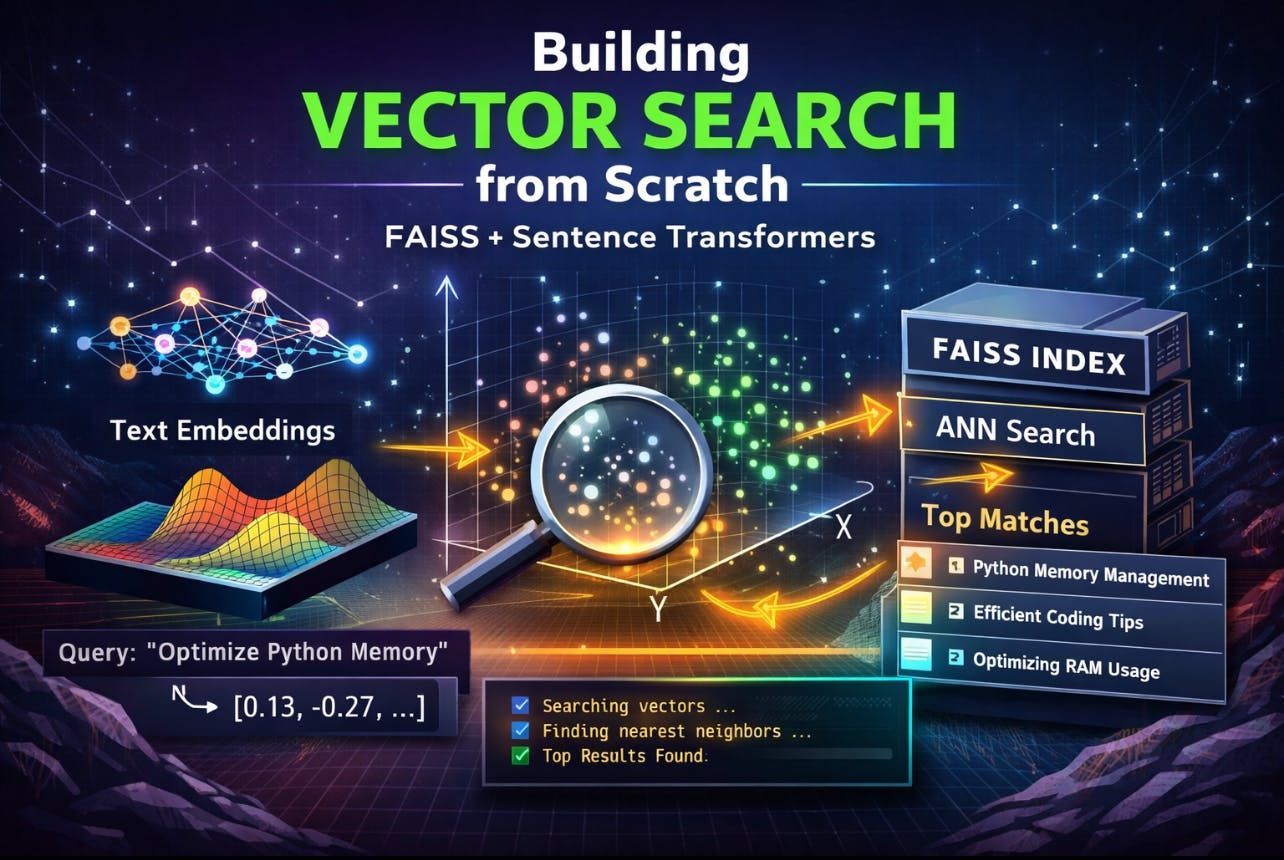
If you’ve used ChatGPT, Perplexity, or any modern AI-powered search engine recently, you've experienced vector search even if you didn’t realize it. Unlike traditional keyword-based search, vector search understands meaning.
You can type: “How do I reduce memory usage in Python apps?”
and it will return content that doesn’t even contain those exact words, but still answers your question. This magic is powered by embeddings and approximate nearest neighbor (ANN) algorithms.
In this tutorial, we’ll build a vector search engine from scratch using:
- Sentence Transformers - to generate embeddings
- FAISS - Facebook AI Similarity Search, for ultra-fast nearest neighbor lookups
- Python - because simplicity matters
By the end, you’ll understand:
- What vector embeddings really are
- How semantic similarity works
- How FAISS indexes millions of vectors efficiently
- How to build your own semantic search engine
- How this powers modern LLM apps, RAG systems, and chatbots
Why Vector Search Matters
Traditional search uses lexical matching.
Lets say if your document contains: Python memory profiling techniques And your query is: “How to reduce RAM usage?”
A keyword engine may fail.
Vector search works differently:
- Text is converted into vectors (lists of numbers).
- Similar meanings - similar vectors.
- Search becomes a geometric problem: “Which vectors are closest?”
This allows:
- Semantic search
- Question answering
- Recommendation systems
- Retrieval-Augmented Generation (RAG)
This is the backbone of modern AI systems.
Step 1: Installing Dependencies
Let’s install what we need:
pip install sentence-transformers faiss-cpu numpy
If you have a GPU, you can use:
pip install faiss-gpu
Step 2: Understanding Embeddings
An embedding is a fixed-length vector that represents the meaning of a piece of text.
For example:
"I love programming" => [0.021, -0.334, 0.876, ...]
"I enjoy writing code" => [0.019, -0.331, 0.880, ...]
These vectors will be close in space. We’ll use Sentence Transformers, which provides pretrained models specifically optimized for semantic similarity.
Step 3: Generating Embeddings
Let’s embed some example documents.
from sentence_transformers import SentenceTransformer

model = SentenceTransformer("all-MiniLM-L6-v2")

documents = [
    "Python is a programming language",
    "I love writing code",
    "Dogs are great pets",
    "Cats are independent animals",
    "Machine learning is fascinating",
    "I enjoy building AI applications",
]

embeddings = model.encode(documents)
print(embeddings.shape)
Output:
(6, 384)
Each sentence is now a 384-dimensional vector.
Step 4: Similarity: The Heart of Vector Search
The most common similarity measures:
- Cosine Similarity: Measures the angle between vectors.
- Dot Product: Measures alignment.
- Euclidean Distance (L2): Measures raw distance.
FAISS primarily works with L2 distance or inner product.
Step 5: Introducing FAISS
FAISS is a library for fast similarity search over large vector collections.
Why FAISS?
- Handles millions or billions of vectors
- GPU acceleration
- Many index types (flat, IVF, HNSW, PQ)
- Memory-efficient
- Battle-tested
Let’s build the simplest index first.
Step 6: Building a Flat Index
A Flat Index does brute-force search: compares your query to every vector.
import faiss
import numpy as np

dimension = embeddings.shape[1]
index = faiss.IndexFlatL2(dimension)

index.add(np.array(embeddings))
print("Total vectors indexed:", index.ntotal)
Step 7: Searching
Now let’s perform a semantic search.
def search(query, k=3):
    query_embedding = model.encode([query])
    distances, indices = index.search(np.array(query_embedding), k)
    return indices[0], distances[0]
Test it:
results, scores = search("I like programming")
for idx, score in zip(results, scores):
    print(documents[idx], " | score:", score)
You’ll see results that understand meaning, not just keywords.
Step 8: Wrapping It Into a Mini Search Engine
Let’s make it cleaner.
class VectorSearchEngine:
    def __init__(self, documents):
        self.model = SentenceTransformer("all-MiniLM-L6-v2")
        self.documents = documents
        self.embeddings = self.model.encode(documents)

        dim = self.embeddings.shape[1]
        self.index = faiss.IndexFlatL2(dim)
        self.index.add(np.array(self.embeddings))

    def search(self, query, k=3):
        q_emb = self.model.encode([query])
        distances, indices = self.index.search(np.array(q_emb), k)
        return [(self.documents[i], distances[0][j]) for j, i in enumerate(indices[0])]
Usage:
engine = VectorSearchEngine(documents)
results = engine.search("AI projects")

for text, score in results:
    print(text, "| score:", score)
Step 9: Scaling Beyond Brute Force
Flat indexes don’t scale. If you have:
- 1M vectors - slow
- 100M vectors - impossible
This is where Approximate Nearest Neighbor (ANN) comes in. FAISS provides several index types:
| Index Type | Use Case |
| IndexFlat Exact | slow |
| IVF | Clustering-based |
| HNSW | Graph-based |
| PQ | Memory compression |
| OPQ | Optimized PQ |
Step 10: IVF Index Example
IVF is Inverted File Index and the idea here is
- Cluster vectors into buckets.
- Search only relevant buckets.
nlist = 50  # number of clusters
quantizer = faiss.IndexFlatL2(dimension)
index_ivf = faiss.IndexIVFFlat(quantizer, dimension, nlist, faiss.METRIC_L2)

index_ivf.train(np.array(embeddings))
index_ivf.add(np.array(embeddings))
Searching:
index_ivf.nprobe = 5  # how many clusters to search
distances, indices = index_ivf.search(np.array(query_embedding), k)
More nprobe = better accuracy, slower speed.
Step 11: Real-World Example - Searching Technical Articles
Let’s build a more realistic example.
articles = [
    "Understanding Python memory management",
    "A guide to building REST APIs with FastAPI",
    "Introduction to machine learning pipelines",
    "How to optimize SQL queries",
    "Deep dive into transformers and attention",
    "Scaling microservices with Kubernetes",
]

engine = VectorSearchEngine(articles)
engine.search("How does attention work in neural networks?")
You’ll see it return the transformer-related article, even if the words don’t match.
Step 12: Persisting the Index
FAISS allows you to save and load indexes.
faiss.write_index(engine.index, "articles.index")
Later:
index = faiss.read_index("articles.index")
This is essential for production.
Step 13: Metadata Mapping
FAISS stores only vectors. You must maintain your own ID -> document mapping.
Example:
id_to_doc = {i: doc for i, doc in enumerate(documents)}
When FAISS returns [3, 1, 5], you look them up.
Step 14: How This Powers RAG Systems
Retrieval-Augmented Generation (RAG):
- User asks a question.
- Convert it to an embedding.
- Retrieve relevant documents via vector search.
- Send them to the LLM as context.
- Generate grounded responses.
This avoids hallucinations.
Step 15: Common Mistakes
❌ Using the wrong embedding model
- Use similarity-optimized models like:
- all-MiniLM-L6-v2
- multi-qa-MiniLM-L6-cos-v1
❌ Mixing distance metrics
- Cosine vs L2 matters.
❌ Forgetting normalization
- Some indexes require normalized vectors.
Step 16: Production Considerations
1. Sharding: Split indexes across machines.
2. Caching: Cache frequent queries.
3. Incremental Updates: Use index.add() for streaming ingestion.
4. Reindexing: ANN structures degrade over time.
Step 17: Performance Benchmarking
FAISS can do:
• 1M vectors -> sub-10ms search
• GPU -> microseconds
This is why it’s used by a lot of tech companies
Step 18: Why Not Just Use Pinecone or Weaviate?
Managed vector DBs are great. But building from scratch teaches you:
- How similarity really works
- Tradeoffs
- Index internals
- Latency tuning
- Memory behavior
Final Thoughts
Vector search is not a feature, it’s an infrastructure primitive. It powers:
- Chatbots
- Semantic search
- Recommendations
- RAG
- AI copilots
- Knowledge engines
And in this tutorial, you built one from scratch. You now understand:
- Embeddings
- ANN
- FAISS
- Indexing strategies
- Real-world tradeoffs
And most importantly, you can now reason about these systems, not just use them.
[story continues]
tags