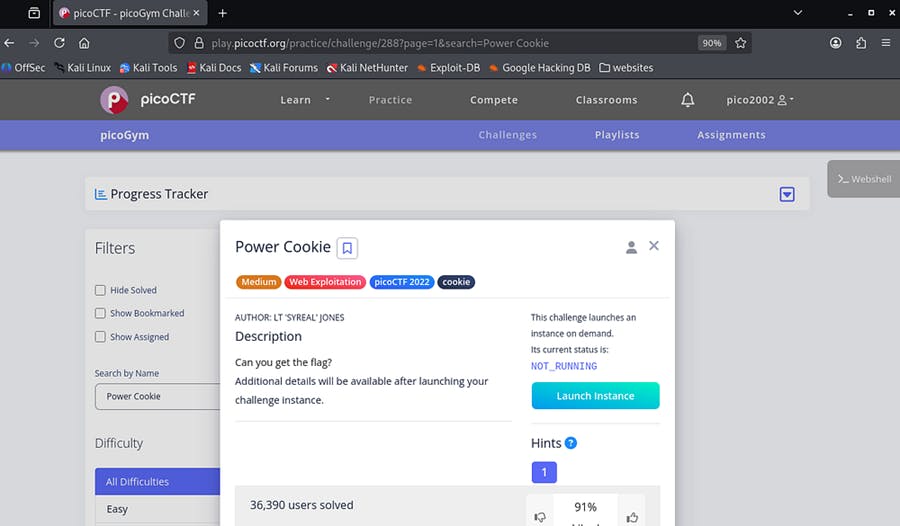
If you’re learning web security or preparing for CTF competitions, this is a great beginner-friendly challenge to understand how HTTP cookies work and how they can be manipulated.
This challenge is from picoCTF and is called “Power Cookie.”
Step 1: Understanding the Website
We are given a very simple website. It looks like an online grade book system.
There are only two pages:
- The home page
- check.php
When we click “Continue as Guest”, we are redirected to:
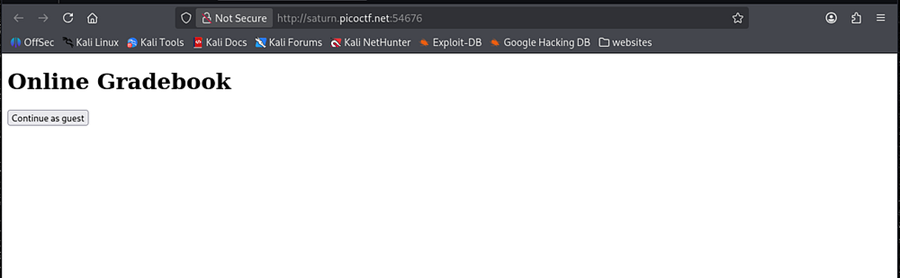
And we see this message:
“We have no guest services at the moment.”
That’s interesting. Why mention the guest specifically?
Step 2: Think About the Challenge Name
The challenge name is: Power Cookie
Whenever a CTF challenge includes a keyword like cookie, it usually means:
👉 We need to inspect or manipulate HTTP cookies.
Cookies are small pieces of data stored in the browser.
They are often used to:
- Track sessions
- Store login states
- Store user roles (admin or guest)
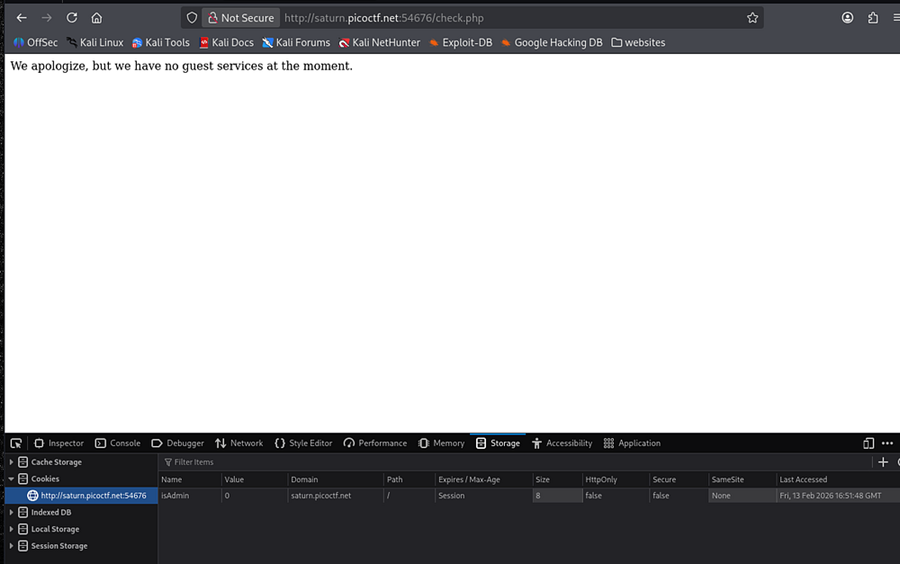
Step 3: Inspecting the Cookie in the Browser
Here’s what we do:
- Right-click on the webpage
- Click Inspect
- Go to the Storage tab (or Application tab in some browsers)
- Click Cookies
- Select the website domain
Now we see something interesting 👀
We find a cookie:
Name: isAdmin
Value: 0
Step 4: Understanding the Cookie
The cookie is: isAdmin = 0
This looks like a boolean value:
- 0 = False
- 1 = True
isAdmin = False
Which means we are not an admin.
That explains why we see:
“We have no guest services at the moment.”
Step 5: Modifying the Cookie in the Browser
Now comes the important part.
If we change: isAdmin = 0 to isAdmin = 1
That means: isAdmin = True
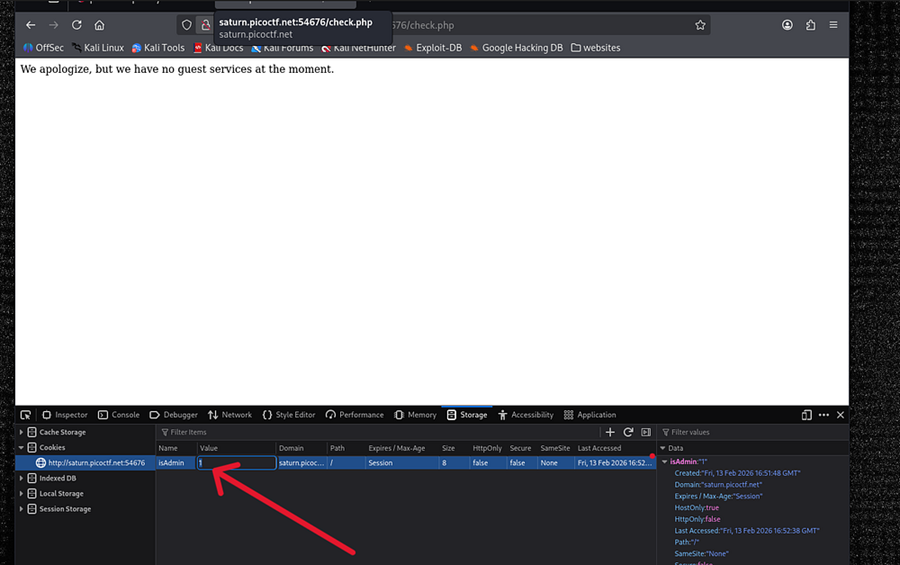
Now refresh the page.
🎉 BOOM! We see the flag!
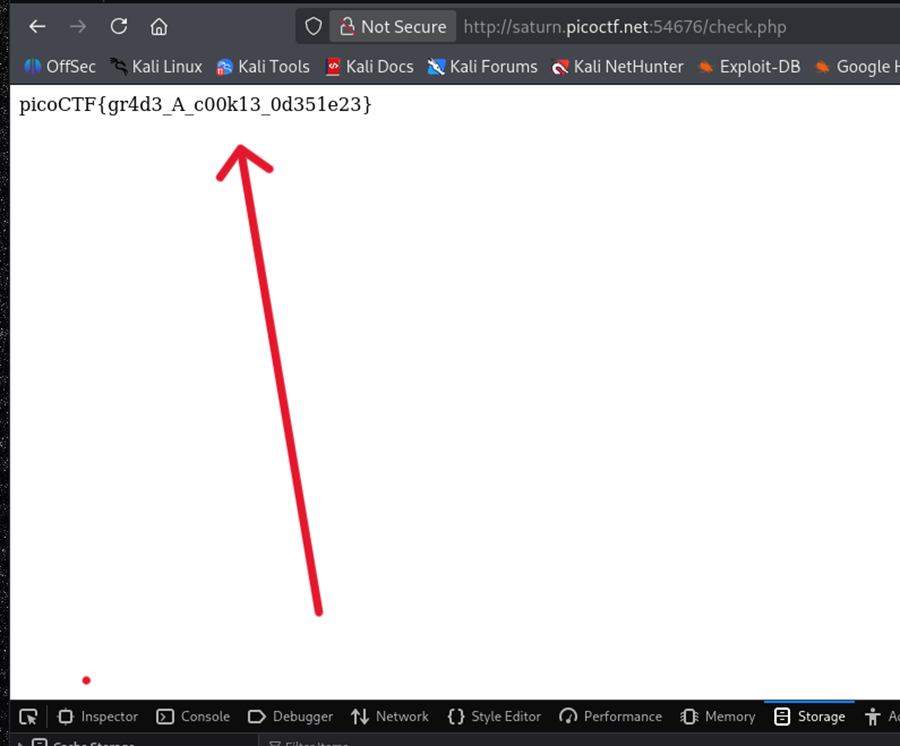
Why?
Because the website trusts the cookie value without verifying it properly on the server.
This is a cookie-based privilege escalation vulnerability.
— — — — — — — — — — — — — — — — — — — — — — — — — — — — — — — — — — — — — —
Solving It Using the Terminal (curl Method)
We can also solve this using the terminal.
Step 1: Try accessing the page: curl http://example.com/check.php
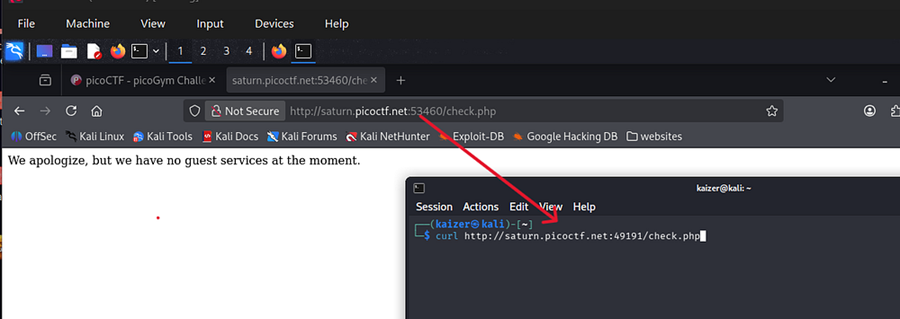
It shows:
“Continue as guest”
That’s because curl does not automatically send browser cookies.
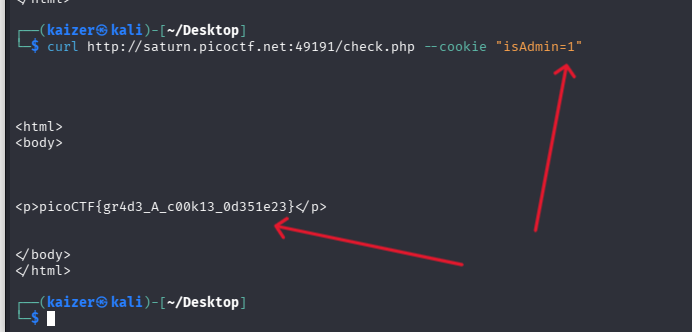
Step 2: Manually Adding the Cookie
We can manually send a cookie using:
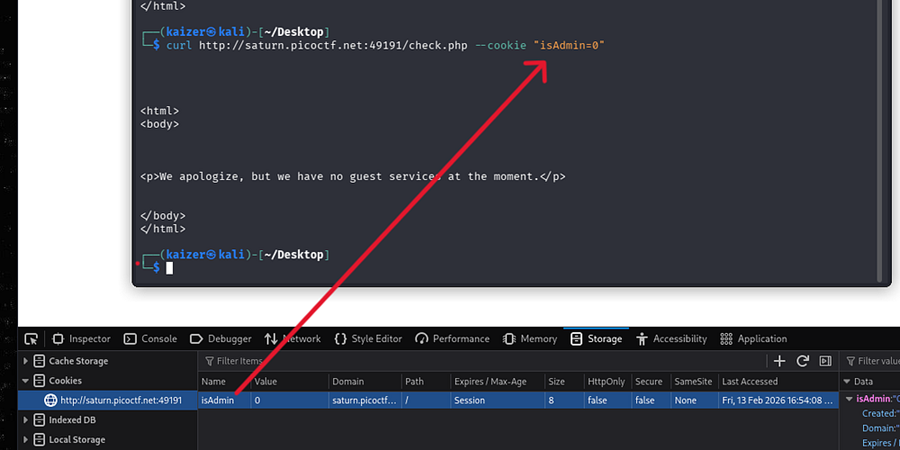
It shows:
“We have no guest services at the moment.”
Now change it to: isAdmin=1
🔥 And now we get the flag!
Why This Works (Security Explanation)
The website is:
- Trusting client-side data
- Not validating admin privileges on the server
- Using a simple Boolean cookie for authentication
This is insecure because: 👉 Users can modify cookies easily
A secure website should:
- Validate admin roles on the server
- Not rely on client-side cookies for authorization
- Use secure session tokens.
[story continues]
tags