
TL;DR —
This tutorial includes shortcuts for both Windows and Mac users. From basic navigation to advanced data operations, this tutorial covers everything you need.
In this tutorial, you’ll find a complete and updated list of Excel shortcuts to help you work more efficiently. From basic navigation to advanced data operations, this tutorial covers everything you need. It includes shortcuts for both Windows and Mac users.
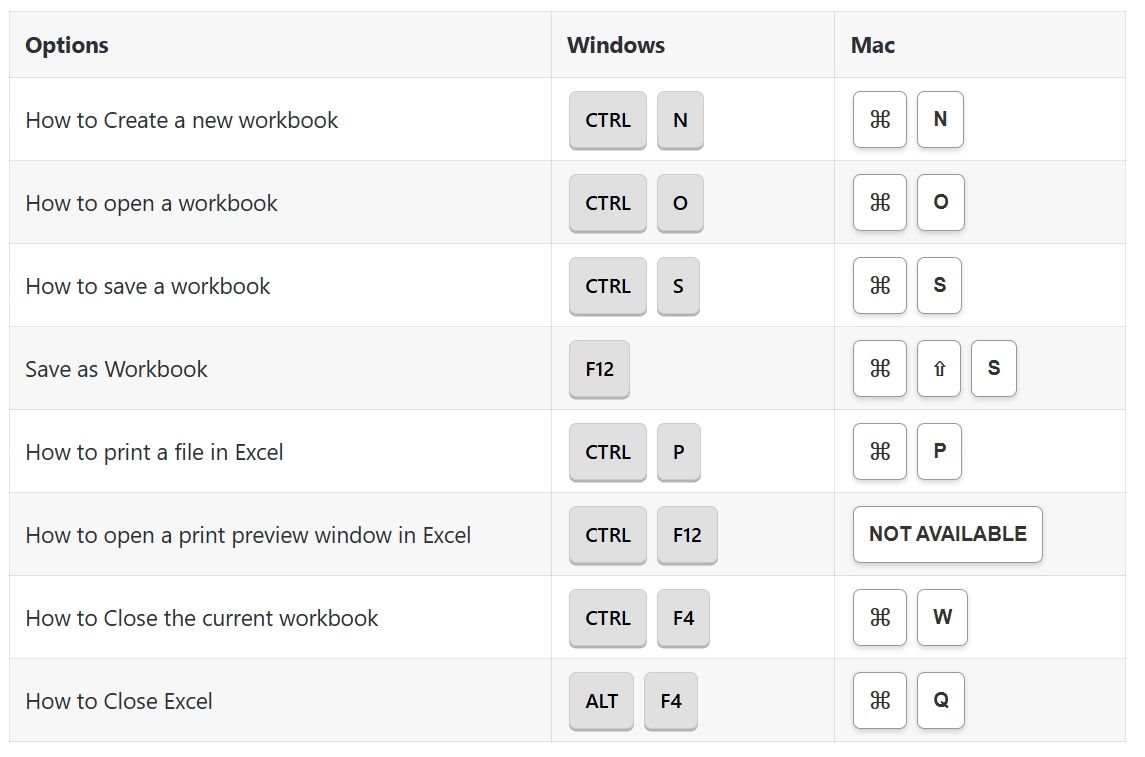
File Options Shortcuts:
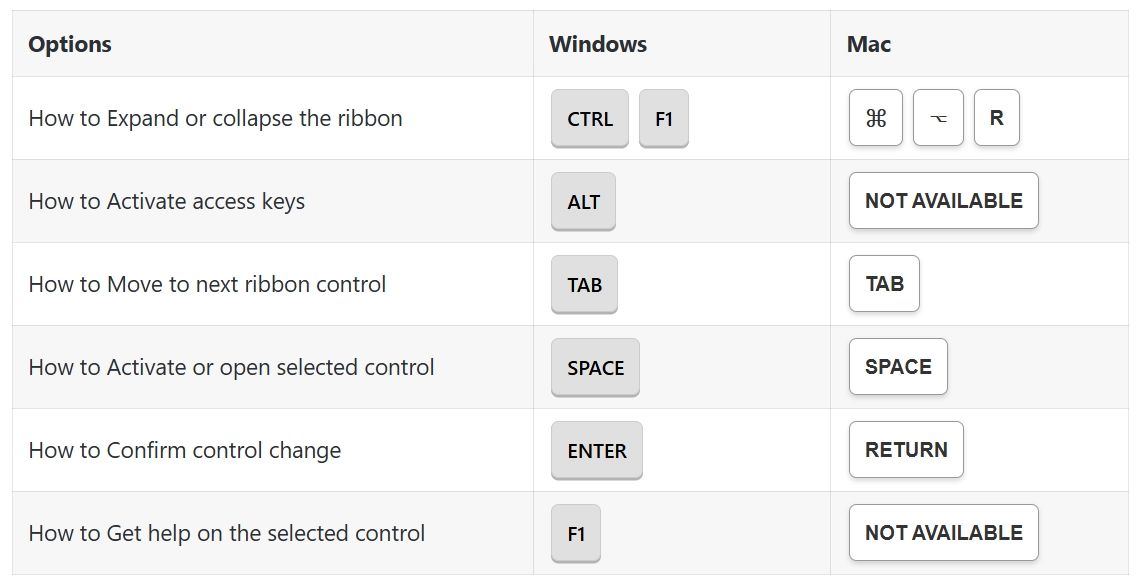
Ribbon Options Shortcuts:
General Options Shortcuts:
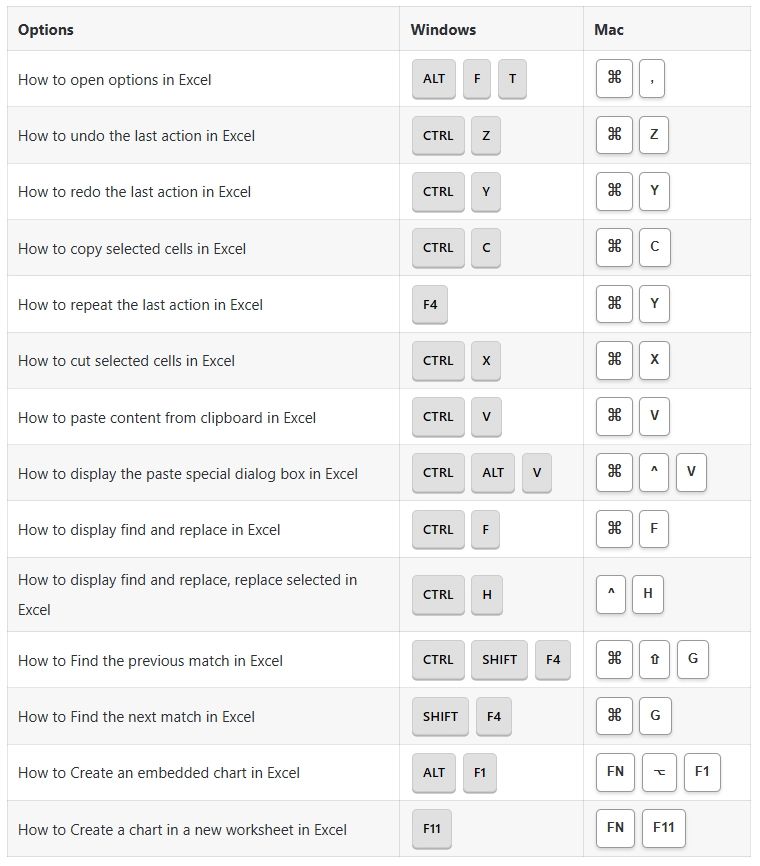
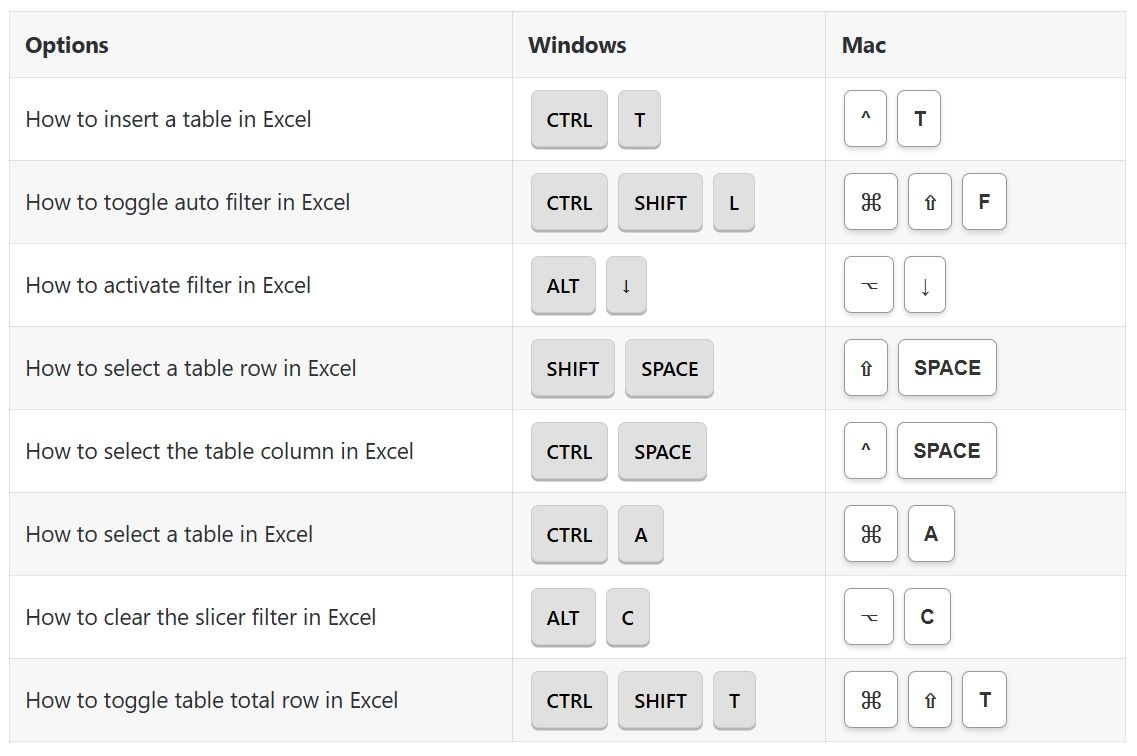
Table & Filters Options Shortcuts:
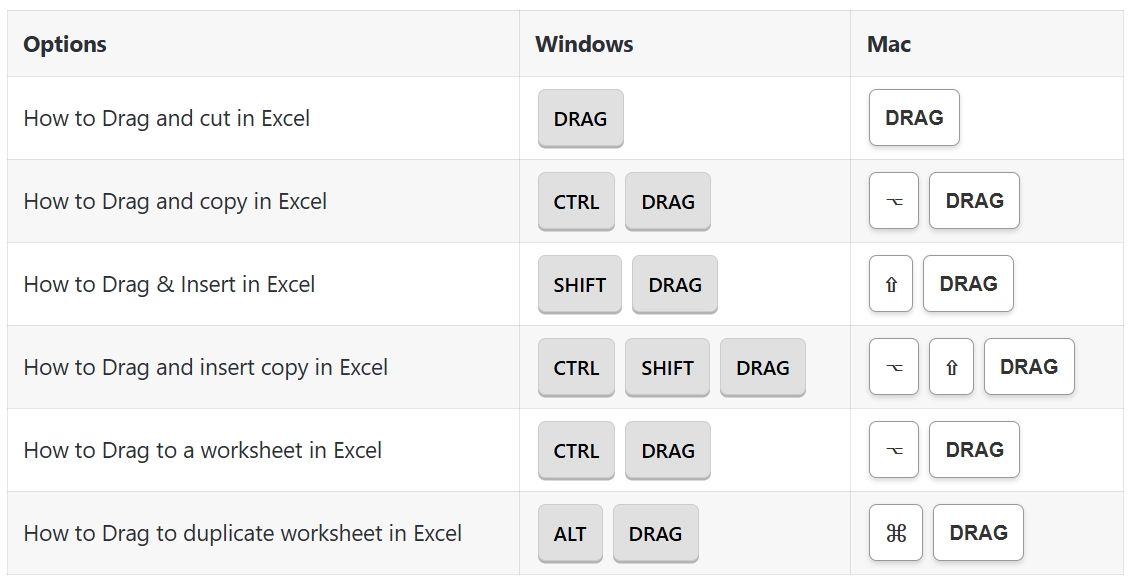
Drag & Drop Options Shortcuts:
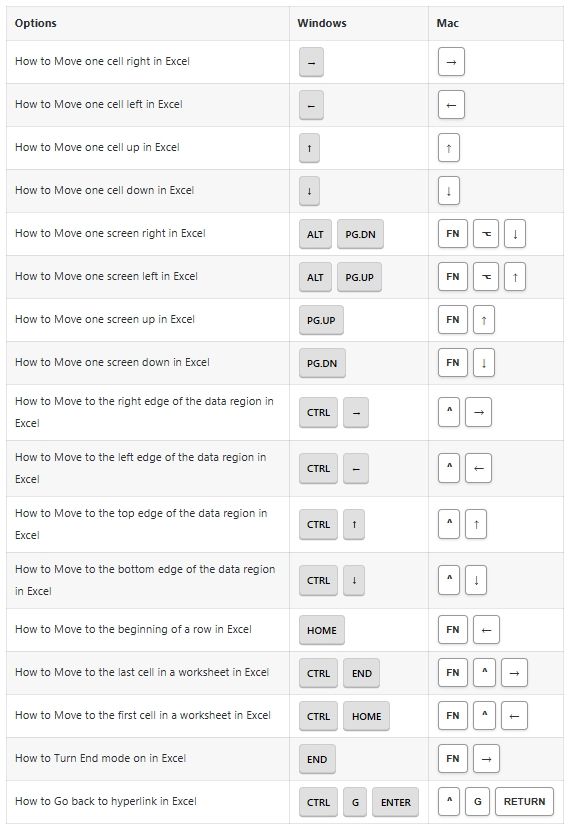
Navigation Options Shortcuts:
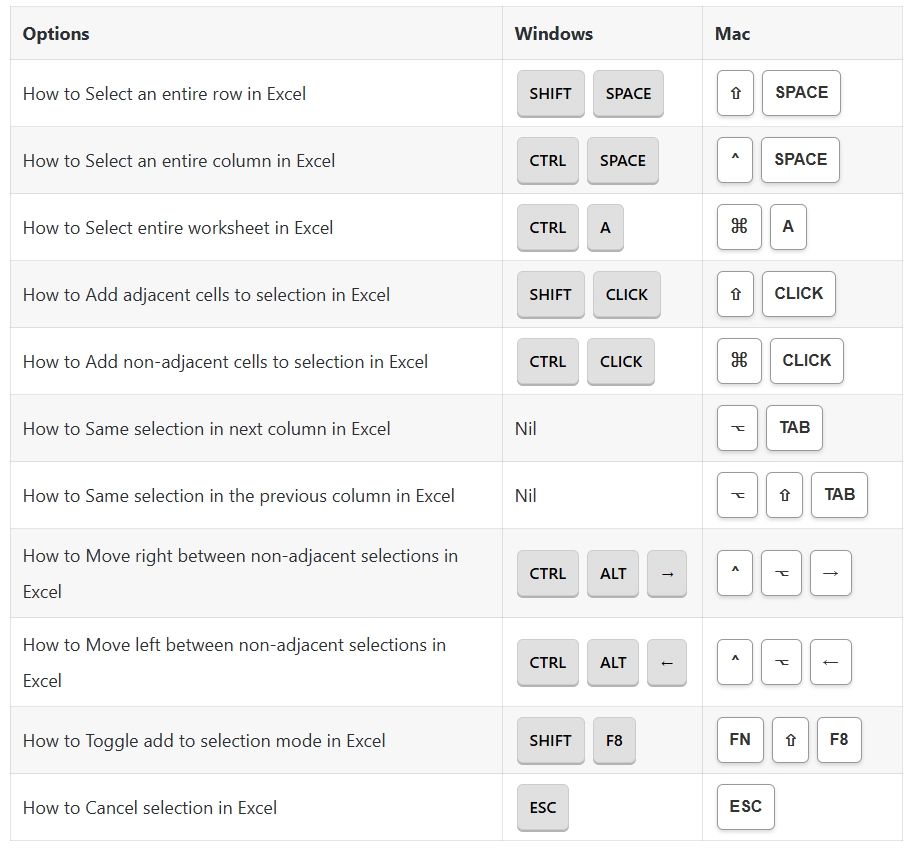
Selection Options Shortcuts:
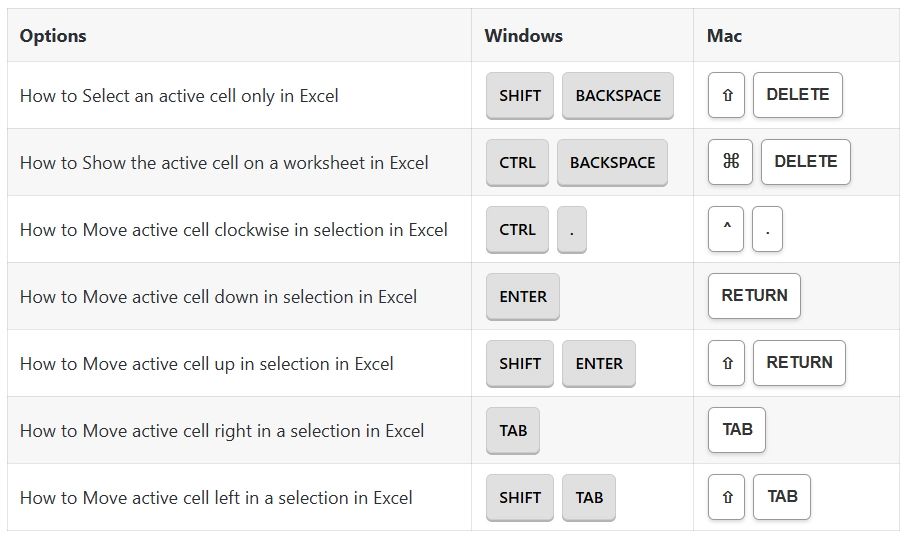
Active Cell Options Shortcuts:
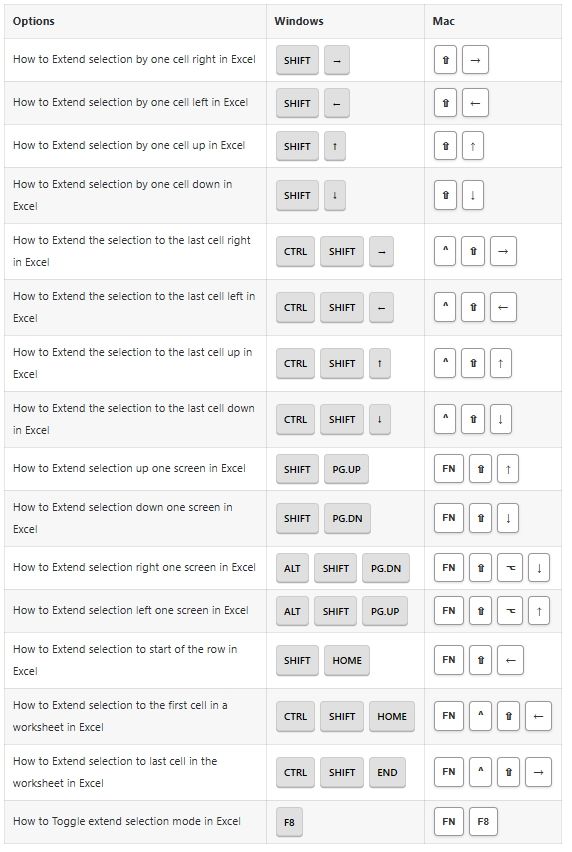
Extend Selection Options Shortcuts:
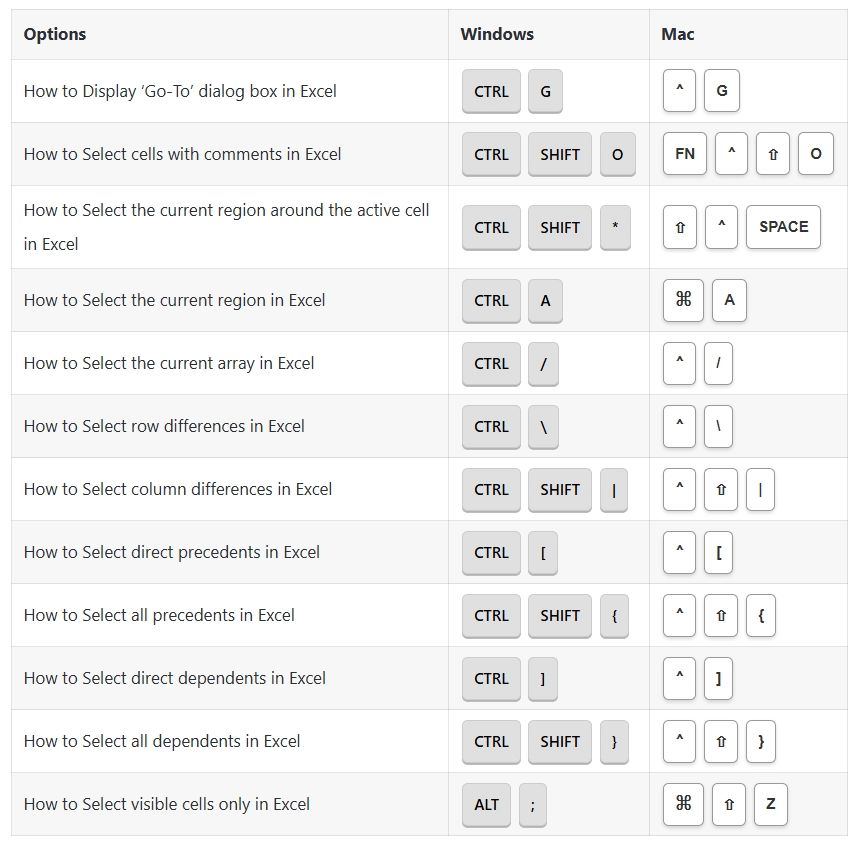
Select Special Options Shortcuts:
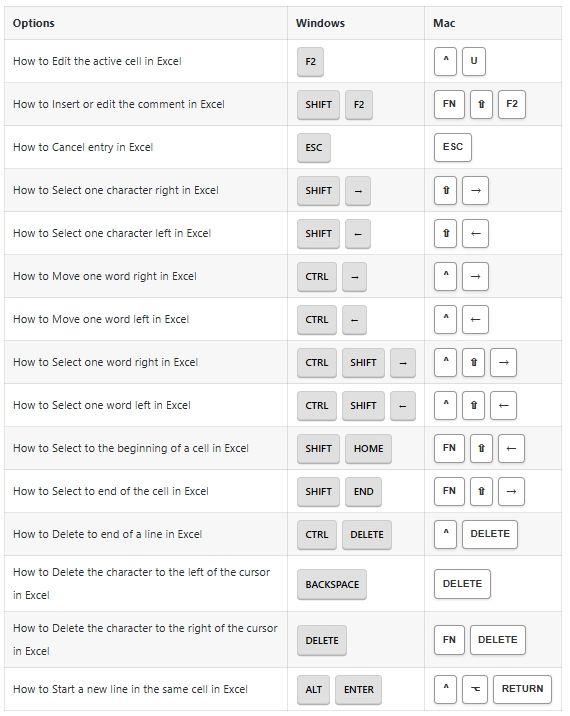
Cell Edit Mode Options Shortcuts:
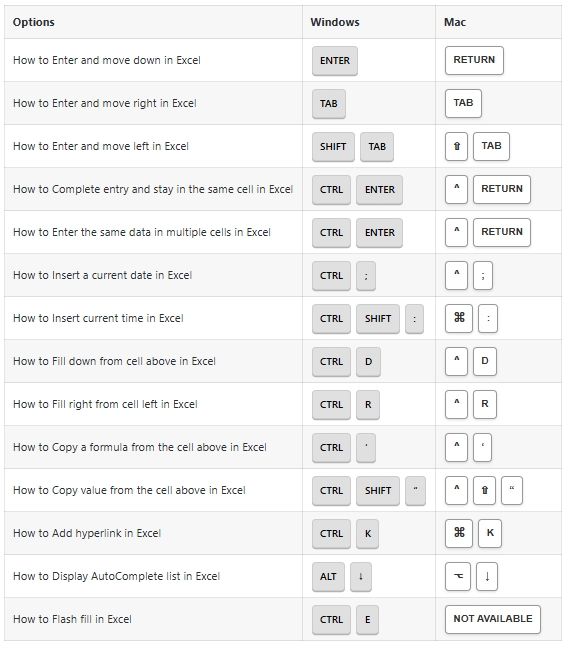
Entering Data Options Shortcuts:
Formatting Options Shortcuts:
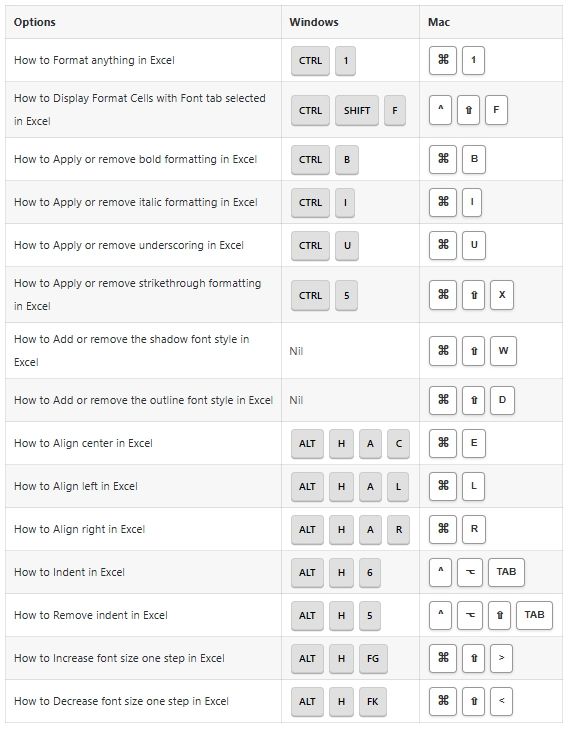
Number Formatting Options Shortcuts:
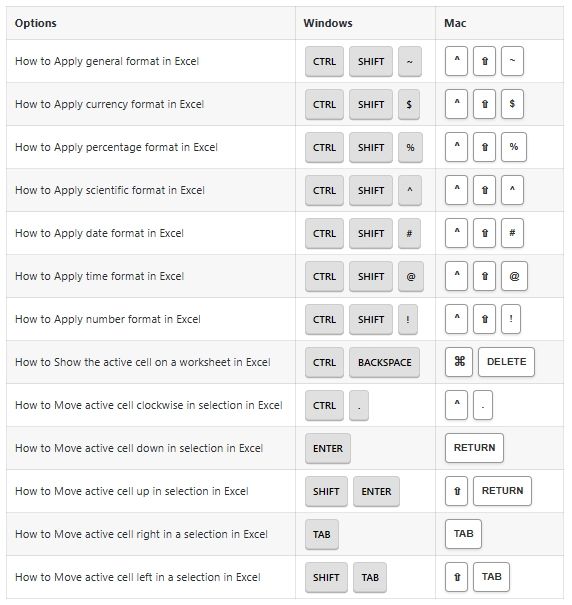
Border Options Shortcuts:
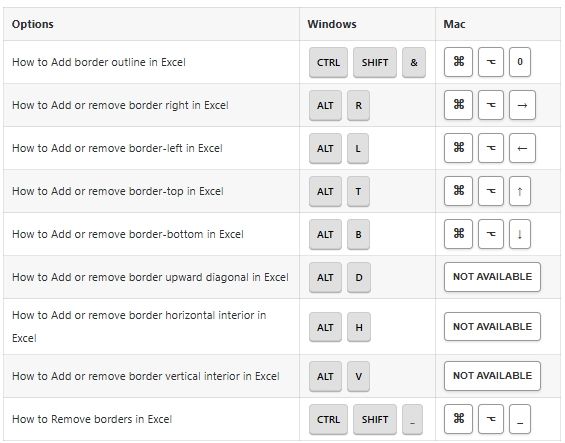
Formula Options Shortcuts:
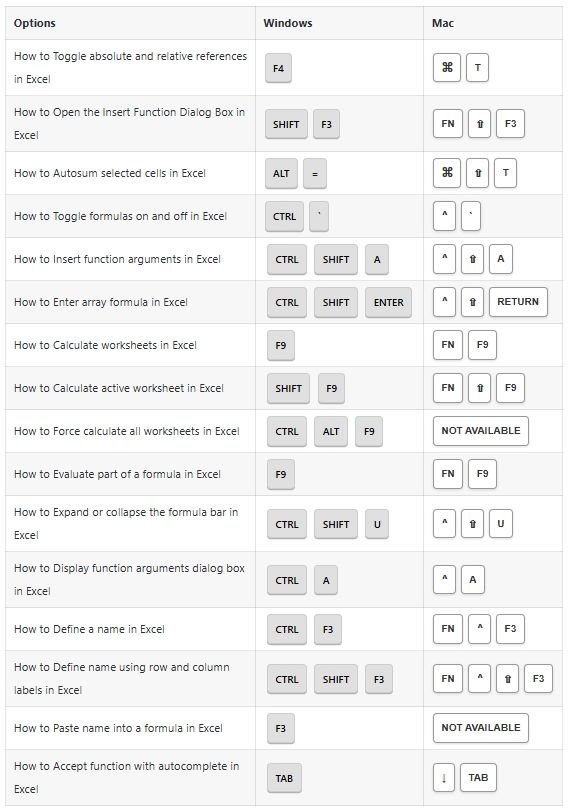
Grid Options Shortcuts:
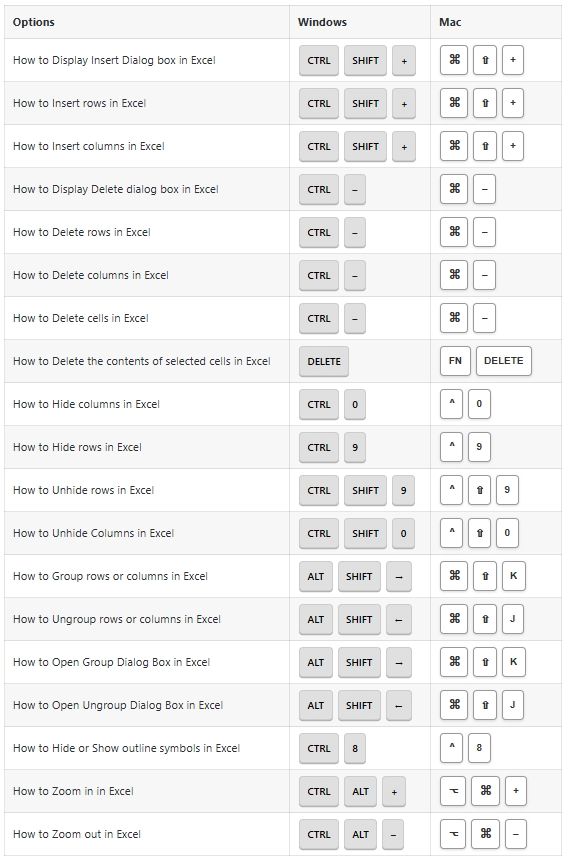
Pivot Tables Options Shortcuts:
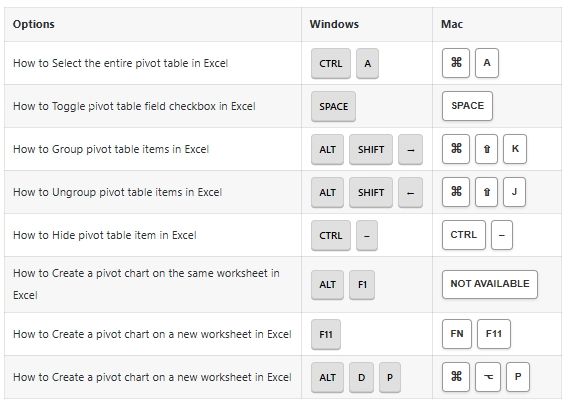
Workbook Options Shortcuts:
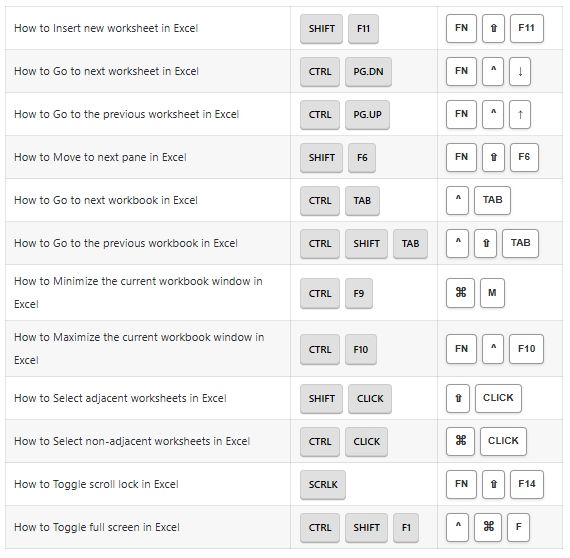
Dialog Boxes Options Shortcuts:
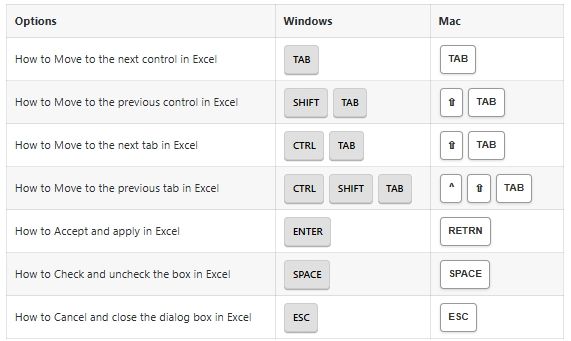
Other Options Shortcuts:
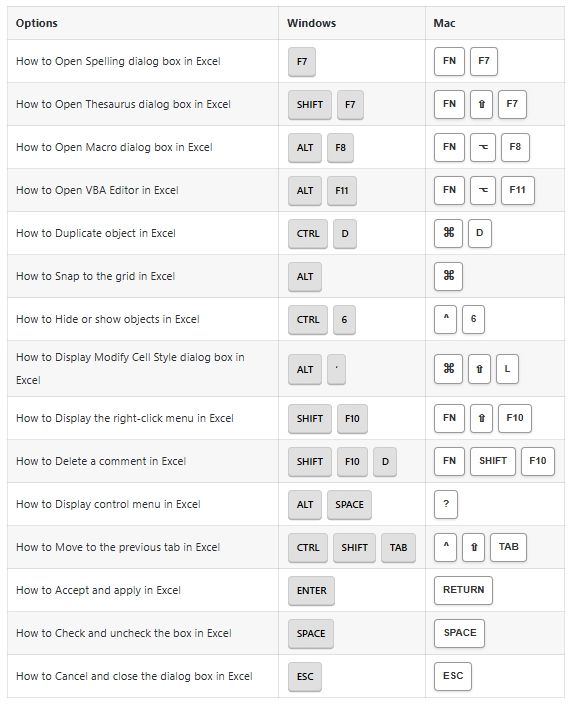
That’s it. This tutorial is originally published on {230+} Excel SHORTCUTS List for Windows & MAC
[story continues]
Written by
@excel24x7
A professional Excel Tutorial website!
Topics and
tags
tags
excel|microsoft-excel|excel-tutorial|excel-hacks|learn-excel|mastering-excel|excel-shortcuts|best-excel-shortcuts
This story on HackerNoon has a decentralized backup on Sia.
Transaction ID: YjL383bf-JF_OWzCmPSshHYmXqzb5g8KZkoWpCSV7Vg