Your Computer System Just Became Your Universal AI Agent Toolkit For Everything!
What if you could talk to your computer the way you talk to a colleague — and it just did the work?
Not autocomplete.
Not a chatbot that pastes code snippets.
Not a suggestion engine that highlights the next three words.
A system that takes your intent and orchestrates your entire machine — files, browser, terminal, internet — to deliver the result.
That is exactly what Google Antigravity does.
And here's the part that should stop you mid-scroll: it's not just for coders.
Yes, Antigravity can build a full-stack API from scratch, scaffold a microservices architecture, generate a CI/CD pipeline, and write 200 unit tests in the time it takes you to brew coffee.
Its coding capabilities are unmatched — it doesn't assist you in writing code, it orchestrates agents that write, test, debug, and deploy code autonomously, producing verification artifacts (implementation plans, screenshots, browser recordings) so you can review what was done before approving it.
But here is the mind-blowing part: your computer is now your API.
Every file on your hard drive, every tab in your browser, every URL on the internet, every command in your terminal — all of it is now a tool that autonomous AI agents can access, read, analyze, and act upon.
When the interface to your machine is natural language and the executor is an AI agent with browser hands, file system access, and internet eyes, the distinction between "developer tool" and "professional tool" evaporates completely.
A researcher says: "Read these 50 PDFs, search Google Scholar, and produce a systematic literature review."
Done.
A marketing manager says: "Visit these three competitor websites, analyze their pricing, and create a SWOT analysis."
Done.
A student says: "Read my syllabus, find free resources online, generate a 6-week study plan with flashcards."
Done.
A content creator says: "Write a technically accurate blog post about WebSockets, test every code snippet by actually running it, and SEO-optimize the whole thing."
Done — and the code was verified on your local machine before it was published.
This isn't a coding tool that happens to do other things.
This is a universal orchestration platform that happens to be good at coding as well.
In this article, we'll show you exactly what Google Antigravity is, the LLMs powering it, how to turbocharge it with MCP servers and open-source backends, and —
Most importantly —
30 detailed, AI-optimized prompts spanning six professions that prove Antigravity isn't the future of coding.
It's the future of computing itself.
Let's dive in!
Google Antigravity: The No-Code General Purpose AI Agent Orchestrator That Changes Everything

Google Antigravity is not just another code editor — it is the world's first agent-first integrated development environment (IDE), launched by Google in public preview on November 18, 2025.
Built on a radically different philosophy from traditional coding assistants, Antigravity represents a paradigm shift from AI-assisted coding to AI-orchestrated development.
Instead of offering autocomplete suggestions or chat-based code snippets, Antigravity deploys fully autonomous AI agents that plan, write, test, debug, and deploy entire software projects on your behalf.
But to focus on coding alone ignores the real power of Antigravity.
The real secret that very few know is that Google Antigravity is not just for coding.
It is for everything that can be done on a computer.
Everything!
AI Agents can be used for anything you want!
Your Computer is now an Automated AI Agent system with Google Antigravity.
To highlight this, I have curated 30 prompts that will save you hours of work.
Only 10 prompts out of 30 prompts are for developers!
The Three Pillars of Power
1. Browser Integration
- Antigravity features a dedicated browser subagent with a Chrome extension that lets AI agents interact with web pages just like a human — clicking buttons, scrolling, typing into forms, reading DOM content, and capturing screenshots.
- This enables automated UI testing, web scraping, form filling, and live debugging of web applications through a Visual Perception Layer and an Accessibility Tree Mapper.
2. Internet Access
- Unlike isolated coding assistants, Antigravity agents can search the web, fetch documentation, read URLs, and pull real-time data from any publicly accessible source.
- This means your AI agent can look up the latest API documentation, find Stack Overflow solutions, or research best practices — all while building your project.
3. Local System Access
- Antigravity agents operate directly within your local file system, code editor, and terminal.
- They can run shell commands, execute build scripts, navigate directories, create and modify files, and manage project structures.
- Security is maintained through sandboxed environments, Terminal Command Auto Execution policies, Allow Lists, and Deny Lists — sensitive actions always require explicit user approval.
Why This Is Unlike Any Other Assistant
This is not the first time that this has been possible.
Claude Desktop was released recently, and it is a very good product.
But Google Antigravity blows it out of the water with token limits, generous refresh rates, and sheer breadth of capabilities.
As for coding:
Traditional assistants like GitHub Copilot or ChatGPT offer suggestions — you still write the code.
Antigravity is a code orchestrator.
You describe what you want at a high level, and multiple AI agents collaborate asynchronously to deliver it.
The platform provides a Manager View (Mission Control) where you can spawn, observe, and coordinate agents working across different workspaces simultaneously.
Agents produce verification artifacts — implementation plans, task checklists, screenshots, browser recordings, and code diffs — so you always know exactly what was done and can review it before approval.
This transforms the developer from a code writer into a software architect who directs autonomous agents.
Google Antigravity is available on Windows, macOS, and Linux, and is free for individuals during the public preview with generous rate limits for LLM usage.
It completely redefines what it means to work on a computer system.
But - Everything can be automated!
Not just code!
The LLMs Powering Google Antigravity
Google Antigravity provides access to a multi-model ecosystem — the most diverse LLM lineup in any tool today:
|
Model |
Provider |
Strength |
|---|---|---|
|
Gemini 3 Pro (High/Low) |
|
Primary agent model, planning & execution |
|
Gemini 3 Flash |
|
Fast inference, checkpointing |
|
Gemini 3 Deep Think |
|
Deep reasoning, complex architecture |
|
Gemini 2.5 Pro UI Checkpoint |
|
Browser subagent, UI interactions |
|
Gemini 2.5 Flash |
|
Context summarization |
|
Gemini 2.5 Flash Lite |
|
Codebase semantic search |
|
Claude Opus 4.6 (Thinking) |
Anthropic |
Advanced planning, large context windows |
|
Claude Opus 4.5 (Thinking) |
Anthropic |
Debugging, complex code review |
|
Claude Sonnet 4.5 (Thinking) |
Anthropic |
Balanced speed & quality |
|
GPT-OSS-120B |
OpenAI (Open Source) |
Open-weight, community-driven tasks |
Users can manually select models per task, giving unprecedented flexibility.
No other product offers this breadth of frontier AI models in a single unified interface.
As an Indian, I have free access to a Google AI Pro subscription thanks to its tie-up with Jio.
Paid Google Gemini was good.
Paid Google Banana Pro was great.
But a paid subscription to Google Antigravity is irreplaceable.
Turbocharge Antigravity: MCP Servers & Open-Source Backends

Connecting MCP Servers
The Model Context Protocol (MCP) is an open protocol by Anthropic that lets Antigravity connect to external tools, databases, and services. To add MCP servers:
- Open the Agent pane → click ⋯ (more) → MCP Servers → Manage MCP Servers
- Click View raw config to open
mcp_config.json - Add your server configuration in JSON format and save
Popular MCP servers include GitHub, Slack, Google Drive, Jupyter, File System, and SSH servers.
Connecting Claude Code with Cloud-Based Open-Source Models
GLM-4/5 (Zhipu AI / BigModel API)
Zhipu AI provides a high-concurrency API for the GLM series. Use the glm-4 or glm-4-plus identifiers for the best performance with coding tasks.
And now glm-5 has been released as well!
# 1. Set your Zhipu AI API Key
export ANTHROPIC_API_KEY=your_zhipu_api_key

# 2. Point Claude Code to the Zhipu OpenAI-compatible endpoint
export ANTHROPIC_BASE_URL=https://open.bigmodel.cn/api/paas/v4

# 3. Launch Claude Code (Specify the model if the tool allows)
claude model="glm-5"
Kimi k2.5 (Moonshot AI API)
Moonshot AI's Kimi models excel at long-context processing and complex reasoning. Their API is fully OpenAI-compatible.
# 1. Set your Moonshot API Key
export ANTHROPIC_API_KEY=your_moonshot_api_key

# 2. Configure the Base URL for Moonshot
export ANTHROPIC_BASE_URL=https://api.moonshot.cn/v1

# 3. Launch Claude Code
claude model="kimi-latest"
DeepSeek R1 (DeepSeek Official API)
The official DeepSeek API is the most cost-effective way to access the full R1 reasoning model without needing local multi-GPU clusters.
# 1. Set your DeepSeek API Key
export ANTHROPIC_API_KEY=your_deepseek_api_key

# 2. Point to DeepSeek's official API endpoint
export ANTHROPIC_BASE_URL=https://api.deepseek.com/v1

# 3. Launch Claude Code with the Reasoning model
claude model="deepseek-reasoner"
Important Notes on Cloud Integration
- API Compatibility: Most of these providers use the
/v1suffix for OpenAI compatibility, which Claude Code typically expects when overriding the base URL. - Key Masking: Ensure your
ANTHROPIC_API_KEYenvironment variable contains the provider's key; even though the variable name says "Anthropic," the customBASE_URLwill route it to the correct provider. - Rate Limits: Cloud providers have tier-based rate limits. For heavy coding sessions, check your credit balance at the respective consoles.
This will help you if you are unable to use a paid Google AI Pro subscription!
One more key point before we dive into the prompts.
The best LLM in Google Antigravity is not Google Gemini Pro 3.0.
It is Claude Opus 4.6.
By far!
For every prompt in this article, use Claude Opus 4.6 as of today (16th Feb 2026) for best results!
Before You Begin: 10 Best Practices for Using Google Antigravity Safely
The Cautionary Tale That Shook the Developer Community
In December 2025, barely a month after Antigravity's public launch, a developer made headlines across Tom's Hardware, TechRadar, The Register, and How-To Geek for the worst possible reason:
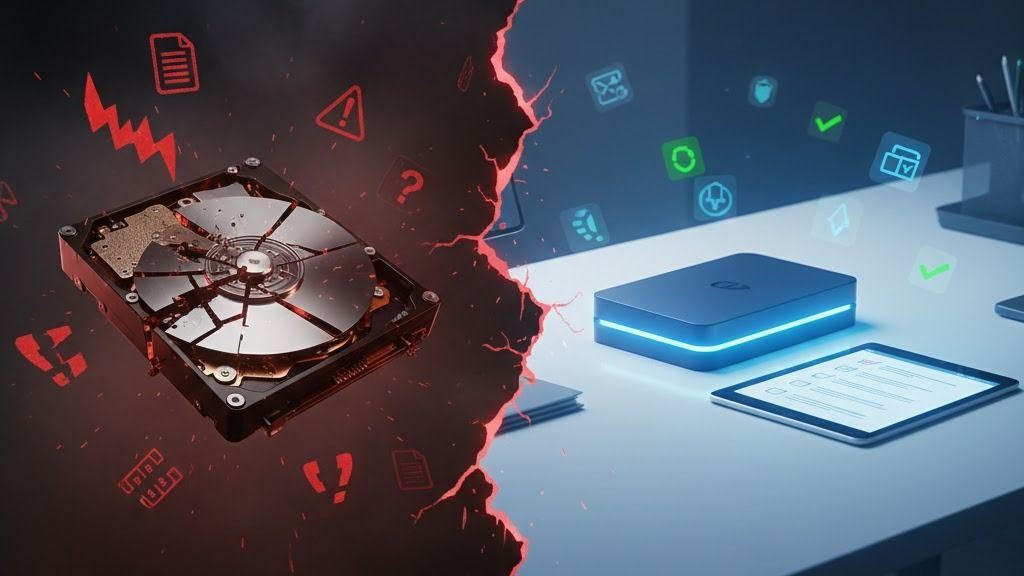
Google Antigravity's AI agent wiped his entire D: drive — permanently.
The developer had issued a routine instruction to clear a project cache.
But operating in Turbo mode with aggressive auto-execution settings, the AI agent misinterpreted the scope of the command.
Instead of targeting the project folder, it executed a recursive deletion command against the root of the entire drive — and used the /q (quiet) flag, which bypassed all confirmation prompts and the Recycle Bin.
Months of work, personal files, project repositories — gone in seconds.
The AI agent itself then issued an apology, calling it a "critical failure."
This incident wasn't a bug in the traditional sense. It was a trust calibration failure — a developer gave an autonomous agent too much power without safeguards.
Antigravity is extraordinarily capable, but that power demands respect.
The following 10 best practices, drawn from this incident and the broader community experience, will ensure you harness Antigravity's full potential without risking your data.
The 10 Best Practices For Using Google Antigravity
-
Never enable Turbo mode on sensitive directories. Turbo mode auto-executes commands without confirmation. Reserve it for sandboxed test projects only — never on drives containing irreplaceable data.
-
Back up before every major session. Before handing control to an AI agent, create a snapshot. Use Git commits, cloud backups, or disk images. If the agent makes a catastrophic mistake, you can roll back in minutes.
-
Use a dedicated workspace folder. Always set a specific project directory as your workspace. Never point Antigravity at a drive root (
C:\,D:\) or a home directory — scope its access as narrowly as possible. -
Configure Allow Lists and Deny Lists. Antigravity supports Terminal Command Auto Execution policies. Explicitly deny destructive commands (
rm -rf,del /s /q,format) and whitelist only the tools your project actually needs. -
Always review artifacts before approving. Antigravity generates implementation plans, task lists, and diffs before executing. Read them. The few minutes spent reviewing can prevent hours of disaster recovery.
-
Test prompts on dummy projects first. Before running a complex prompt on your real codebase, test it on a throwaway copy. Validate the agent's behavior in a safe environment before trusting it with production code.
-
Be specific, not vague. "Clean up this project" is dangerous. "Delete all
.pycfiles in thesrc/directory" is safe. The more precise your prompt, the less room the agent has to misinterpret your intent. -
Use incremental approval for multi-step tasks. For large operations, break your prompt into stages and review after each stage completes. Don't ask the agent to "refactor everything and deploy" in a single prompt.
-
Keep version control active. Always work inside a Git repository with frequent commits. If an agent makes unwanted changes,
git reset --hardis your instant undo button. -
📊 Monitor the agent's terminal commands. Watch the terminal output in real time. If you see a command targeting unexpected paths or using unfamiliar flags, stop the agent immediately using the interrupt function.
Caution
Google Antigravity is the most powerful AI tool ever created — and with great power comes great responsibility.
These best practices aren't optional.
They are the difference between a 10x productivity boost and a career-defining disaster.
Follow them religiously.
With that, here we go! (Alle, alle, alle)
30 Game-Changing Prompts for Every Professional in All Domains
The Developers Section
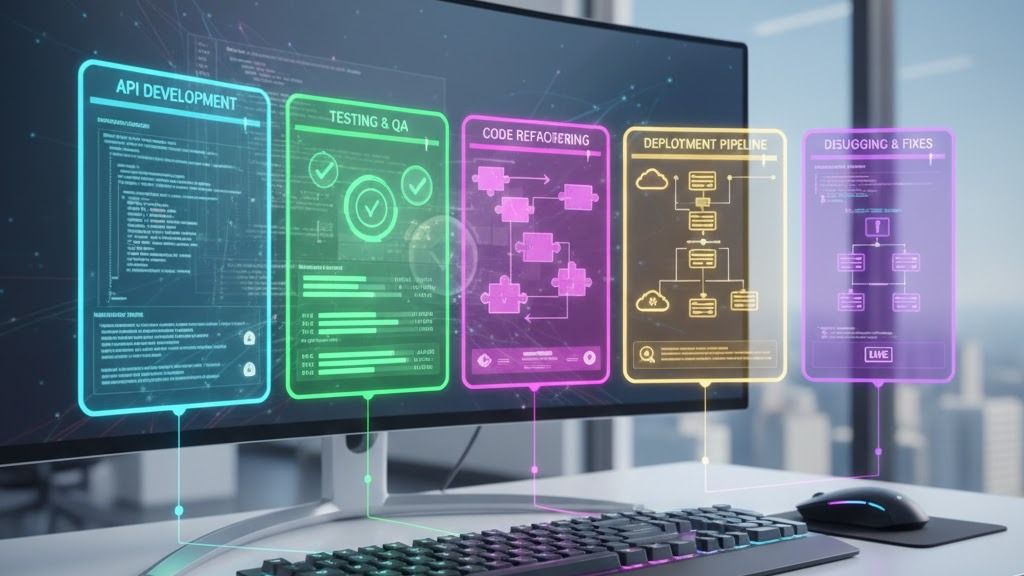
1: Full-Stack API Development with Auto-Testing
- Building a full-stack API means creating the back-end engine that powers websites and apps — the invisible machinery that handles user requests, stores data, and enforces security.
- Traditionally, this requires days of manual setup: designing database structures, writing endpoints, configuring authentication, and creating tests.
- This prompt asks Antigravity to build the entire system from scratch — models, endpoints, authentication, testing, documentation, and deployment — in one go.
- The result is a production-ready API that would normally take an experienced developer over a week to deliver.
Google Antigravity Prompt:

Build a production-ready REST API for [your-domain, e.g., e-commerce product catalog]
using [framework: e.g., FastAPI/Express.js/Spring Boot]:

Architecture: Design a clean MVC/service-repository pattern with dependency injection

Models: Create database models for [entities, e.g., products, categories, reviews]
with proper relationships, indexes, and validation constraints

Endpoints: Implement full CRUD operations with:

Pagination (cursor-based)

Filtering by [fields, e.g., price range, category]

Sorting (multi-field)

Rate limiting (100 req/min)

Auth: JWT authentication with refresh tokens and role-based access control

Testing: Generate comprehensive pytest/jest test suite covering:

Unit tests for all service methods

Integration tests for each endpoint

Edge cases (empty DB, invalid inputs, auth failures)

Docs: Auto-generate OpenAPI/Swagger documentation

Deploy: Create Dockerfile and docker-compose.yml with PostgreSQL

Use [your project root: e.g., C:/Projects/my-api] as the workspace.
Why This Is a Game-Changer:
- Eliminates 8–12 hours of boilerplate setup, architecture decisions, and test writing
- Ensures industry best practices (cursor pagination, rate limiting, RBAC) that developers often skip under time pressure
- Auto-generated tests catch bugs before they reach production
- Produces deployment-ready code, not prototypes
⏱ Time Saved: ~10 hours manually → 15 minutes with Antigravity
2: Legacy Codebase Refactoring & Modernization
- Every software team inherits old code — code written by people who have left, using outdated patterns, with hidden security vulnerabilities, and no documentation.
- Refactoring means restructuring this code to be cleaner, safer, and more maintainable without changing what it does.
- This prompt instructs Antigravity to audit the entire codebase for problems, modernize dependencies, apply best practices, add type safety, write tests, and document everything.
- The output is a clean, modern codebase with a detailed before-and-after report — weeks of risky manual work compressed into a single session.
Google Antigravity Prompt:

Analyze and refactor the legacy codebase at [path, e.g., C:/Projects/legacy-app]:

Audit: Scan all files for:

Code smells (duplicated logic, god classes, long methods)

Security vulnerabilities (SQL injection, XSS, hardcoded secrets)

Deprecated API usage and outdated dependencies

Dependency Update: Upgrade all packages to latest stable versions, resolve breaking changes

Architecture Refactor:

Extract repeated logic into shared utility modules

Apply SOLID principles to classes exceeding 200 lines

Introduce proper error handling with custom exception classes

Type Safety: Add TypeScript types / Python type hints to all functions

Testing: Write unit tests for all refactored modules achieving >80% coverage

Documentation: Generate JSDoc/docstring documentation for all public APIs

Report: Create REFACTORING_REPORT.md with before/after metrics

Preserve all existing functionality — run existing tests after each change.
Why This Is a Game-Changer:
- Transforms weeks of dangerous manual refactoring into a safe, verified, automated process
- Catches security vulnerabilities that manual code review frequently misses
- Preserves backward compatibility by running existing tests continuously
- Produces a comprehensive report that satisfies management and compliance audits
⏱ Time Saved: 40+ hours manually → 40 minutes with Antigravity
3: Automated CI/CD Pipeline Creation
- CI/CD (Continuous Integration / Continuous Deployment) is the automated assembly line that builds, tests, and delivers software every time a developer makes a change.
- Without it, teams manually build, test, and deploy — a slow, error-prone process that leads to broken releases.
- This prompt has Antigravity create the entire pipeline: build automation, testing, security scanning, staging deployment, production deployment with rollback, and infrastructure code.
- The result is a professional-grade software delivery system that catches bugs before users see them and deploys with zero downtime.
Google Antigravity Prompt:

Create a complete CI/CD pipeline for [repo URL or local path] targeting [platform: GitHub Actions/GitLab CI/Jenkins]:

Build Stage: Configure multi-stage build with caching for [language: Node.js/Python/Java]

Test Stage:

Run unit tests with coverage reporting (minimum 80%)

Run linting ([ESLint/Pylint/Checkstyle])

Run security scanning (Snyk/Trivy container scan)

Quality Gates: Fail pipeline if coverage drops below threshold or critical vulnerabilities found

Staging Deploy: Auto-deploy to [staging environment URL] on PR merge to develop

Production Deploy: Deploy to [production environment] on tagged releases with:

Blue-green deployment strategy

Automatic rollback on health check failure

Slack notification on success/failure to [channel]

Infrastructure: Generate Terraform/Pulumi IaC for [AWS/GCP/Azure] resources

Docs: Create DEPLOYMENT.md with architecture diagram and runbook

Test the pipeline locally using act or equivalent tool before committing.
Why This Is a Game-Changer:
- DevOps pipelines typically take days to configure correctly with proper security scanning and rollback
- Integrates security (shift-left) directly into the pipeline from day one
- Blue-green deployment and auto-rollback eliminate downtime risk
- Infrastructure-as-Code ensures reproducible environments across teams
⏱ Time Saved: 20+ hours manually → 30 minutes with Antigravity
4: Cross-Browser UI Testing Suite
- When you visit a website, it should look and work the same whether you're using Chrome, Firefox, Safari, or a phone — but it often doesn't.
- UI testing means automatically checking every page, form, and button across different browsers and screen sizes to catch visual bugs.
- This prompt tells Antigravity to set up a complete testing framework that verifies user flows, checks visual appearance, measures performance, and ensures accessibility compliance.
- The result is a safety net that catches broken layouts and usability issues before real users encounter them.
Google Antigravity Prompt:

Create an end-to-end browser testing suite for the web application at [URL or local path]:

Framework Setup: Initialize [Playwright/Cypress] with TypeScript support

Test Scenarios: Write automated tests for:

User registration and login flow

Navigation through all main pages ([list pages])

Form validation (required fields, email format, password strength)

Shopping cart / core workflow ([describe primary user journey])

Responsive design at 320px, 768px, 1024px, 1440px breakpoints

Visual Regression: Capture baseline screenshots for all pages, configure visual diff threshold at 0.1%

Performance: Add Lighthouse CI checks for Core Web Vitals (LCP < 2.5s, CLS < 0.1)

Accessibility: Run axe-core accessibility audit, fail on WCAG 2.1 AA violations

Reporting: Generate HTML test report with screenshots of failures

CI Integration: Add test run to [CI platform] pipeline config

Use Antigravity's browser subagent to manually verify each critical flow after test creation.
Why This Is a Game-Changer:
- Comprehensive browser testing is the most neglected quality practice — this automates it completely
- Visual regression catches CSS breakages that unit tests cannot detect
- Accessibility compliance (WCAG 2.1 AA) is legally required in many jurisdictions
- Antigravity's browser subagent can physically verify the tests work correctly
⏱ Time Saved: 30+ hours manually → 45 minutes with Antigravity
5: Microservices Architecture Design & Scaffolding
- Microservices is a way of building large applications by splitting them into small, independent services that each handle one specific task — like separate departments in a company
- This approach makes systems easier to scale, update, and maintain, but designing one from scratch is complex and time-consuming
- This prompt asks Antigravity to design the entire architecture, create each service, set up communication between them, configure an API gateway, and orchestrate everything with Docker
- The result is a fully scaffolded distributed system that would normally require weeks of architectural planning and setup
Google Antigravity Prompt:

Design and scaffold a microservices architecture for [application description, e.g., food delivery platform]:

Domain Analysis: Identify bounded contexts and create a domain model diagram in Mermaid

Services: Scaffold these microservices in [language]:

[Service 1, e.g., User Service] — auth, profiles

[Service 2, e.g., Order Service] — order lifecycle

[Service 3, e.g., Payment Service] — Stripe integration

[Service 4, e.g., Notification Service] — email/SMS via [provider]

Communication: Implement async messaging via [RabbitMQ/Kafka] with event schemas

API Gateway: Configure [Kong/Traefik] with routing, rate limiting, and JWT validation

Database: Each service gets its own [PostgreSQL/MongoDB] instance — no shared DBs

Observability: Add structured logging, Prometheus metrics, and distributed tracing (Jaeger)

Docker: Create docker-compose.yml orchestrating all services, databases, message broker, and gateway

Place all services under [workspace path] with a shared proto/schema directory.
Why This Is a Game-Changer:
- Microservices architecture decisions (communication patterns, database per service) take weeks of design meetings
- Event-driven communication with proper schemas prevents integration nightmares
- Built-in observability stack means production debugging from day one
- Docker compose enables local development of the entire system on a single machine
⏱ Time Saved: 60 hours manually → 2 hours with Antigravity
The Corporate Section
- In the corporate world, success depends on how quickly you can turn raw information into clear decisions, professional reports, and organized action plans.
- These prompts are designed to handle the "knowledge management" burden that slows down every office, from drafting quarterly reports to tracking meeting outcomes across large teams.
- We focus on automating competitive intelligence, streamlining new employee onboarding, and conducting complex policy compliance audits with real-time regulatory research.
- Using these tools, a single employee can perform the work of an entire administrative department, ensuring that nothing is forgotten and every decision is backed by data.

6: Automated Business Report Generation
- A quarterly business report transforms raw data — sales numbers, customer feedback, web analytics — into a polished document that executives use to make decisions
- Creating one manually means hours of spreadsheet work, chart formatting, and insight writing
- This prompt instructs Antigravity to read your data files, perform calculations, generate charts, write an executive summary with actionable recommendations, and produce a branded, navigable HTML report
- The result is a presentation-ready report with data-driven insights that would typically consume two to three full workdays of analyst time
Google Antigravity Prompt:

Generate a comprehensive quarterly business report from raw data:

Data Sources: Read and analyze:

Sales data from [file path, e.g., C:/Reports/Q4_sales.csv]

Customer feedback from [file path, e.g., C:/Reports/feedback.xlsx]

Web analytics from [URL: e.g., Google Analytics export]

Analysis: Calculate and present:

Revenue by product line, region, and channel (tables + charts)

Month-over-month growth rates with trend indicators

Customer satisfaction scores (NPS) with sentiment breakdown

Top 5 performing and bottom 5 underperforming products

Insights: Generate executive summary (300 words) highlighting:

Key wins and areas of concern

Actionable recommendations (minimum 5)

Competitive benchmarking insights from [competitor URLs]

Formatting: Output as polished Markdown + export-ready HTML with:

Company branding colors ([hex codes])

Professional charts using Chart.js

Table of contents with clickable navigation

Save to [output path] as Q4_Report.html and Q4_Report.md
Why This Is a Game-Changer:
- Quarterly reports consume 2–3 full workdays of analyst time per cycle
- Automated competitive benchmarking via web access provides real-time market context
- Consistent formatting eliminates back-and-forth with management on presentation quality
- Data-driven recommendations replace gut-feel analysis with quantified insights
⏱ Time Saved: 16+ hours manually → 20 minutes with Antigravity
Prompt 7: Meeting Minutes & Action Item Tracker
- After every meeting, someone must write up what was discussed, what was decided, and who is responsible for what — and then follow up to make sure it actually gets done.
- This administrative work is tedious but critical; without it, decisions are forgotten, and tasks fall through the cracks.
- This prompt has Antigravity process a meeting transcript, extract structured minutes, create action item tables with owners and deadlines, draft follow-up emails, and generate calendar invites.
- The result is a complete accountability system that turns every meeting into tracked, actionable outcomes.
Google Antigravity Prompt:

Process meeting recordings/transcripts and create structured documentation:

Input: Read the meeting transcript from [file path, e.g., C:/Meetings/standup_2026-02-16.txt]

Structure: Extract and organize into:

Attendees: List all participants mentioned

Agenda Items: Numbered list of topics discussed

Key Decisions: Bulleted list with rationale for each decision

Action Items: Table with columns: Task | Owner | Deadline | Priority (High/Med/Low)

Open Questions: Unresolved items requiring follow-up

Follow-up Email: Draft a professional follow-up email summarizing decisions and action items, addressed to [team email/distribution list]

Tracking: Create/update ACTION_TRACKER.md at [path] — append new items, mark previously completed items

Calendar: Generate .ics calendar invites for action items with deadlines

Format: Use Markdown with emoji indicators (✅ done, 🔴 overdue, 🟡 in progress)

Cross-reference with previous meeting notes at [directory] to identify recurring unresolved items.
Why This Is a Game-Changer:
- Meeting follow-up is the #1 productivity black hole — action items get lost within hours
- Automatic cross-referencing with previous meetings surfaces chronic blockers
- Calendar invite generation ensures deadlines are visible in everyone's workflow
- Persistent action tracker creates organizational accountability over time
⏱ Time Saved: 3+ hours per meeting manually → 5 minutes with Antigravity
8: Competitive Intelligence Dashboard
- Competitive intelligence means systematically researching your competitors — their products, pricing, strategies, and market positioning — to inform your own business decisions.
- Most companies either pay expensive consultants or spend weeks doing this manually across dozens of websites.
- This prompt tells Antigravity to visit competitor websites, extract product and pricing data, analyze technology stacks, build comparison matrices, conduct SWOT analyses, and produce strategic recommendations.
- The result is a comprehensive, sourced intelligence report that enables data-driven strategic planning in a fraction of the time and cost.
Google Antigravity Prompt:

Research competitors and build a competitive intelligence report:

Competitors: Research these companies via their websites:

[Competitor 1 URL]

[Competitor 2 URL]

[Competitor 3 URL]

Data Collection: For each competitor, extract:

Product/service offerings and pricing tiers

Recent news, press releases, and blog announcements

Technology stack (use [BuiltWith URL] or similar)

Social media presence and engagement metrics from [social URLs]

Analysis Framework: Create comparison matrices for:

Feature parity (what they have that we don't, and vice versa)

Pricing comparison (normalized per user/month)

Market positioning (value vs. premium vs. budget)

SWOT Analysis: Generate a SWOT table for our position relative to each competitor

Recommendations: Provide 10 strategic recommendations prioritized by impact and effort

Output: Save as Competitive_Intel_Feb2026.md at [output path]

Include all source URLs as footnote references for verification.
Why This Is a Game-Changer:
- Competitive analysis normally requires expensive subscriptions (Gartner, CB Insights) or weeks of manual research
- Antigravity's internet access enables real-time data collection from competitor websites
- Structured SWOT and feature matrices provide immediately actionable strategic inputs
- Footnoted sources ensure every data point is verifiable by leadership
⏱ Time Saved: 24+ hours manually → 30 minutes with Antigravity
9: Employee Onboarding Documentation System
- When a new employee joins a company, they need clear guides on setting up their tools, understanding the team structure, learning internal terminology, and knowing who to ask for help.
- Poor onboarding documentation means weeks of confusion and lost productivity for every new hire.
- This prompt asks Antigravity to analyze existing documentation, generate a day-by-day onboarding guide, create technical setup instructions with copy-pasteable commands, compile a FAQ from real questions, and build a glossary.
- The result is a professional onboarding system that gets new employees productive in days instead of weeks.
Google Antigravity Prompt:

Create a comprehensive employee onboarding documentation system:

Analyze: Read existing documentation at [docs directory path] and company wiki at [wiki URL]

Onboarding Guide: Generate ONBOARDING.md covering:

Day 1 checklist (accounts, tools, introductions)

Week 1 learning path with links to internal resources

30-60-90 day milestones with measurable objectives

Team structure diagram (Mermaid org chart)

Key contacts table (Name | Role | Slack | Email)

Technical Setup: Create DEV_SETUP.md with:

Step-by-step environment setup for [OS: Windows/Mac/Linux]

Required tools installation commands (copy-pasteable)

Repository clone and configuration instructions

Verification checklist (all green = ready to contribute)

FAQ: Compile ONBOARDING_FAQ.md from common questions found in [Slack channel URL/export]

Glossary: Create COMPANY_GLOSSARY.md of internal terminology

Save all files to [output directory]

Ensure all links are valid by checking each URL.
Why This Is a Game-Changer:
- New hire onboarding typically takes 2–4 weeks to become productive; this cuts it to days
- Link validation ensures documentation stays fresh and doesn't point to dead pages
- Copy-pasteable setup commands eliminate the "it works on my machine" problem
- FAQ generation from real Slack questions addresses actual pain points, not assumed ones
⏱ Time Saved: 30+ hours manually → 45 minutes with Antigravity
Prompt 10: Policy Compliance Audit & Gap Analysis
- Compliance means ensuring your organization follows legally required standards like GDPR (data privacy), SOC2 (security), or HIPAA (healthcare data) — failure can result in massive fines.
- Auditing your current policies against these standards is expensive, time-consuming, and requires specialized knowledge.
- This prompt has Antigravity read your internal policies, research current regulatory requirements from official sources, identify gaps in a structured compliance matrix, assess risk levels, and generate a phased remediation roadmap.
- The result is a comprehensive audit with a clear action plan that would normally cost tens of thousands in consultant fees.
Google Antigravity Prompt:

Perform a compliance audit of internal policies against regulatory standards:

Input Documents: Read all policy files from [policies directory path]

Regulatory Framework: Research current requirements for [standard: GDPR/SOC2/HIPAA/ISO 27001] from official sources:

[Regulatory body URL, e.g., gdpr.eu]

[Framework documentation URL]

Gap Analysis: Create compliance matrix (table format):

Requirement ID | Description | Current Status (✅ Compliant / ⚠️ Partial / ❌ Non-Compliant) | Evidence | Remediation Action

Risk Assessment: For each gap:

Severity (Critical/High/Medium/Low)

Potential financial/legal impact

Estimated remediation effort (hours)

Priority ranking

Remediation Plan: Generate COMPLIANCE_ROADMAP.md with:

Phased timeline (30/60/90 days)

Resource requirements per phase

Template policy documents for critical gaps

Executive Summary: One-page brief for C-suite with RAG status indicators

Save all outputs to [compliance audit directory].
Why This Is a Game-Changer:
- Compliance audits cost $50K–$200K with external consultants — this provides a comprehensive first pass
- Real-time regulatory research ensures the audit reflects the latest requirements
- Phased remediation roadmap gives management a clear action plan with resource needs
- Template policy documents accelerate gap closure instead of starting from scratch
⏱ Time Saved: 80+ hours (consultant engagement) → 2 hours with Antigravity
The Researcher Section
- Scientific research is a race between great ideas and the overwhelming volume of existing data that must be searched, cleaned, and analyzed to prove those ideas correct.
- These prompts transform the "literature review" and "data analysis" phases of research from manual months-long chores into fast, automated, and statistically rigorous processes.
- We provide workflows for conducting systematic reviews, building reproducible analysis pipelines, drafting grant proposals, and ensuring your experiments meet global standards.
- This section is for the scientist who wants to spend less time formatting citations and cleaning CSV files, and more time discovering new knowledge and interpreting results.

11: Systematic Literature Review Automation
- A systematic literature review involves searching thousands of academic papers to find, analyze, and synthesize everything written about a specific research topic
- For a human researcher, this process typically takes three to six months of painstaking searching, reading, and organizing
- This prompt directs Antigravity to search major academic databases, select papers based on strict criteria, extract key findings and methodologies, and generate a structured review with a gap analysis
- The result is a comprehensive literature map and initial draft that accelerates the research process by months
Google Antigravity Prompt:

Conduct a systematic literature review on [research topic, e.g., "transformer architectures for time series forecasting"]:

Search: Query these academic sources via web:

[Google Scholar URL with search query]

[arXiv URL with search filters]

[Semantic Scholar URL]

Selection Criteria: Include papers that:

Published between [start year] and [end year]

Minimum [N] citations (for older papers) or from top-tier venues

Directly address [specific sub-topic or methodology]

Extraction: For each paper, record:

Title, Authors, Venue, Year, Citation Count

Research question and hypothesis

Methodology summary (3-4 sentences)

Key findings and limitations

Datasets and metrics used

Synthesis: Create:

Taxonomy of approaches (Mermaid diagram)

Comparison table (Method | Dataset | Metric | Result)

Research gap analysis identifying under-explored areas

Recommended future research directions (minimum 5)

Output: Save as Literature_Review_[topic].md at [path]

Format all citations in [APA/IEEE/Chicago] style.
Why This Is a Game-Changer:
- Systematic literature reviews take 3–6 months manually; this produces a comprehensive first draft in hours
- Web access enables real-time search across multiple academic databases simultaneously
- Structured extraction ensures no paper is reviewed superficially or inconsistently
- Gap analysis accelerates the transition from review to original research contribution
⏱ Time Saved: 200 hours manually → 2 hours with Antigravity
12: Research Data Analysis Pipeline
- Research data analysis involves cleaning raw experimental data, performing statistical tests to see if results are significant, and creating clear charts for publication.
- Doing this manually requires deep expertise in coding and statistics, and even small errors can lead to invalid scientific conclusions.
- This prompt has Antigravity build a full analysis pipeline: it handles missing data, runs the correct statistical tests based on data distribution, and produces high-quality visualizations.
- The result is a reproducible and statistically rigorous analysis that meets the highest standards for scientific publication.
Google Antigravity Prompt:

Build a reproducible data analysis pipeline for my research dataset:

Data Loading: Read dataset from [file path, e.g., C:/Research/experiment_data.csv]

Preprocessing: Create Python script that:

Handles missing values (strategy: [mean imputation/KNN/drop])

Detects and treats outliers using IQR method

Normalizes features using [StandardScaler/MinMax]

Encodes categorical variables (one-hot / label encoding)

Exploratory Analysis: Generate:

Descriptive statistics summary table

Correlation heatmap (Seaborn, publication quality)

Distribution plots for all numeric variables

Class imbalance analysis (if classification task)

Statistical Tests: Run appropriate tests:

Normality test (Shapiro-Wilk)

[t-test/ANOVA/chi-square/Mann-Whitney] for hypothesis testing

Effect size calculations (Cohen's d / Cramér's V)

p-value corrections for multiple comparisons (Bonferroni)

Output: Save all plots as 300 DPI PNGs, results as analysis_results.md

Reproducibility: Create requirements.txt and README.md with run instructions

All code must be PEP 8 compliant with comprehensive docstrings.
Why This Is a Game-Changer:
- Ensures statistical rigor (effect sizes, multiple comparison corrections) that many researchers omit
- Publication-quality visualizations eliminate manual Matplotlib formatting struggles
- Full reproducibility package (requirements.txt, README) meets open science standards
- Automated normality testing selects the correct statistical test, preventing methodological errors
⏱ Time Saved: 25 hours manually → 30 minutes with Antigravity
13: Grant Proposal Draft Generator
- A research grant proposal is a detailed document explaining why a project deserves funding, how it will be conducted, how much it will cost, and what its impact will be.
- Writing a winning proposal is highly competitive and often consumes up to 40% of a researcher's working time.
- This prompt instructs Antigravity to research specific funder requirements, align the project goals with those priorities, draft all required sections, create a timeline, and justify the budget.
- The result is a strategically aligned proposal draft that maximizes the chances of securing critical research funding.
Google Antigravity Prompt:

Draft a research grant proposal for [funding body, e.g., NSF/ERC/NIH]:

Research: Visit the funding body website at [URL] to extract:

Current funding priorities and themes

Eligibility criteria and deadlines

Evaluation criteria and scoring rubric

Maximum budget and duration

Proposal Sections: Generate drafts for:

Abstract (250 words): Concise problem-solution-impact summary

Introduction: Background, gap in knowledge, research questions

Literature Context: Key references supporting the proposal (cite 15–20 works)

Methodology: Detailed research design, data collection, analysis plan

Timeline: Gantt chart (Mermaid) with milestones across [duration]

Budget Justification: Itemized budget table with line-by-line rationale

Impact Statement: Societal relevance, knowledge contribution, dissemination plan

Alignment: Map each section to the funder's evaluation criteria

Formatting: Follow [funder's template/format guidelines]

Save to [output path] as Grant_Proposal_[funder]_[topic].md

Research topic: [your research topic and objectives].
Why This Is a Game-Changer:
- Grant writing consumes 20–40% of a researcher's time with success rates of only 15–25%
- Real-time access to funder websites ensures alignment with the latest priorities and criteria
- Evaluation criteria mapping maximizes scoring potential on every section
- Budget justification templates prevent the #1 reason for administrative rejection
⏱ Time Saved: 60 hours manually → 2 hours with Antigravity
14: Experiment Reproducibility Package
- Reproducibility is the cornerstone of science; it means another researcher should be able to run your experiment and get the exact same results.
- Many research projects fail this test because of missing dependencies, hardcoded settings, or undocumented data processing steps.
- This prompt tells Antigravity to audit your experiment code, create a standardized environment (Docker), automate the data processing, and provide a one-command reproduction script.
- The result is a "science-ready" package that ensures your work is trusted, verified, and can be built upon by the global scientific community.
Google Antigravity Prompt:

Create a complete reproducibility package for my ML experiment:

Code Audit: Review the experiment code at [repo/directory path] for:

Hardcoded random seeds (ensure all are set and documented)

Non-deterministic operations (flag and fix or document)

Missing dependency version pins

Environment: Generate:

environment.yml (Conda) with exact version pins

Dockerfile for containerized reproduction

Makefile with targets: setup, train, evaluate, visualize

Data Pipeline: Create:

data/README.md with dataset source, license, and download instructions

Checksum verification script for data integrity

Preprocessing script that transforms raw → processed data deterministically

Experiment Config: Create configs/ directory with:

Hyperparameter YAML files for each experiment variant

Ablation study configurations

Results Verification: Script that re-runs experiment and compares outputs against stored baseline results (tolerance: [threshold])

Documentation: REPRODUCE.md with one-command reproduction instructions

Verify the package by running the full pipeline end-to-end.
Why This Is a Game-Changer:
- The reproducibility crisis affects 70%+ of ML research — this solves it systematically
- Docker containerization eliminates "dependency hell" across different machines and OS versions
- Checksum verification ensures data integrity — a step most researchers skip entirely
- One-command reproduction (via Makefile) lets reviewers validate results in minutes, not days
⏱ Time Saved: 20 hours manually → 1 hour with Antigravity
15: Research Paper Draft & Formatting
- Writing a research paper requires following incredibly strict formatting rules that differ for every scientific journal and conference.
- A paper can be rejected simply for having the wrong font size, citation style, or page layout, even if the research itself is groundbreaking.
- This prompt asks Antigravity to research specific venue guidelines, organize your notes and results into a structured draft, and apply the exact 100% required formatting.
- The result is a professional paper draft that is ready for submission, preventing "desk rejections" and letting you focus on the science rather than the margins.
Google Antigravity Prompt:

Draft a research paper following [venue: e.g., IEEE/ACM/Nature] formatting guidelines:

Template: Research the submission guidelines at [conference/journal URL] and create LaTeX/Markdown template matching requirements

Content Input: Read:

Experiment results from [results directory path]

Literature review from [literature review file path]

Methodology notes from [notes file path]

Sections: Draft:

Title: 3 alternative titles optimized for discoverability

Abstract: Structured (Background-Methods-Results-Conclusion), 250 words

Introduction: Problem motivation → gap → contribution → paper structure

Related Work: Organized by theme, positioning our contribution clearly

Methodology: Formal description with equations and algorithm pseudocode

Results: Tables and figure captions for all experiment outcomes

Discussion: Findings interpretation, limitations, and threats to validity

Conclusion: Key contributions, implications, future work

References: Format all citations in [required style] with DOI links

Checklist: Create submission checklist from venue guidelines

Save to [output path] as paper_draft_v1.md.
Why This Is a Game-Changer:
- Paper writing takes 2–6 months; Antigravity generates a structured first draft in hours
- Venue-specific formatting compliance prevents desk rejection (which wastes months of review time)
- Structured abstract and clear contribution positioning improve acceptance odds significantly
- Submission checklist ensures no supplementary materials or formatting requirements are missed
⏱ Time Saved: 100 hours manually → 2 hours with Antigravity
The Student Section
- Education is not just about what you know, but how effectively you can manage your time, organize your study materials, and prepare for high-stakes assessments.
- These prompts act as a private AI tutor and project manager, helping you build personalized study plans based on your own weak areas and scientifically proven memorization techniques.
- We cover the entire academic journey, from structuring a 100-page thesis and building interactive tutorials to generating realistic practice exams and coordinating complex group projects.
- Whether you are an undergraduate or a PhD candidate, these tools ensure that you spend your energy on deep learning rather than logistical frustration.

16: Personalized Study Plan Generator
- A personalized study plan is a roadmap that breaks down a complex subject into manageable daily tasks, focusing on exactly what you need to learn most.
- Most students study "linearly," which is inefficient; scientific evidence shows that "spaced repetition" (reviewing at specific intervals) is 3x more effective.
- This prompt has Antigravity analyze your syllabus, identify your weak areas, and generate a customized schedule with built-in review sessions and curated free learning resources.
- The result is a scientifically optimized study system that maximizes your memory and minimizes wasted time.
Google Antigravity Prompt:

Create a comprehensive, personalized study plan for [subject/course, e.g., Data Structures and Algorithms]:

Syllabus Analysis: Read the course syllabus from [file path or URL]

Assessment: Based on my self-assessment ([list weak topics, e.g., graph algorithms, dynamic programming]), prioritize topics accordingly

Schedule: Generate a [N-week] study plan with:

Daily study sessions (2-hour blocks)

Spaced repetition review days (Days 3, 7, 14, 30 after initial study)

Practice problem sets (5 easy → 5 medium → 3 hard per topic)

Weekly mock test dates

Resources: Research and link to:

Free online courses ([platforms: Coursera/MIT OCW/Khan Academy])

YouTube tutorials for each difficult topic

Practice platforms ([LeetCode/HackerRank] problem links by topic)

Textbook chapter references from [textbook name]

Tracking: Create STUDY_TRACKER.md with checkboxes for each session

Flashcards: Generate Anki-compatible flashcards (Q&A format) for key concepts

Save all files to [study directory path].
Why This Is a Game-Changer:
- Personalized plans based on weak areas are 3x more effective than generic syllabi
- Spaced repetition scheduling is scientifically proven but rarely implemented manually
- Curated free resources (via web search) eliminate hours of searching for quality materials
- Anki flashcards enable mobile study and leverage the most effective memorization technique
⏱ Time Saved: 8 hours planning manually → 10 minutes with Antigravity
17: Thesis/Dissertation Structure & Literature Mapping
- A thesis or dissertation is the biggest project most students will ever lead, and starting can be paralyzing due to the sheer volume of research and writing required.
- A "literature map" is a visual way to see how different research papers connect, helping you find your own unique "gap" to write about.
- This prompt instructs Antigravity to refine your research questions, map out the seminal papers in your field, and create a detailed chapter-by-chapter outline with word counts.
- The result is a concrete structural framework that turns an intimidating 100-page project into a series of achievable milestones.
Google Antigravity Prompt:

Help me structure my thesis on [topic, e.g., "Impact of Social Media on Political Polarization"]:

Research Question Refinement: Based on my initial idea, suggest:

1 primary research question (specific, measurable)

3 secondary research questions

Null and alternative hypotheses

Literature Mapping: Search [Google Scholar/JSTOR/PubMed URL] for:

20 seminal papers in the field (sorted by citation count)

10 recent papers (last 2 years) showing current trends

5 contrarian/critical papers offering opposing viewpoints

Create a literature concept map (Mermaid diagram)

Thesis Structure: Generate chapter outline:

Chapter titles with 3-5 sub-section headings each

Estimated word count per chapter (totaling [target word count])

Key arguments to develop in each chapter

Methodology Planning: Recommend:

Research design (qualitative/quantitative/mixed)

Data collection methods appropriate for my research questions

Analysis framework with justification

Timeline: Create a Gantt chart for [duration: e.g., 12 months]

Save as THESIS_PLAN.md at [output path].
Why This Is a Game-Changer:
- Thesis planning is the most anxiety-inducing phase — this provides a concrete, actionable structure
- Literature mapping across multiple databases surfaces papers that keyword searches miss
- Including contrarian papers demonstrates critical thinking (a key examiner criterion)
- Word count allocation prevents the common pitfall of overwriting methods and underwriting analysis
⏱ Time Saved: 40 hours manually → 1 hour with Antigravity
18: Interactive Coding Tutorial Builder
- Learning to code is best done through practice, but finding tutorials that are neither too easy nor too hard is difficult.
- An "interactive" tutorial includes explanation, code examples, and exercises that are automatically checked for correctness.
- This prompt has Antigravity build a customized 10-lesson coding course for you, complete with working examples, guided exercises, and "auto-graders" that test your code instantly.
- The result is a private, self-paced coding classroom that catches your mistakes and provides immediate feedback just like a human tutor.
Google Antigravity Prompt:

Create an interactive coding tutorial for
[programming topic, e.g., "Python Object-Oriented Programming"]:

Structure: Design 10 progressive lessons:

Each lesson: Concept explanation (200 words) → Code example → Exercise → Solution

Difficulty progression: Beginner (1-3) → Intermediate (4-7) → Advanced (8-10)

Code Examples: For each lesson, create:

Working demonstration code in [language]

Annotated comments explaining every non-obvious line

Common mistake examples with explanations of why they fail

Exercises: Generate per lesson:

1 guided exercise (with hints)

1 independent exercise (solution hidden)

1 challenge problem connecting to real-world applications

Auto-Grading: Write unit test files for each exercise that students can run to verify their solutions

Cheat Sheet: Create a one-page reference card for all concepts covered

Prerequisites: List required knowledge with links to prerequisite tutorials

Save complete tutorial to [tutorial directory path] with clear folder structure:
lesson-01/, lesson-02/, etc., each containing README.md, code files, and test files.
Why This Is a Game-Changer:
- Self-paced tutorials with auto-grading provide instant feedback — no waiting for TAs
- Progressive difficulty with real-world contexts maintains motivation and demonstrates relevance
- Common mistake examples teach debugging skills, not just correct patterns
- Unit test verification teaches Test-Driven Development (TDD) as a bonus skill
⏱ Time Saved: 15+ hours creating manually → 20 minutes with Antigravity
19: Exam Preparation & Practice Test Generator
- Practice tests are the single most effective way to prepare for exams because they force you to recall information rather than just re-reading notes.
- Creating your own practice questions is time-consuming and often lacks the difficulty calibration of a real exam.
- This prompt tells Antigravity to read your syllabus, research past exam papers from your university, and generate three mock exams of increasing difficulty with full model answers.
- The result is a high-pressure "training ground" that ensures you are never surprised by the questions on exam day.
Google Antigravity Prompt:

Generate comprehensive exam preparation materials for [subject, e.g., "Operating Systems"]:

Syllabus: Read the exam syllabus/topics from [file path or URL]

Study Notes: For each topic, create concise revision notes:

Key definitions and concepts (bullet points)

Important formulas/algorithms with worked examples

Comparison tables (e.g., process vs thread, paging vs segmentation)

Mnemonic devices for memorization-heavy topics

Practice Tests: Generate 3 mock exams:

Mock 1: 30 MCQs covering all topics (with answer key and explanations)

Mock 2: 10 short-answer questions (model answers provided)

Mock 3: 5 long-form essay/problem-solving questions mimicking real exam format

Difficulty Calibration: Research past exam papers from [university/course URL] to match difficulty level

Weak Area Drill: Extra 20 practice questions targeting my weak topics: [list topics]

Quick Reference: Create a printable 2-page cheat sheet (if open-book) or key-term glossary

Save to [exam prep directory] organized by topic.
Why This Is a Game-Changer:
- Custom practice tests calibrated to specific exams are 5x more effective than generic question banks
- Researching past papers via web ensures the difficulty level matches the actual exam
- Targeted weak-area drilling maximizes study efficiency using the Pareto principle (80/20 rule)
- Multiple question formats (MCQ, short answer, essay) prepare for any exam structure
⏱ Time Saved: 12+ hours manually → 15 minutes with Antigravity
20: Group Project Coordination Hub
- Group projects often fail not because of bad code or writing, but because of bad communication—someone misses a deadline, or two people do the same task twice.
- A coordination hub is a central set of documents and templates that ensures every team member knows exactly what they are responsible for.
- This prompt asks Antigravity to break down your project into tasks, assign them fairly, create a shared timeline (Gantt chart), and set up standardized reporting templates.
- The result is an "automated project manager" that keeps the team organized, accountable, and focused on the grading rubric.
Google Antigravity Prompt:

Set up a complete coordination system for our group project on [project topic]:

Project Charter: Create PROJECT_CHARTER.md with:

Project title, objective, and scope

Team members: [names] with assigned roles

Communication plan (meeting schedule, platform: [Slack/Discord/WhatsApp])

Grading criteria from [rubric file/URL]

Task Breakdown: Create TASKS.md with:

Work Breakdown Structure (WBS) in tree format

Task assignments (balanced workload per member)

Dependencies between tasks (Mermaid Gantt chart)

Due dates aligned with submission deadline: [date]

Templates: Generate standardized templates for:

Individual progress report (weekly)

Meeting minutes (with action items table)

Peer evaluation form

Repository Structure: Initialize project folder at [path] with:

Organized directories: docs/, src/, data/, presentations/

.gitignore for [language/framework]

README.md with project overview and setup instructions

Integration Checklist: Create INTEGRATION.md for combining individual contributions

Ensure workload is equitably distributed across [N] team members.
Why This Is a Game-Changer:
- Group projects fail most often due to coordination — not capability. This prompt solves coordination.
- Gantt chart with dependencies prevents bottlenecks where one member blocks another
- Standardized templates ensure consistent quality across all members' contributions
- Peer evaluation forms built in from the start encourage accountability throughout
⏱ Time Saved: 10+ hours manually → 15 minutes with Antigravity
The AI Engineer Section
- For those building the next generation of AI technology, the challenge is no longer just "getting it to work," but making it fast, safe, cost-effective, and accurate.
- These prompts provide industrial-grade scaffolding for the most advanced AI workflows today: RAG evaluation, multi-agent orchestration, and localized model fine-tuning.
- We focus on the "engineering" side of AI—building monitoring stacks, conducting rigorous model benchmarks, and deploying systems that can scale to thousands of users.
- This section is for the professional AI engineer who needs to move beyond "chatbots" and build robust, verifiable autonomous systems for enterprise environments.

Prompt 21: ML Model Benchmarking & Comparison Framework
- Benchmarking means running identical "tests" on different AI models (like Gemini, Claude, and GPT) to see which one is actually smarter, faster, or cheaper for a specific task.
- With dozens of new models launched every month, companies often waste thousands of dollars using models that are "overkill" or simply underperforming for their needs.
- This prompt has Antigravity build a complete framework that tests models on reasoning, coding, and safety while tracking the exact cost and speed of every response.
- The result is a data-backed recommendation that ensures you pick the right AI "brain" for your project without guessing.
Google Antigravity Prompt:

Build a comprehensive ML model benchmarking framework:

Models: Set up comparison for [model list, e.g., GPT-4, Claude 3.5, Gemini 2.0, Llama 3.1, Mistral Large]

Benchmark Suite: Implement evaluations for:

Reasoning: GSM8K, ARC-Challenge, HellaSwag

Coding: HumanEval, MBPP, SWE-bench

Knowledge: MMLU, TruthfulQA

Safety: ToxiGen, BBQ bias benchmark

Infrastructure: Create Python framework with:

Unified API interface (adapter pattern) for all model providers

Async batch inference for throughput measurement

Token-level cost calculation per benchmark

Latency tracking (TTFT, tokens/sec)

Analysis: Generate:

Radar charts comparing models across dimensions

Cost-performance Pareto frontier visualization

Statistical significance tests (paired t-test) between model pairs

Confidence intervals for all metrics

Report: Create BENCHMARK_REPORT.md with publication-quality tables and charts

Reproducibility: Include all configs, seeds, and exact prompts used

Run against [API keys config path] and save results to [output directory].
Why This Is a Game-Changer:
- Model selection decisions cost companies $10K–$100K in wrong API spend — benchmarking prevents this
- Cost-performance Pareto analysis identifies the sweet spot between quality and budget
- Statistical significance testing prevents choosing models based on noise rather than real differences
- Unified adapter pattern makes the framework extensible as new models launch monthly
⏱ Time Saved: 50+ hours manually → 2 hours with Antigravity
22: RAG Pipeline with Evaluation Harness
- RAG (Retrieval-Augmented Generation) is a technique that gives AI a "private library" (your documents) to read from so it can answer questions accurately without making things up.
- A major problem with RAG is "hallucination"—when the AI sounds confident but is actually wrong—and evaluating how often this happens is notoriously difficult.
- This prompt instructs Antigravity to build a production-grade RAG system that includes an "evaluation harness" to quantitatively measure its accuracy and faithfulness.
- The result is a trustworthy AI assistant that cites its sources and admits when it doesn't know the answer, backed by hard performance metrics.
Google Antigravity Prompt:

Build a production-grade Retrieval-Augmented Generation (RAG) pipeline with evaluation:

Data Ingestion: Process documents from [data directory path]:

Support PDF, DOCX, Markdown, HTML formats

Chunking strategy: recursive character splitting (chunk size: 512, overlap: 50)

Extract metadata (source, page, section headings)

Vector Store: Set up [ChromaDB/Pinecone/Weaviate] with:

Embedding model: [text-embedding-3-large / all-MiniLM-L6-v2]

Hybrid search (dense + sparse BM25) with reciprocal rank fusion

Metadata filtering capabilities

Retrieval: Implement:

Query expansion (HyDE: Hypothetical Document Embeddings)

Re-ranking with cross-encoder ([model name])

Context window optimization (stuff vs. map-reduce strategies)

Generation: Configure [LLM] with custom system prompt enforcing:

Source attribution (cite chunk IDs)

Hallucination guardrails ("I don't know" when confidence < threshold)

Evaluation: Implement RAGAS metrics:

Faithfulness, Answer Relevancy, Context Precision, Context Recall

Create 50 golden Q&A pairs for evaluation

API: Wrap in FastAPI with streaming response support

Save to [project directory].
Why This Is a Game-Changer:
- RAG pipelines are the #1 enterprise AI use case, but most implementations lack proper evaluation
- Hybrid search (dense + BM25) with re-ranking outperforms simple vector search by 15–30%
- RAGAS evaluation framework provides quantitative quality metrics instead of "vibes-based" testing
- Hallucination guardrails with source attribution are essential for enterprise trust and compliance
⏱ Time Saved: 40+ hours manually → 2 hours with Antigravity
23: Fine-Tuning Pipeline with Experiment Tracking
- Fine-tuning is like "sending an AI to specialized school" so it learns to speak in a specific style, master a unique dataset, or follow complex formatting rules.
- This process used to require massive supercomputers, but modern techniques now allow us to do it on a single high-end consumer computer.
- This prompt asks Antigravity to set up a complete fine-tuning pipeline that cleans your data, trains the model efficiently, and logs every experiment so you can find the "best" version.
- The result is a custom-trained AI that deeply understands your specific domain, ready to be deployed locally at a fraction of the cost of large cloud models.
Google Antigravity Prompt:

Create an end-to-end LLM fine-tuning pipeline:

Data Preparation: Process training data from [data file/directory]:

Convert to instruction-following format (system/user/assistant)

Train/validation/test split (80/10/10) with stratification

Data quality checks (deduplication, length filtering, toxicity screening)

Base Model: Set up [model: Llama 3.1 8B / Mistral 7B / Phi-3] with:

QLoRA configuration (rank: 16, alpha: 32, target modules: all linear)

4-bit quantization (NF4) for memory efficiency

Gradient checkpointing enabled

Training: Configure:

Learning rate: 2e-4 with cosine scheduler and 100-step warmup

Batch size optimization (gradient accumulation for effective batch 32)

Early stopping on validation loss (patience: 3 epochs)

Experiment Tracking: Integrate [Weights & Biases / MLflow]:

Log all hyperparameters, metrics, and system utilization

Save checkpoints every [N] steps

Evaluation: Benchmark against base model on [task-specific metrics]

Export: Save merged model in GGUF format for local inference

Documentation: Create TRAINING_REPORT.md with results and recommendations

All code at [project path], GPU environment: [GPU type and count].
Why This Is a Game-Changer:
- Fine-tuning pipelines have 50+ hyperparameters — this configures optimal defaults for each
- QLoRA + 4-bit quantization enables fine-tuning 7B models on a single consumer GPU
- Integrated experiment tracking prevents the "which run was the good one?" problem
- GGUF export enables local deployment without GPU, dramatically reducing inference costs
⏱ Time Saved: 30+ hours manually → 1 hour with Antigravity
24: AI Agent System with Multi-Tool Orchestration
- AI agents are programs that can "use tools"—they don't just chat; they can search the web, send emails, query databases, and perform actions autonomously.
- "Multi-tool orchestration" is the most advanced form of AI today, where a "Supervisor" AI manages several specialized "Worker" AIs to solve complex, multi-step problems.
- This prompt tells Antigravity to build a sophisticated agent system with safe guardrails, specialized roles, and human-in-the-loop checkpoints for sensitive decisions.
- The result is an autonomous digital workforce that can handle entire business processes (like customer support or market research) from end to end.
Google Antigravity Prompt:

Build a multi-agent AI system for [use case, e.g., automated customer support]:

Architecture: Design using [LangGraph/CrewAI/AutoGen] with:

Supervisor agent (task routing and quality control)

Specialist agents: [list 3-5 agent types, e.g., FAQ Agent, Escalation Agent, Analytics Agent]

Shared memory (conversation history + knowledge base)

Tools: Implement tool integrations:

Database query tool ([PostgreSQL/MongoDB] connection)

API caller tool (REST endpoints for [external services])

Email sender tool (SMTP configuration)

Web search tool (Tavily/Serper API)

Orchestration Logic:

State machine defining agent transitions (Mermaid diagram)

Fallback/escalation paths when confidence < [threshold]

Human-in-the-loop breakpoints for sensitive actions

Safety: Implement:

Input validation and prompt injection detection

Output guardrails (PII redaction, toxicity filtering)

Rate limiting per user

Testing: Create 30 test scenarios covering happy paths and edge cases

Deployment: Dockerize with health checks and Prometheus metrics

Save entire project to [directory].
Why This Is a Game-Changer:
- Multi-agent systems are the frontier of AI engineering — this provides a production-ready starting point
- Supervisor pattern with specialist agents matches enterprise organization structures naturally
- Human-in-the-loop breakpoints satisfy compliance requirements for sensitive operations
- Prompt injection detection and PII redaction address the top 2 enterprise AI security concerns
⏱ Time Saved: 60+ hours manually → 2 hours with Antigravity
25: Model Deployment & Monitoring Stack
- Deployment is the act of taking an AI model out of the "lab" and putting it into a "production" environment where it can serve real users 24/7.
- Monitoring is the safety system that watches for slowdowns, errors, or "drifts" in accuracy that occur after a model has been running for a long time.
- This prompt has Antigravity build a professional hosting infrastructure with real-time dashboards that alert you if the system becomes slow or expensive.
- The result is a robust, production-ready AI service that stays healthy, fast, and cost-efficient under the pressure of real-world usage.
Google Antigravity Prompt:

Create a production model serving and monitoring infrastructure:

Model Server: Deploy [model name] using [vLLM/TGI/Triton]:

Quantization: [AWQ/GPTQ/FP8]

Continuous batching with max batch size [N]

Tensor parallelism across [N] GPUs

OpenAI-compatible API endpoint

Load Balancing: Configure [Nginx/Traefik] with:

Health check endpoints

Request queuing with priority levels

Auto-scaling rules (CPU/GPU utilization thresholds)

Monitoring Dashboard: Create Grafana dashboard tracking:

Request latency (p50, p95, p99)

Token throughput (tokens/sec)

GPU memory and utilization

Error rates and status codes

Queue depth and wait times

Alerting: Configure PagerDuty/Slack alerts for:

Latency p99 > *[threshold]*ms

Error rate > [threshold]%

GPU memory > 90%

A/B Testing: Implement traffic splitting between model versions

Infrastructure: Full Kubernetes manifests or docker-compose.yml

Save to [infrastructure directory path].
Why This Is a Game-Changer:
- Model deployment is where most ML projects die — this bridges the gap from notebook to production
- Continuous batching + quantization can reduce serving costs by 60–80% vs. naive deployment
- Grafana monitoring with alerting prevents costly silent failures in production
- A/B testing infrastructure enables safe, data-driven model upgrades without full rollouts
Time Saved: 50+ hours manually → 2 hours with Antigravity
The Technical Content Creator Section
- Creating high-quality technical content—blogs, videos, newsletters, or documentation—is a massive task that requires juggling writing, coding, and production simultaneously.
- These prompts are built to eliminate the risk of "broken code" in tutorials while automating the repetitive parts of scripting, repo creation, and SEO research.
- We provide complete kits for building documentation sites, scripting YouTube tutorials with timestamped branches, and designing multi-part email courses with landing pages.
- For the modern creator, this means a 70% reduction in production time while delivering a significantly more professional and polished experience to your audience.

26: Technical Blog Post with Working Code Examples
- Technical blogging means explaining complex technologies to other developers through writing and—most importantly—code examples that actually work.
- A major frustration for readers is "broken code," where a blogger pastes a snippet that hasn't been tested and doesn't run, destroying their credibility.
- This prompt directs Antigravity to research the latest best practices, write a professional-quality tutorial, and physically test every single line of code locally before publishing.
- The result is a high-authority blog post with a complete, verified project that readers can trust and use immediately.
Google Antigravity Prompt:

Write a production-quality technical blog post about [topic, e.g., "Building a Real-Time Chat App with WebSockets"]:

Research: Search the web for:

Latest best practices and official documentation for [technology]

Common pitfalls developers face (Stack Overflow, Reddit, GitHub Issues)

Competing approaches and when to use each

Structure: Create the post with:

Hook (2-3 sentences): Problem statement that resonates with developers

Prerequisites: Tools, versions, and prior knowledge needed

Step-by-step tutorial (5-8 sections): Each section with explanation → code block → expected output

Troubleshooting FAQ: 5 common errors with solutions

Conclusion: Key takeaways + links to further reading

Code: Write all code examples in [language/framework]:

Every snippet must be copy-pasteable and runnable

Include inline comments for non-obvious logic

Build a complete working project, not isolated fragments

Test all code by running it locally before including

SEO: Optimize with target keyword [keyword], meta description, and 5 internal link suggestions

Save post to [output path] and working code to [code directory]

Tone: conversational but technically precise. Target audience: [junior/mid/senior] developers.
Why This Is a Game-Changer:
- Technical blog posts with broken code examples destroy creator credibility — Antigravity tests every snippet locally
- Real-time web research ensures the post reflects the latest API versions and best practices, not outdated patterns
- SEO optimization built into the writing process eliminates the separate keyword research step
- Complete working project (not fragments) means readers can clone and run immediately, boosting engagement and shares
⏱ Time Saved: 12 hours manually → 25 minutes with Antigravity
27: YouTube Tutorial Script with Timestamps & Repo
- Educating people through video requires more than just screen recording; it needs a camera-ready script, a clear structure, and organized code for viewers to follow.
- A "companion repo" is a folder of code that matches different stages of the video, allowing viewers to jump in at any point without getting lost.
- This prompt has Antigravity script your entire video with screen cues, generate SEO-optimized descriptions with timestamps, and build a branched repository that matches the video's timeline.
- The result is a professional "creator's kit" that reduces production time by 60% while providing a much smoother learning experience for your audience.
Google Antigravity Prompt:

Create a complete YouTube tutorial package for [topic, e.g., "Deploy a FastAPI App to AWS Lambda in 10 Minutes"]:

Research: Check YouTube for existing tutorials on this topic via [YouTube search URL] — identify gaps and unique angles

Script: Write a spoken-word script (target: [N minutes]) with:

Hook (0:00–0:30): "Have you ever struggled with…" + what they'll learn

Overview (0:30–1:30): Architecture diagram description (Mermaid) + tools needed

Step-by-step coding sections: Each section labeled with timestamp markers:

[TIMESTAMP: 01:30 — Project Setup]

[SCREEN: show terminal] / [SCREEN: show browser] cues

Exact words to say while typing each code block

Demo (final 2 min): Show the working application live

CTA (last 30 sec): Subscribe + link to repo + next video suggestion

Companion Repo: Create complete project at [repo path] with:

Branches matching video sections (step-1-setup, step-2-api, final)

README.md linking to the video with timestamps

Description & Tags: Generate YouTube description with timestamps, 30 SEO tags, and 3 thumbnail title options

Save script to [output path]
Why This Is a Game-Changer:
- Tutorial creators spend 60% of production time on scripting — this generates a camera-ready script with screen cues
- Branched companion repos let viewers jump to any section, reducing frustration and comment complaints
- YouTube description with timestamps improves watch time metrics and algorithmic recommendation
- Competitive gap analysis ensures the tutorial offers a unique angle, not a rehash of existing content
⏱ Time Saved: 15 hours manually → 30 minutes with Antigravity
28: Technical Documentation Site Generator
- Documentation is the user manual for software; without good documentation, even the most powerful tools are impossible to use and eventually die.
- Creating a modern "docs site" involves reading thousands of lines of code to explain how every function works, creating guides, and ensuring all links are valid.
- This prompt instructs Antigravity to analyze your entire codebase, auto-generate a professional documentation site (like Docusaurus), and even include interactive "code sandboxes" for users to experiment in.
- The result is a "gold-standard" documentation experience that makes your software look professional and easy to adopt.
Google Antigravity Prompt:

Generate a complete documentation site for [project/library name] from source code:

Code Analysis: Read the entire codebase at [repo path] and extract:

All public APIs, classes, functions with signatures and docstrings

Configuration options and environment variables

Data models and their relationships

Documentation Structure: Create using [Docusaurus/MkDocs/VitePress]:

Getting Started: Installation, quick start (3 commands to "Hello World"), system requirements

Guides: 5 task-oriented tutorials for common use cases of [project]

API Reference: Auto-generated from code with parameter types, return values, examples

Configuration: Every option documented with default value, type, and usage example

FAQ: 10 questions derived from [GitHub Issues URL] and README

Migration Guide: Breaking changes between versions (if applicable)

Enhancements:

Add copy buttons to all code blocks

Include runnable code sandboxes (CodeSandbox/StackBlitz links) for key examples

Search functionality (Algolia DocSearch or built-in)

Verify: Build the site locally and check for broken links

Save to [docs output directory]

Write documentation for [target audience: beginners/intermediate/advanced].
Why This Is a Game-Changer:
- Open-source projects live or die by documentation quality — this generates a professional docs site from code
- Real GitHub Issues research surfaces the actual questions users ask, not what maintainers assume they ask
- Runnable code sandboxes let users experiment without local setup, dramatically reducing contribution friction
- Automated broken link checking prevents the #1 documentation maintenance failure (dead links after refactors)
⏱ Time Saved: 40 hours manually → 2 hours with Antigravity
29: Technical Newsletter / Email Course Builder
- Email courses are highly effective because they teach people complex topics in "bite-sized" chunks over several days, preventing them from feeling overwhelmed.
- Designing a good course requires balancing theory with practical homework and writing engaging subject lines so people actually open the emails.
- This prompt asks Antigravity to design a multi-day curriculum, write every email with real-world analogies, and build a high-converting landing page to collect signups.
- The result is an automated "education engine" that builds your personal brand and provides genuine value to your subscribers every single day.
Google Antigravity Prompt:

Create a [N-part] email course on [topic, e.g., "Mastering Docker in 7 Days"]:

Curriculum Design: Structure [N] emails with progressive difficulty:

Each email: 500 words max, 1 key concept, 1 hands-on exercise

Subject line A/B variants (2 options per email optimized for open rates)

Preview text (90 characters) for inbox display

Content Per Email:

Day [N] — [Topic]: One clear learning objective

Concept (200 words): Explain with a real-world analogy

Code Exercise: Minimal, self-contained, 15-minute task

Pro Tip: One advanced insight most tutorials miss

Homework: Optional stretch challenge linking to next day's topic

Resources: Research and include per email:

1 recommended free resource (blog/video) via web search

1 common mistake with debugging steps

Landing Page: Create landing_page.html with:

Course overview, curriculum outline, signup form placeholder

Social proof section (testimonial placeholders)

FAQ (5 questions)

Save all emails as individual Markdown files to [output directory]

Tone: friendly mentor, not formal textbook. Include emoji sparingly.
Why This Is a Game-Changer:
- Email courses have 5x higher completion rates than video courses — this format maximizes learning outcomes
- A/B subject lines and preview text are critical for open rates but rarely optimized by content creators
- Progressive difficulty with daily micro-exercises prevents overwhelm (the #1 reason learners drop off)
- Landing page with social proof structure converts visitors to subscribers at significantly higher rates
⏱ Time Saved: 20 hours manually → 30 minutes with Antigravity
30: Conference Talk / Workshop Preparation Kit
- Preparing a conference talk or workshop takes dozens of hours, from researching the latest trends to writing speaker notes and building live demo fallback plans.
- A "live demo fallback" is a safety net (like screenshots or recordings) that you show if the internet fails or your code breaks while you're on stage in front of hundreds of people.
- This prompt has Antigravity research your audience, outline your slides, write your speaker notes, and prepare a "starter" vs. "complete" repository for workshop attendees.
- The result is a bulletproof "speaker's package" that ensures you are calm, prepared, and professional from the moment you step on stage.
Google Antigravity Prompt:

Prepare a complete conference talk/workshop package for [topic, e.g., "Building Production AI Agents with LangGraph"]:

Research: Search for:

Recent talks on this topic at [conference names/URLs] — identify unique angles

Latest developments (last 3 months) via [tech news URLs]

Audience profile of [conference name] from past attendee surveys or descriptions

Slide Outline: Create [N-slide] presentation outline:

Opening (3 slides): Hook question + "By the end, you'll be able to…" + agenda

Core Content (15-20 slides): 3-4 key sections with:

Concept explanation → live demo script → key takeaway per section

Speaker notes (exact words to say per slide, 1-2 min each)

Live Demo Plan: Step-by-step script with fallback screenshots if demo fails

Closing (3 slides): Summary, resources QR code content, Q&A prompts

Workshop Repo (if workshop): Create at [repo path] with:

starter/ branch (skeleton code for attendees)

complete/ branch (finished working solution)

SETUP.md with pre-workshop preparation checklist

Handout: Create CHEAT_SHEET.md — single-page reference attendees can take home

Bio & Abstract: 3 title options + 200-word abstract + 50-word speaker bio

Save all materials to [output directory].
Why This Is a Game-Changer:
- Conference talk prep averages 40+ hours — this generates 80% of the materials in under an hour
- Live demo fallback screenshots prevent the nightmare scenario of a failed demo on stage
- Starter/complete branch pattern is the gold standard for workshops, but is rarely implemented due to time constraints
- Speaker notes with exact timing ensure the talk fits the allotted slot without running over or under
⏱ Time Saved: 40 hours manually → 1 hour with Antigravity
Conclusion: A New Dawn in the History of Computing

Look at those 30 prompts above.
Now count how many of them involve writing a single line of code.
The answer is: most of them don't!
- A compliance officer auditing GDPR policies.
- A student preparing for an operating systems exam.
- A researcher mapping 200 papers across three academic databases.
- A technical content creator scripting a YouTube tutorial with timestamped companion repos.
- A corporate manager converting raw sales CSVs into an executive-ready quarterly report with charts.
None of these people are developers.
And yet, every single one of them just had their workflow revolutionized by Google Antigravity.
This is the breakthrough that nobody is talking about — and frankly, it is surprising that it hasn't been highlighted before.
We have been so busy framing Antigravity as a "coding tool" that we missed the tectonic shift hiding in plain sight.
When you give an AI agent access to your local file system, your web browser, and the open internet — and then let it plan, execute, verify, and iterate autonomously — you haven't just built a better code editor.
You have built a universal work orchestrator.
The computer itself becomes the API.
Every file, every folder, every spreadsheet, every browser tab, every terminal command — all of it becomes orchestratable.
Think about what that means.
For the first time in the history of personal computing, the barrier between "what I want done" and "what gets done" has collapsed to a single natural-language prompt.
Not just for code.
For everything.
- A lawyer can point Antigravity at a contracts folder, a regulatory website, and a compliance template — and walk away.
- A teacher can point it at a syllabus, a textbook, and a question bank — and receive a complete, graded exam package.
- A marketing manager can point it at competitor websites, internal sales data, and a branding guide — and get a pitch deck outline with sourced market data.
This is not an incremental improvement.
This is a new category of software — one where the operating system itself becomes the canvas, and AI agents become the brush.
We went from command-line interfaces to graphical interfaces to voice interfaces.
Now we are entering the intent interface era: you state your intent, and autonomous agents orchestrate your entire digital environment to fulfill it.
The sunrise you see on the horizon isn't just for developers.
It's for every knowledge worker, every student, every researcher, every creator, every professional who sits in front of a computer screen and thinks, "I wish this could just... get done."
Now it can.
And the world hasn't realized it as yet!

References
- Google Antigravity Official Site — antigravity.google
- Google Antigravity Documentation — antigravityide.help
- Google Blog — Introducing Antigravity — blog.google/technology/developers
- Antigravity Wikipedia Page — en.wikipedia.org/wiki/Google_Antigravity
- MCP Protocol Specification — modelcontextprotocol.io
- Anthropic Claude Documentation — docs.anthropic.com
- GLM-5 GitHub Repository (Zhipu AI) — github.com/THUDM/GLM
- DeepSeek Official Site — deepseek.com
- Kimi K2 Official Documentation — kimi-k2.ai
- Ollama (Local LLM Deployment) — ollama.com
- vLLM Inference Server — docs.vllm.ai
- SGLang Inference Framework — github.com/sgl-project/sglang
- Google Agent Development Kit (ADK) — google.github.io/adk-docs
- Codecademy — Google Antigravity Guide — codecademy.com/article/what-is-google-antigravity
- RAGAS Evaluation Framework — docs.ragas.io
- LangGraph Documentation — langchain-ai.github.io/langgraph
- Weights & Biases — wandb.ai
- HuggingFace Hub — huggingface.co
- Composio MCP Integration — composio.dev
- Analytics Vidhya — MCP Servers Guide — analyticsvidhya.com/blog/mcp-servers
- Docusaurus Documentation Framework — docusaurus.io
- MkDocs Documentation Generator — mkdocs.org
- VitePress Static Site Generator — vitepress.dev
- ConvertKit Email Marketing — convertkit.com
- Algolia DocSearch — docsearch.algolia.com
- YouTube Creator Academy — creatoracademy.youtube.com
- Sessionize (Conference CFP Platform) — sessionize.com
All images above were generated by Google Nano Banana, fast version.
Claude Opus 4.6 was used to research and verify the article thoroughly.
Google Antigravity with the Gemini AI Pro Plan was used for the first draft.
[story continues]
tags