Why Handwritten Forms Still Break “Smart” AI
Everyone loves clean demos.
Perfectly aligned PDFs. Machine-printed text. Near-100% extraction accuracy in a controlled environment. It all looks like document automation is a solved problem.
Then reality hits.
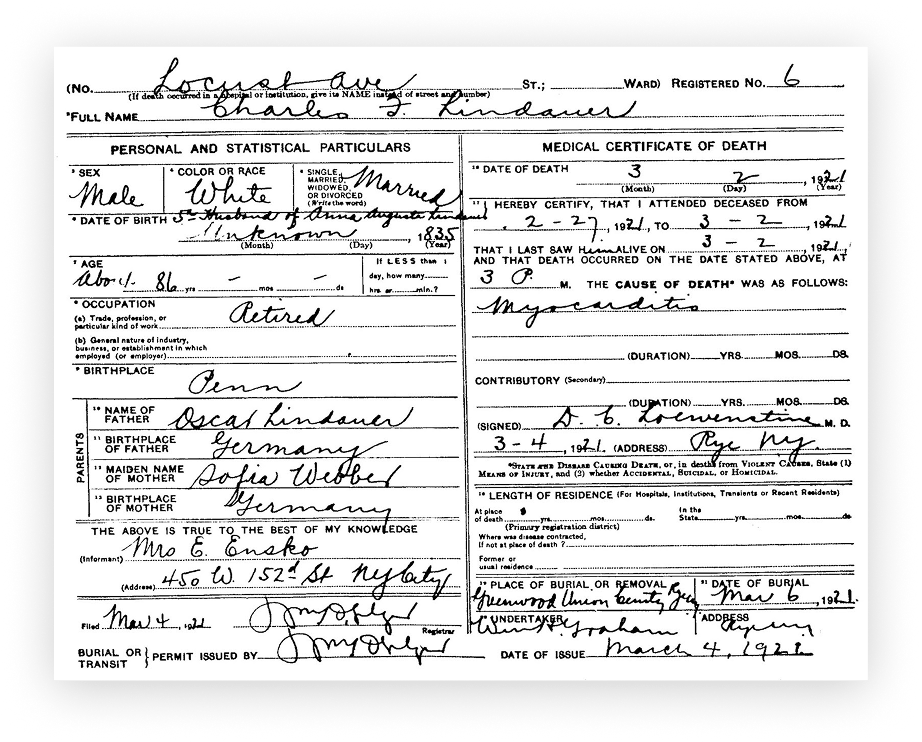
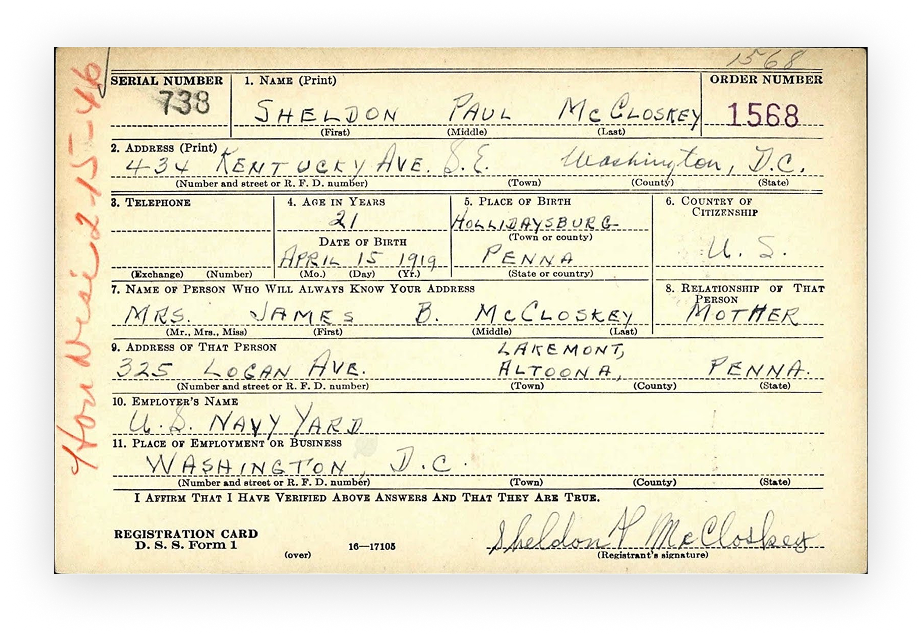
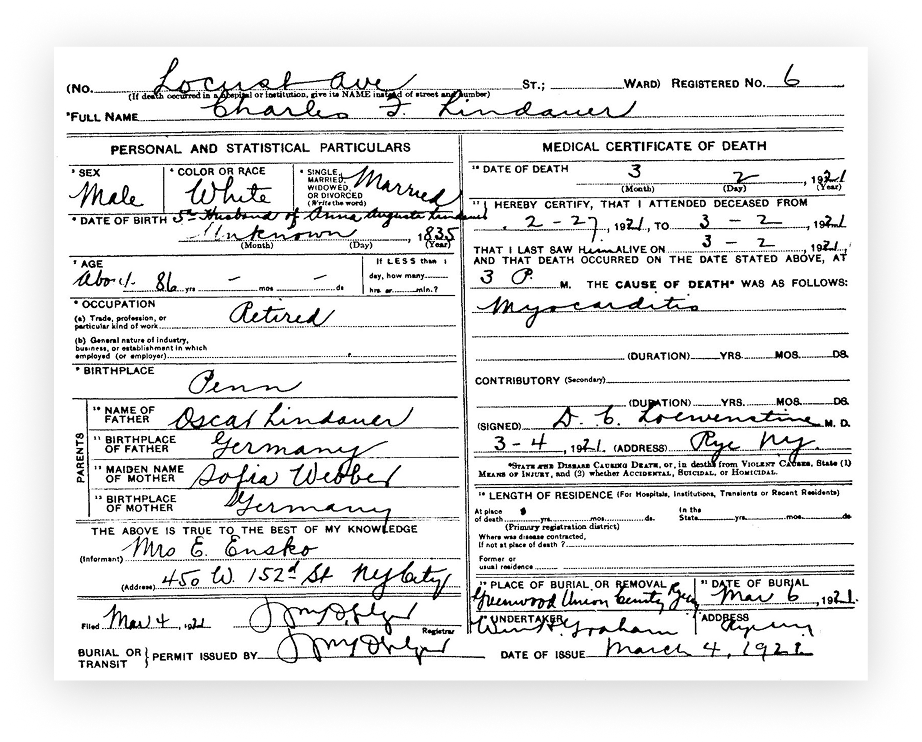
In real business workflows, handwritten forms remain one of the most stubborn failure points for AI-powered document processing. Names written in cursive, cramped numbers squeezed into tiny boxes, notes crossing field boundaries: this is the kind of data companies actually deal with in healthcare, logistics, insurance, and government workflows. And this is exactly where many “state-of-the-art” models quietly fall apart.
That gap between promise and reality is what motivated us to take a closer, more practical look at handwritten document extraction.
This benchmark features 7 popular AI models:
- Azure
- AWS
- Claude Sonnet
- Gemini 2.5 Flash Lite
- GPT-5 Mini
- Grok 4
The ‘Why’ Behind This Benchmark
Most benchmarks for document AI focus on clean datasets and synthetic examples. They are useful for model development, but they don’t answer the question that actually matters for businesses:
Which models can you trust on messy, real-world handwritten forms?
When a model misreads a name, swaps digits in an ID, or skips a field entirely, it’s not a “minor OCR issue”: it becomes a manual review cost, a broken workflow, or, in regulated industries, a compliance risk.
So this benchmark was designed around a simple principle:
test models the way they are actually used in production.
That meant:
- Using real, hand-filled scanned forms instead of curated samples.
- Evaluating models on business-critical fields like names, dates, addresses, and identifiers.
- Scoring not just text similarity, but also whether the extracted data would be usable in a real workflow.
How The Models Were Tested (and Why Methodology Matters More Than Leaderboards)
Real documents, real problems.
We evaluated multiple leading AI models on a shared set of real, hand-filled paper forms scanned from operational workflows. The dataset intentionally included:
- Different layout structures and field organizations
- Mixed handwriting styles (block, cursive, and hybrids)
- Varying text density and spacing
- Business-relevant field types such as names, dates, addresses, and numeric identifiers
Business-level correctness, not cosmetic similarity
We didn’t optimize for “how close the text looks” at a character level. Instead, we scored extraction at the field level based on whether the output would actually be usable in a real workflow. Minor formatting differences were tolerated. Semantic errors in critical fields were not.
In practice, this mirrors how document automation is judged in production:
- A slightly different spacing in a name is acceptable.
- A wrong digit in an ID or date is a broken record.
Why 95%+ accuracy is still a hard ceiling
Even with the strongest models, handwritten form extraction rarely crosses the 95% business-accuracy threshold in real-world conditions. Not because models are “bad,” but because the task itself is structurally hard:
- Handwriting is inconsistent and ambiguous.
- Forms combine printed templates with free-form human input.
- Errors compound across segmentation, recognition, and field mapping.
This benchmark was designed to surface those limits clearly. Not to make models look good, but to make their real-world behavior visible.
The Results: Which Models Actually Work in Production (and Which Don’t)
When we put leading AI models side by side on real handwritten forms, the performance gap was impossible to ignore.
Two models consistently outperformed the rest across different handwriting styles, layouts, and field types:
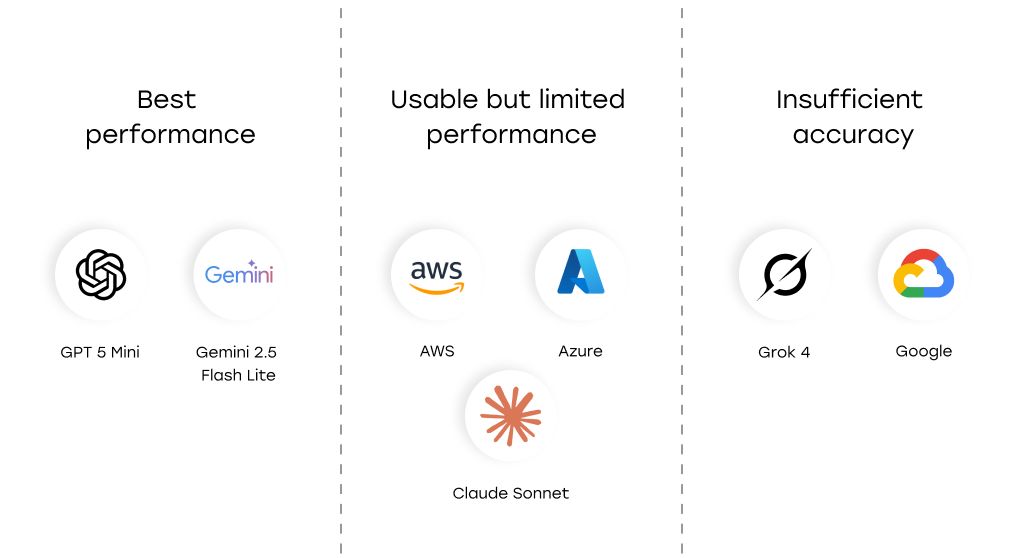
Best results: GPT-5 Mini, Gemini 2.5 Flash Lite
GPT-5 Mini and Gemini 2.5 Flash Lite delivered the highest field-level accuracy on the benchmark dataset. Both were able to extract names, dates, addresses, and numeric identifiers with far fewer critical errors than the other models we tested.
Second Tier: Azure, AWS, and Claude Sonnet
Azure, AWS, and Claude Sonnet showed moderate, usable performance, but with noticeable degradation on dense layouts, cursive handwriting, and overlapping fields. These models often worked well on clean, structured forms, but their accuracy fluctuated significantly from document to document.
Failures: Google, Grok 4
Google and Grok 4 failed to reach production-grade reliability on real handwritten data. We observed frequent field omissions, character-level errors in semantically sensitive fields, and layout-related failures that would require heavy manual correction in real workflows. In their current configuration, these models are not suitable for business-critical handwritten document processing.
One important reality check:
Even the best-performing models in our benchmark struggled to consistently exceed 95% business-level accuracy on real handwritten forms. This is not a model-specific weakness: it reflects how structurally hard handwritten document extraction remains in production conditions.
The practical takeaway is simple: not all “enterprise-ready” AI models are actually ready for messy, human-filled documents. The gap between acceptable demos and production-grade reliability is still very real.
Accuracy, Speed, and Cost: The Trade-Offs That Define Real Deployments
Once you move from experiments to production, raw accuracy is only one part of the decision. Latency and cost quickly become just as important, especially at scale.
Our benchmark revealed dramatic differences between models on these dimensions:
Cost efficiency varies by orders of magnitude
|
Model |
Average cost per 1000 forms |
|---|---|
|
Azure |
$10 |
|
Aws |
$65 |
|
|
$30 |
|
Claude Sonnet |
$18.7 |
|
Gemini 2.5 Flash Lite |
$0.37 |
|
GPT 5 Mini |
$5.06 |
|
Grok 4 |
$11.5 |
For high-volume processing, the economics change everything:
- Gemini 2.5 Flash Lite processed handwritten forms at roughly $0.37 per 1,000 documents, making it by far the most cost-efficient option in the benchmark.
- GPT-5 Mini, while delivering the highest accuracy, cost approximately $5 per 1,000 documents, still reasonable for high-stakes workflows, but an order of magnitude more expensive than Gemini Flash Lite.
- In contrast, some cloud OCR/IDP offerings reached costs of $10–$65 per 1,000 forms, making large-scale deployments significantly more expensive without delivering better accuracy on complex handwriting.
Latency differences matter in production pipelines
|
Model |
Average processing time per form, s |
|---|---|
|
Azure |
6.588 |
|
Aws |
4.845 |
|
|
5.633 |
|
Claude Sonnet |
15.488 |
|
Gemini 2.5 Flash Lite |
5.484 |
|
GPT 5 Mini |
32.179 |
|
Grok 4 |
129.257 |
Processing speed varied just as widely:
- Gemini 2.5 Flash Lite processed a form in about 5–6 seconds on average, making it suitable for near-real-time or high-throughput workflows.
- GPT-5 Mini averaged around 32 seconds per form, which is acceptable for batch processing of high-value documents, but becomes a bottleneck in time-sensitive pipelines.
- Grok 4 was an extreme outlier, with average processing times exceeding two minutes per form, making it impractical for most production use cases regardless of accuracy.
There is no universal “best” model
The benchmark makes one thing very clear: the “best” model depends on what you are optimizing for.
- If your workflow is accuracy-critical (e.g., healthcare, legal, regulated environments), slower and more expensive models with higher reliability can be justified.
- If you are processing millions of forms per month, small differences in per-document cost and latency translate into massive operational impact, and models like Gemini 2.5 Flash Lite become hard to ignore.
In production, model selection is less about theoretical quality and more about how accuracy, speed, and cost compound at scale.
The Surprising Result: Smaller, Cheaper Models Outperformed Bigger Ones
Going into this benchmark, we expected the usual outcome: larger, more expensive models would dominate on complex handwritten forms, and lighter models would trail behind.
That’s not what happened.
Across the full set of real handwritten documents, two relatively compact and cost-efficient models consistently delivered the highest extraction accuracy: GPT-5 Mini and Gemini 2.5 Flash Lite. They handled a wide range of handwriting styles, layouts, and field types with fewer critical errors than several larger and more expensive alternatives.
This result matters for two reasons:
First: It challenges the default assumption that “bigger is always better” in document AI. Handwritten form extraction is not just a language problem. It is a multi-stage perception problem: visual segmentation, character recognition, field association, and semantic validation all interact. Models that are optimized for this specific pipeline can outperform more general, heavyweight models that shine in other tasks.
Second: It changes the economics of document automation. When smaller models deliver comparable, and in some cases better, business-level accuracy, the trade-offs between cost, latency, and reliability shift dramatically. For high-volume workflows, the difference between “almost as good for a fraction of the cost” and “slightly better but much slower and more expensive” is not theoretical. It shows up directly in infrastructure bills and processing SLAs.
In other words, the benchmark didn’t just produce a leaderboard. It forced a more uncomfortable but useful question:
Are you choosing models based on their real performance on your documents, or on their reputation?
How to Choose the Right Model (Without Fooling Yourself)
Benchmarks don’t matter unless they change how you build. The mistake we see most often is teams picking a model first — and only later discovering it doesn’t fit their operational reality. The right approach starts with risk, scale, and failure tolerance.
1. High-Stakes Data → Pay for Accuracy
If errors in names, dates, or identifiers can trigger compliance issues, financial risk, or customer harm, accuracy beats everything else.
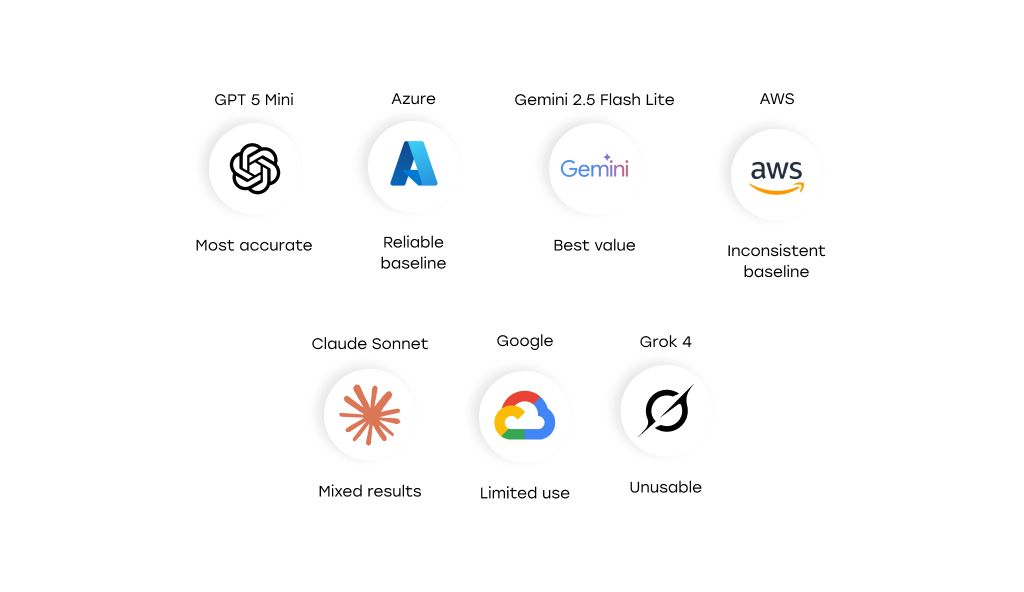
GPT-5 Mini was the most reliable option on complex handwritten forms. It’s slower and more expensive, but when a single wrong digit can break a workflow, the cost of mistakes dwarfs the cost of inference. This is the right trade-off for healthcare, legal, and regulated environments.
2. High Volume → Optimize for Throughput and Cost
If you’re processing hundreds of thousands or millions of documents per month, small differences in latency and cost compound fast.
Gemini 2.5 Flash Lite delivered near-top accuracy at a fraction of the price (~$0.37 per 1,000 forms) and with low latency (~5–6 seconds per form). At scale, this changes what’s economically feasible to automate at all. In many back-office workflows, this model unlocks automation that heavier models make cost-prohibitive.
3. Clean Forms → Don’t Overengineer
If your documents are mostly structured and written clearly, you don’t need to pay for “max accuracy” everywhere.
Mid-tier solutions like Azure and AWS performed well enough on clean, block-style handwriting. The smarter design choice is often to combine these models with targeted human review on critical fields, rather than upgrading your entire pipeline to a more expensive model that delivers diminishing returns.
4. Your Data → Your Benchmark
Model rankings are not universal truths. In our benchmark, performance shifted noticeably based on layout density and handwriting style. Your documents will have their own quirks.
Running a small internal benchmark on even 20–50 real forms is often enough to expose which model’s failure modes you can tolerate, and which ones will quietly sabotage your workflow.
[story continues]
tags