


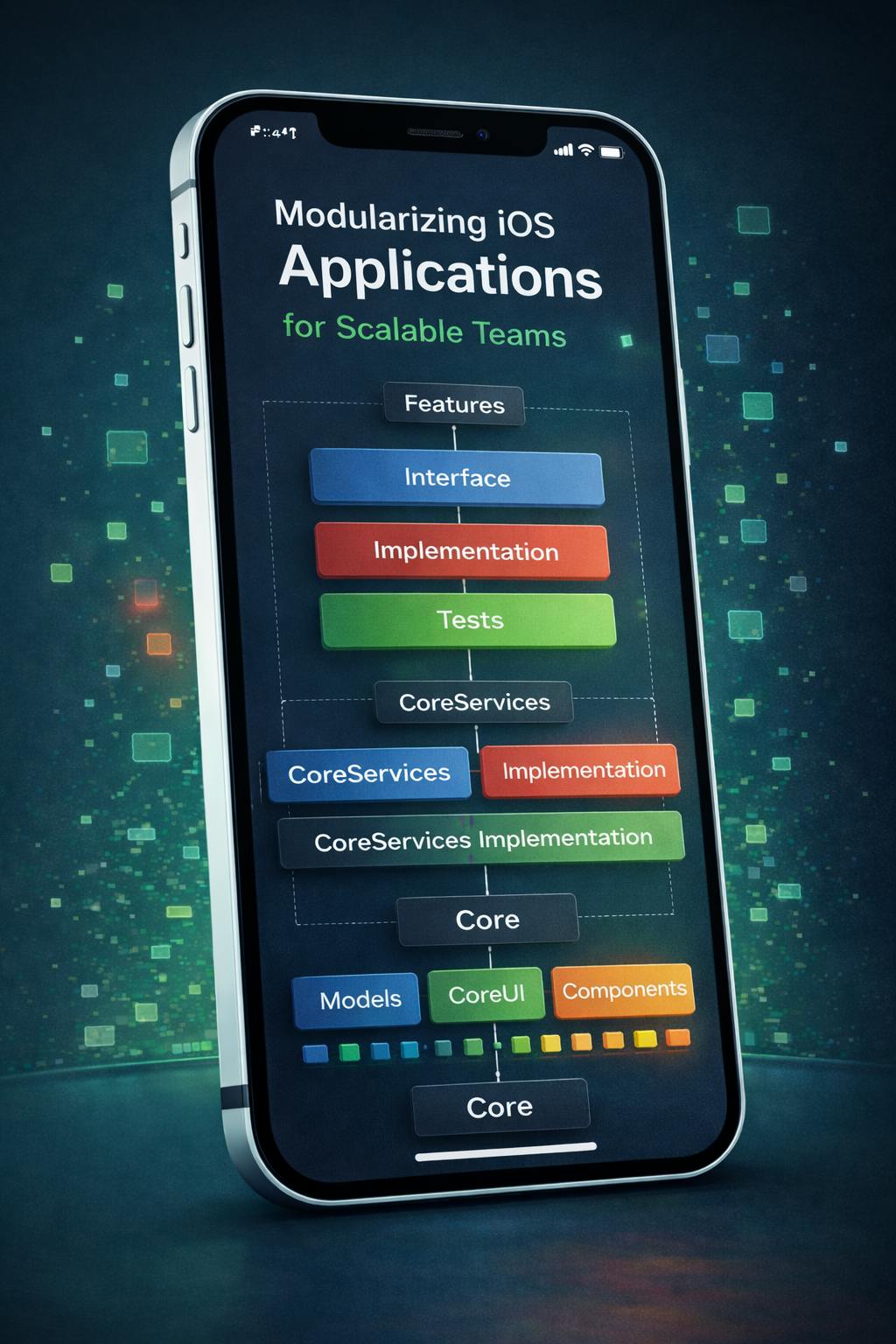
A large iOS project in Xcode almost inevitably runs into the same set of problems: builds slow down, compile times start to feel infinite, and a seemingly small change in one part of the app somehow breaks another. There is only one real way out — modularity. But simply putting files into folders is not enough.
In this article, I describe a pragmatic modular structure that scales well in large teams: Core modules and feature modules, where each feature is split into an Interface package, an Implementation package, and a Tests package.
Additionally, each package can contain multiple targets and products, so consumers can connect only the parts of the code they actually need. As an integration mechanism, we use routing via a Builder and Combine messaging.
Base structure: Core modules and feature modules
In our project, we use a Packages/ folder as the foundation.
The structure looks like this:
- CoreServices: Low-level services (Network, Storage) — fundamentals used by almost the entire application.
- Features: The application’s features (Auth, Cart, Checkout).
- CoreUI / Components: Shared design elements and UI (user interface).
Each feature (for example, Cart) is not a single monolithic block of code. Instead, it’s split into three logical targets—CartInterface, CartImplementation, and CartTests—forming an autonomous module with its own interfaces, implementation, and tests.
A typical repository structure looks roughly like this:
Packages/
  CoreServices/
    CoreServicesInterface/
    CoreServicesImplementation/
    CoreServicesTests/
  Features/
    Cart/
      CartInterface/
      CartImplementation/
      CartTests/
    Checkout/
      CheckoutInterface/
      CheckoutImplementation/
      CheckoutTests/
  CoreUI/
  Components/
  Models/
  ModelsTransport/
Three packages per feature: Interface / Implementation / Tests
Feature contract
FeatureInterface is what other modules are allowed to know about the feature. Typically, it includes:
- public models/states (CartState, CartScreenState);
- errors (CartError);
- Use Case protocols (CartUseCase) and service protocols (CartRemoteService);
- integration types: messages, screen/route identifiers, analytics events (if stored in the interface layer).
FeatureInterface must be thin and dependency-light. It may depend on shared models and other Interface packages, but it must not depend on Implementation.
Instead of inserting a screenshot here, below is a representative snippet of what a contract can look like:
public protocol CartUseCase: AnyObject {
    var cartStatePublisher: AnyPublisher<CartState, Never> { get }
    var cartScreenStatePublisher: AnyPublisher<CartScreenState, Never> { get }
    var stockStatePublisher: AnyPublisher<(skuId: String, limitState: LimitState, item: CartItem?), Never> { get }

    var currentCartScreen: CartScreen { get }
    var currentCartState: CartState { get }

    func createOrModify(productId: String, operationArea: String, quantity: Int, source: String)
    func getCart(operationArea: String)
    func clearCart()
    func getCartScreen(operationArea: String)
    func createOrModifyOnCartScreen(productId: String, operationArea: String, quantity: Int, source: String)
}
From the CartUseCase example, you can see that we declare functionality through protocols. Other modules (for example, ProductDetails) will depend only on CartInterface. There is no need to pull extra dependencies into other features or into tests. This can significantly speed up builds, because changes in CartImplementation will not force rebuilds of modules that depend on CartInterface — protocols change much less frequently. It also reduces the risk of cyclic dependencies. Mocking is straightforward as well: for tests and SwiftUI (Swift User Interface) previews, we simply provide a different protocol implementation.
Feature implementation
Feature Implementation contains everything about “how it works”:
- domain logic;
- services: network requests, mappings, persistence, etc.;
- UI layer: screens, components, layout;
- feature entry point: builder/assembly.
Within a single Implementation package, you can keep multiple targets and export multiple products, so consumers connect only what is necessary. For example, you might export separate products for Domain, Services, and UI, plus an entry product for the feature.
.products: [
  .library(name: "FeatureCart", targets: ["FeatureCart"]),
  .library(name: "FeatureCartDomainImplementation", targets: ["FeatureCartDomainImplementation"]),
  .library(name: "FeatureCartServicesImplementation", targets: ["FeatureCartServicesImplementation"]),
  .library(name: "FeatureCartUIImplementation", targets: ["FeatureCartUIImplementation"]),
]
The benefits of this split are that you can connect Domain without UI, reduce the public surface area, and avoid “accidental” imports. All dependencies are visible and controlled at the target and product level.
Tests in a separate package
A dedicated Tests package keeps things clean:
- test dependencies do not end up in production code;
- mocks/stubs live next to tests;
- it is easier to group tests by intent (for example, CartLogicTests, UseCaseTests, etc.).
How does this eliminate transitive dependencies and cycles?
The usage rules are simple: Implementation may import Interface, but Interface cannot import Implementation.
This allows “mutual” connections between features without creating implementation cycles, because interfaces do not depend on implementations.
For example:
CartImplementation depends on CheckoutInterface
CheckoutImplementation depends on CartInterface
Targets and products: “connect only what you need.”
SPM allows you to export exactly what you declare as a product. The larger the project, the more important this becomes. A target is an internal build unit, and a product is what another module can actually import.
You cannot realistically “import the whole package” if your dependency rules require specifying a concrete product. This reduces the accessible surface area and improves API discipline.
The components package as a set of micro-modules
It is worth calling out the Components approach separately: each UI component is its own target and its own product.
.products: [
  .library(name: "ComponentButton", targets: ["ComponentButton"]),
  .library(name: "ComponentCartBottomSheet", targets: ["ComponentCartBottomSheet"]),
  .library(name: "ComponentCurrentOrders", targets: ["ComponentCurrentOrders"]),
]
A component library can be structured as many products for selective reuse.
Pros:
- reuse without “pulling in all Components”;
- reduced coupling;
- clear ownership of components.
A reality check: it’s easy to over-fragment UI. If you split too aggressively, usage overhead grows — more time goes into dependency wiring, configuration, and simply remembering which product contains what. In practice, the best solution is a pragmatic middle ground: group products by meaningful domains (for example, “Product UI components”, “Payment UI components”) rather than turning every tiny view into a separate product.
Routing via builder + messaging on Combine
In large applications, routing often becomes a source of tight coupling: a feature starts to “know” too much about navigation, navigation starts to “know” too much about feature details, and over time you get a tangled mess. A good alternative is event-driven routing through a builder and messaging.
The application has a message bus/message processor. A Feature Builder registers handlers for messages during initialization. When a message is received, the builder can create the screen and perform navigation or trigger domain actions when needed.
A simplified example of a message processor:
public protocol AppMessage {}

public final class AppMessageProcessor {
    public func register<Message: AppMessage>(
        object: AnyObject,
        handling handler: @escaping (Message) -> Void
    ) -> AnyCancellable { /* ... */ }

    public func process<Message: AppMessage>(_ message: Message) -> Bool { /* ... */ }
}
Messaging is a contract; handlers are registered by features.
And the Builder side subscribes and reacts:
public final class FeatureCartBuilder {
    private let messageProcessor: AppMessageProcessor
    private let cartUseCase: CartUseCase

    public init(messageProcessor: AppMessageProcessor, cartUseCase: CartUseCase) {
        self.messageProcessor = messageProcessor
        self.cartUseCase = cartUseCase
    }

    public func create() -> [AnyCancellable] {
        let showCart = messageProcessor.register(object: self, handling: handleCartShowing(message:))
        let logout = messageProcessor.register(object: self) { (_: AppMessages.Profile.Logout) in
            self.cartUseCase.clearCart()
        }
        return [showCart, logout]
    }

    private func handleCartShowing(message: AppMessages.Cart.Show) {
        // build screen / route / present
    }
}
This is convenient because:
- the feature does not know who initiated the event;
- routing can be tested as a reaction to an event;
- module boundaries are cleaner: messages are the contract, implementation stays inside Implementation.
Recommended dependency rules
In practice, there is only two strict rules: an Interface package can never import an Implementation package
and FeatureImplementation package never import another FeatureImplementation package
Common mistakes and how to avoid them
- A “thick” Interface. The interface should include only the contracts for communicating with the feature.
- One product for the whole package reduces discipline for using public code. It is better to have multiple products and depend only on the one you need.
- If two interfaces depend on each other, you almost always need a separate shared package for common types.
- Builder turns into business logic. A builder should assemble and route, but not make domain decisions.
Summary
The combination of SPM + an Interface / Implementation / Tests structure + careful use of targets/products is a very practical way to keep a large project healthy. This architecture effectively and automatically forces you to apply SOLID, OOP and Clean Architecture principles.
What we get in the end:
- cyclical dependency issues and major time losses due to forced refactoring are avoided, because dependencies are explicit and manageable;
- transitive “leaks” are minimized;
- features are isolated and reusable;
- packages do not pull in unnecessary/unused dependencies;
- tests are separated and cleaner;
- routing via builder and messaging on Combine reduces coupling and makes navigation predictable.
If you are building an app where dozens of modules must evolve in parallel, this approach usually pays off quickly — in build speed, architectural clarity, team integration quality, and overall time savings. When the project is well-structured and modularized, problems are easier to resolve for both a developer and a vibe coder, because you do not need to untangle, refactor, or “unwind” spaghetti business logic, which is difficult for humans and neuro networks to understand.