The Subscription Creep Problem Nobody Talks About
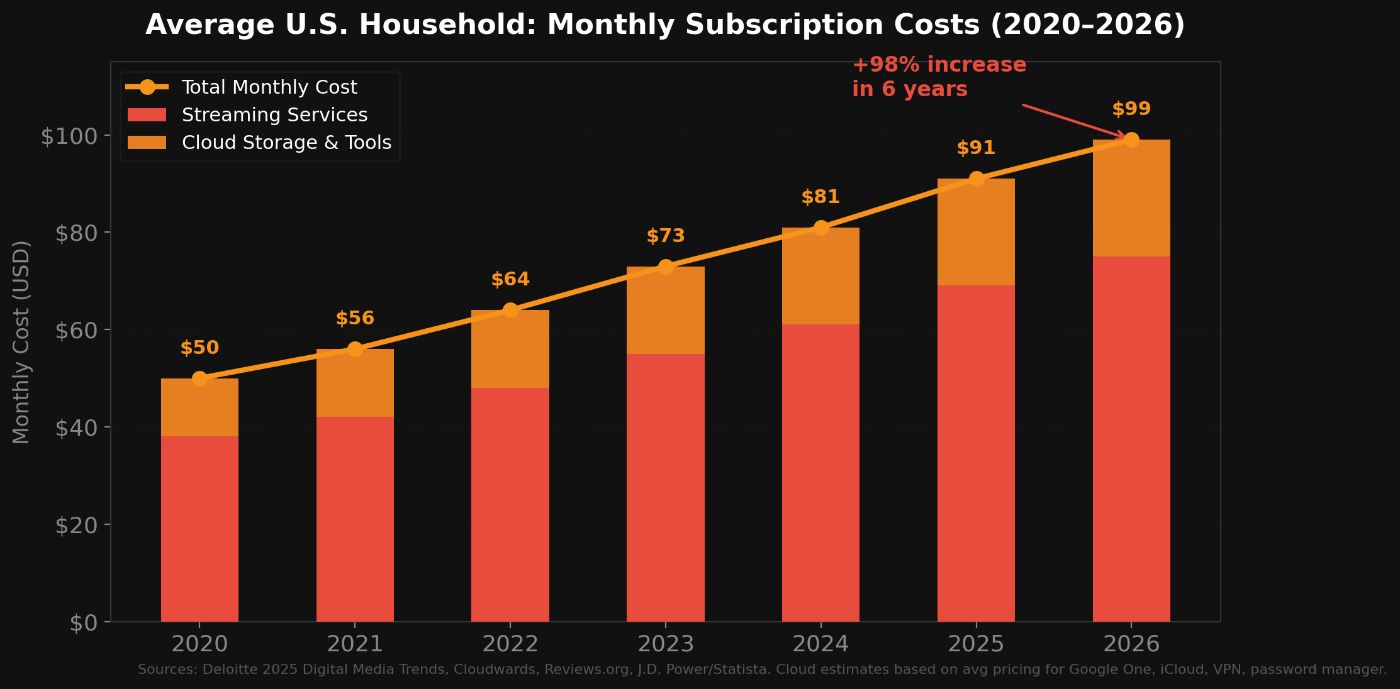
I pulled my bank statements last November and counted 14 recurring subscriptions. Google One for storage. iCloud for family photos. 1Password. Three streaming services. A VPN. Backblaze for backups. Two productivity tools I barely used.
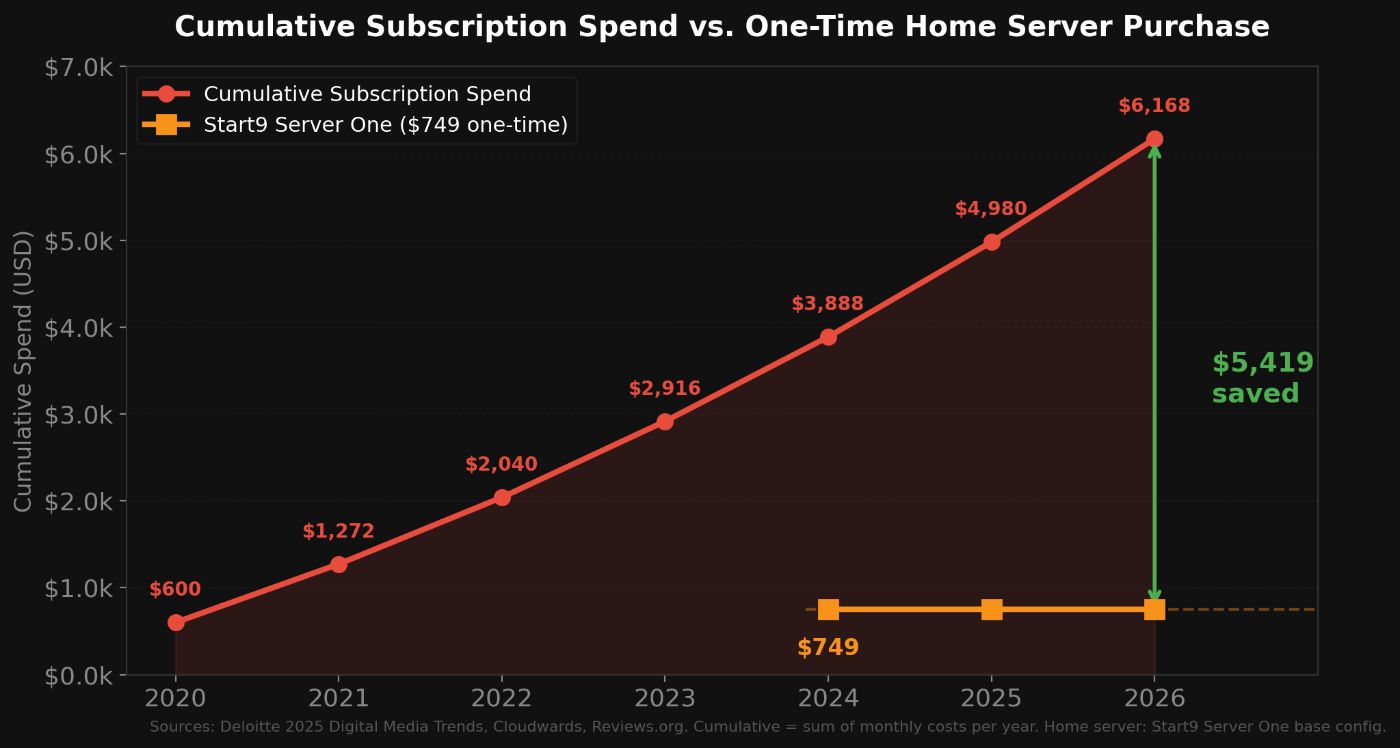
Total monthly damage: $103.
According to Deloitte's 2025 Digital Media Trends report, the average U.S. streaming household pays $69/month across four video services alone, a 13% year-over-year increase. Add cloud storage, password management, and backup services, and most families are north of $100/month without realizing it. A CNET survey from April 2025 found the average consumer spends $90/month on subscriptions total, with $205/year going to services they do not even use.
The kicker is that most of these services exist to store and manage your data on someone else's hardware. The privacy implications are well documented. Meta's $1.3 billion GDPR fine proved that even the biggest platforms treat user data as a commodity. Cambridge Analytica showed what happens when that data leaks. And in 2026, with AI models being trained on user-generated content from every major platform, the question is not whether your data is being used. It is how.
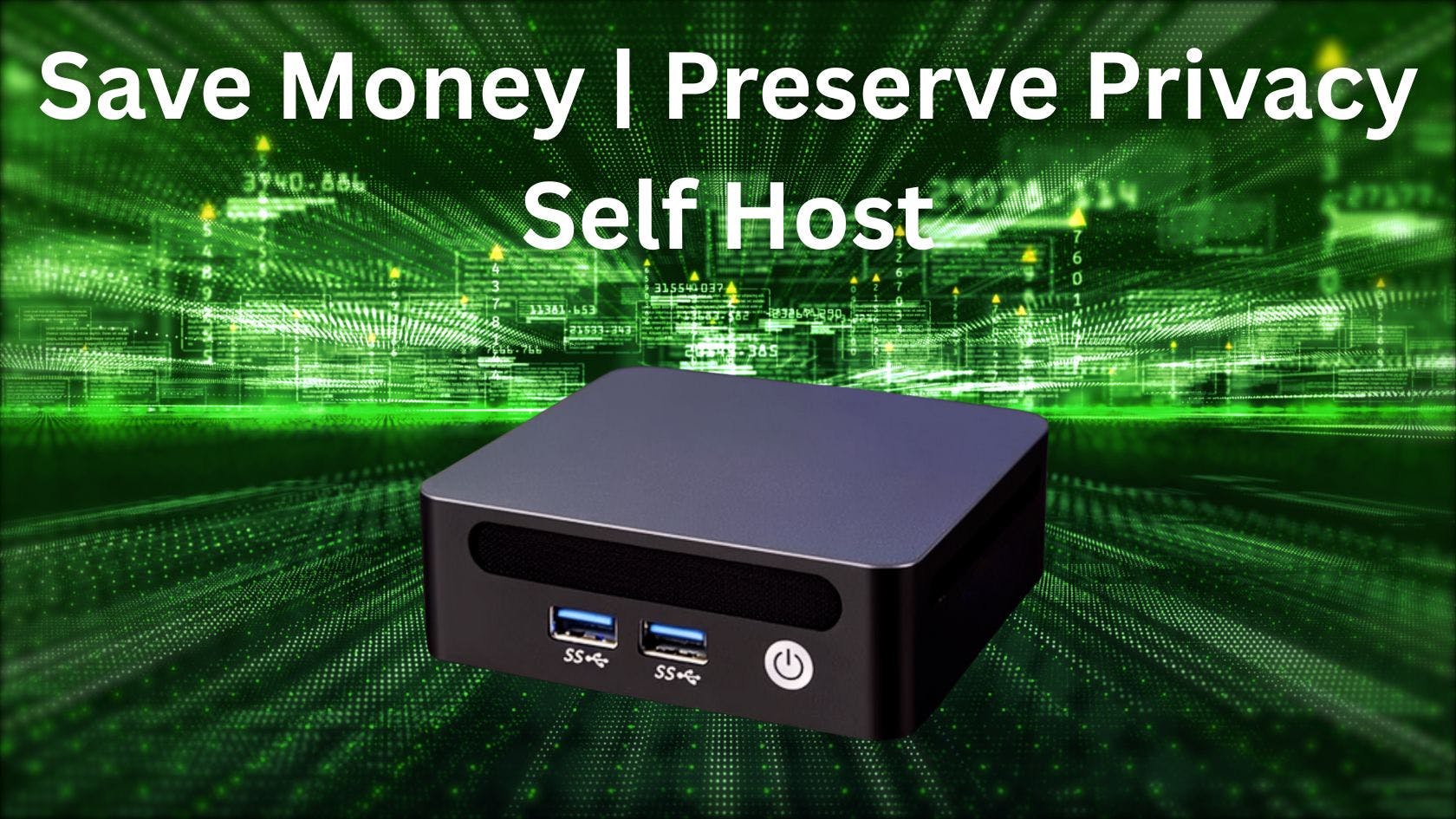
A home server flips that model entirely. Your data stays on your hardware, on your network, in your house.
What a Home Server Actually Replaces
A home server is a small computer that runs 24/7 in your home and hosts the same services you currently rent from cloud providers. The concept is not new (the Wikipedia entry on home servers has existed since the mid-2000s), but the tooling has finally caught up.
Here is what mine replaced:
- Google Drive / iCloud: Nextcloud (file syncing, phone photo backup, shared family folders)
- 1Password: Vaultwarden (Bitwarden-compatible, works with all official browser extensions and mobile apps)
- Netflix / Plex Cloud: Jellyfin (free, open-source media streaming to any device)
- Google Photos: Immich (face recognition, timeline, map view, mobile auto-upload, all local)
- ExpressVPN: WireGuard tunnel (self-hosted, no third party)
- Backblaze: Encrypted local backups + S3 Glacier Deep Archive ($0.20/month for 500 GB)
The self-hosting community has grown massively. The awesome-selfhosted list on GitHub, which catalogs hundreds of open-source alternatives, now has over 200,000 stars. A viral post on Hacker News in January 2026 declared "2026 is the year of self-hosting" and showed how CLI agents like Claude Code made the setup process dramatically easier. The piece resonated because it named the core frustration: spending time configuring instead of using.
That frustration is exactly what the newer plug-and-play operating systems are designed to eliminate.
StartOS: The Part That Actually Made This Work
I have been running Linux servers since college. I have done the Proxmox thing, the Docker Compose thing, the "spend Saturday debugging a reverse proxy" thing. It works, and I respect anyone who takes that path. But I stopped recommending it to non-technical friends years ago because the dropout rate was nearly 100%.
StartOS changed my recommendation. It is an open-source operating system built specifically for personal servers, developed by Start9. The entire value proposition is that you never touch a terminal. You open a browser, log into a local web interface, and install services from a curated marketplace with one click.
The StartOS Marketplace currently offers over 50 services. The ones I use daily:
- Nextcloud for file syncing (over 400,000 deployments worldwide per Nextcloud GmbH)
- Vaultwarden for password management
- Jellyfin for media streaming
- Immich for photo management (the Google Photos replacement that actually works)
- Bitcoin Core for running a full node
- Home Assistant for smart home automation (over 1 million active installations per Home Assistant analytics)
For the tech crowd reading this: yes, StartOS is essentially a managed container orchestration layer with a GUI. It abstracts away Docker, networking, and service discovery behind a clean interface that normal humans can use. Updates are handled through the OS. Backups are guided. Remote access works through Tor and WireGuard-based tunnels without opening ports.
Is it as flexible as raw Proxmox? No. Can your non-technical spouse manage it when you are traveling? Yes. That tradeoff matters more than most of us admit.
The Bitcoin Infrastructure Angle
This is where it gets interesting for the HackerNoon crowd, and where a home server stops being just a NAS replacement.
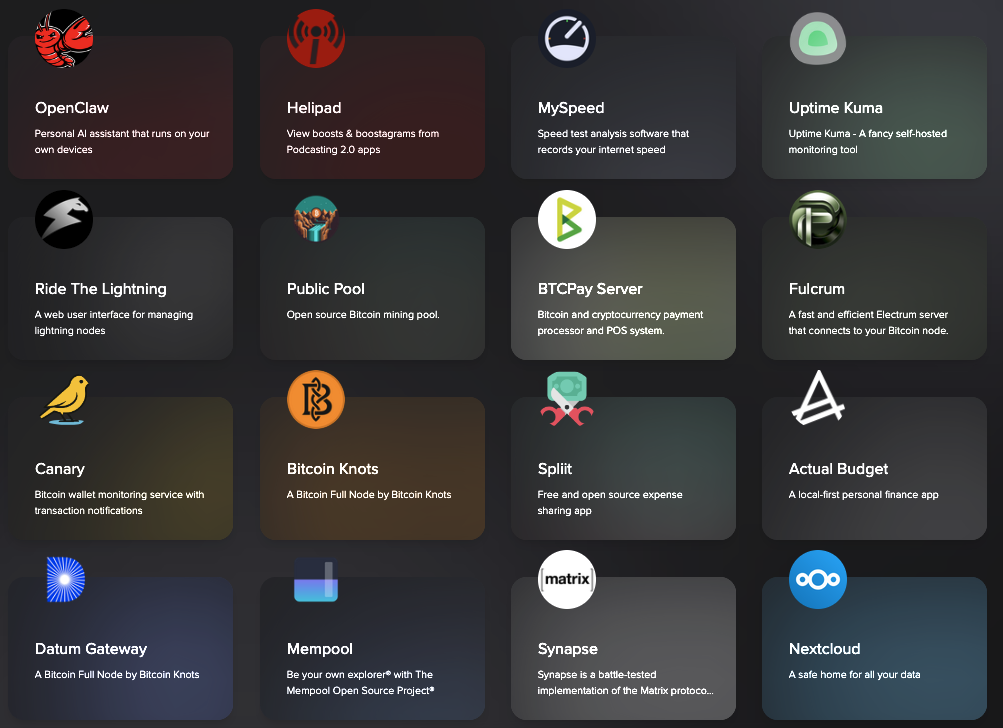
StartOS supports a full Bitcoin infrastructure stack out of the box:
- Bitcoin Core or Bitcoin Knots for running a full node
- LND or Core Lightning for Lightning Network payments
- BTCPay Server for merchant payment processing
- Mempool for self-hosted blockchain exploration (per the Mempool Open Source Project)
- Public Pool for self-hosted solo mining
- Electrs or Fulcrum for connecting wallets to your own node
As of February 2026, Bitnodes reports approximately 24,571 reachable Bitcoin nodes worldwide. Running your own node means you verify transactions independently instead of trusting a third party. The blockchain requires about 718 GB of storage, which fits comfortably on the Start9 Server One's NVMe drive.
The sovereign mining angle is what pulled me down this rabbit hole. Solo Satoshi, a hardware retailer that is also Start9's first official U.S. distributor, has documented over $1 million in aggregate block rewards earned by customers running open-source miners pointed at self-hosted nodes. One customer running a NerdQaxe++ cluster at roughly 6 TH/s on a self-hosted Public Pool instance earned 3.141 BTC (approximately $347,000) on Block #920,440 in October 2025 and paid off his home with the reward. The block was confirmed on-chain via mempool.space.
That is the full sovereign stack: your node, your pool, your miner, your block reward. No pool fees, no custodial intermediary. It is a niche use case, but it is real, and it only works because a home server makes 24/7 node operation practical.
Running AI Locally: Ollama and OpenClaw on a Home Server
The most unexpected use case I have found is running AI models locally. StartOS includes Ollama (open-source LLM runner) and OpenClaw (a personal AI assistant) in its marketplace, alongside Open WebUI for a browser-based chat interface.
This matters because every prompt you send to ChatGPT, Claude, or Gemini becomes data the provider can log and potentially use for training. OpenAI's usage policies explicitly state that conversations may be reviewed by human trainers. Running Ollama locally with a 7B or 13B parameter model on the Server One's AMD Ryzen 7 6800H (8 cores, 16 threads, up to 4.7 GHz) with 32 GB of LPDDR5 RAM gives you a private AI assistant that never phones home.
Is it as fast as GPT-4o? No. Is it good enough for summarization, writing assistance, coding help, and private research? Absolutely. For anyone handling sensitive data (legal, medical, financial), the privacy tradeoff alone justifies the setup.
The Hardware: What You Actually Need
You do not need a rack. You do not need ECC RAM. You do not need a dedicated GPU (unless you want faster AI inference with larger models).
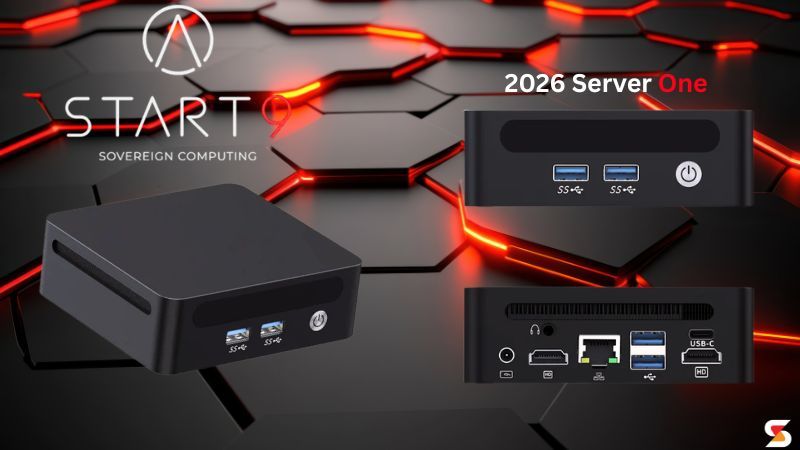
The Start9 Server One, which is available through Solo Satoshi starting at $749, runs an AMD Ryzen 7 6800H with up to 32 GB of LPDDR5 6400 MHz RAM and up to 4 TB of Samsung EVO Plus NVMe storage. The entire unit is 4.5 x 4.2 x 1.5 inches. It sits on a shelf. It is silent. It draws roughly 15 watts at idle.
For the DIY builders: you can flash StartOS onto your own hardware. Start9 supports that path. But the prebuilt Server One saves you the compatibility research, includes a 2-year manufacturer warranty, and comes with lifetime support from Start9. For $749, the convenience premium is justifiable unless you genuinely enjoy the hardware selection process.
Other viable paths for home servers include repurposed mini PCs (the MinisForum MS-01 is popular in the r/homelab community), old ThinkPads, and Raspberry Pi 5 boards (though the Pi struggles with Bitcoin initial block download and AI inference). The awesome-selfhosted community maintains a hardware wiki that is worth reading before committing.
What I Would Do Differently
Three things I got wrong on my first setup:
1. I underestimated backup importance. Losing a cloud provider is inconvenient. Losing a home server with no backup is catastrophic. Set up encrypted external backups on day one, and consider an offsite copy (S3 Glacier, a friend's server, anything).
2. I tried to migrate everything at once. Pick one service (I recommend Vaultwarden for password management), get comfortable, then expand. Trying to replace Google Drive, iCloud, and three streaming services simultaneously is a recipe for frustration.
3. I overthought the hardware. My first home server was an over-specced build that drew 80 watts at idle and sounded like a jet engine. The Server One draws 15 watts and is inaudible from two feet away. Efficiency matters more than raw power for 24/7 home operation.
Who Should (and Should Not) Do This
Do this if:
- You pay more than $50/month in cloud subscriptions and want that money back.
- You care about data privacy and are uncomfortable with the AI training pipeline.
- You want to run a Bitcoin node, Lightning infrastructure, or solo mine.
- You want a weekend project that pays dividends for years.
Skip this if:
- You need 99.99% uptime guarantees for business-critical services (unless you have a generator).
- Your primary use case is collaboration with large teams (cloud tools still win here for real-time multi-user editing).
For most individuals and families, a home server is not about replacing the cloud entirely. It is about moving the sensitive stuff (passwords, photos, files, financial data, AI prompts) onto hardware you control, and keeping the cloud only for things you are comfortable sharing.
Getting Started
If you want the shortest path from zero to functional home server:
- Get a Start9 Server One (or flash StartOS onto hardware you already own).
- Follow the guided setup (under 30 minutes).
- Install Vaultwarden first. Migrate your passwords.
- Install Nextcloud. Set up phone photo backup.
- Pick your next service based on what you are paying the most for.
The comprehensive guide that covers every StartOS app, hardware comparisons, and detailed setup instructions is Solo Satoshi's home server guide, which is the most thorough resources.
The self-hosting ecosystem in 2026 is the best it has ever been. The tools are mature. The hardware is cheap and silent. The operating systems no longer require a CS degree. The only remaining barrier is the assumption that the cloud is the default, and once you question that, the rest is just configuration.
[story continues]
tags