Disclaimer: No JS libraries or frameworks were created or used while writing this article.Generators are functions which can be exited and later re-entered.
ES6 generators are awesome! .. says who ? Tech blogs, medium articles, developer videos, ChatGPT well anyone who wants to be cool.
What are generators ? Quoting
Things changed when async await came around. Koa moved to using them, they are a far more simpler construct to address the readability concerns traditional methods like Promises and callbacks have.
async awaitis a much simpler construct to make async code look sync.
But then what about generators ? They come in handy when we need to streamify a large input source. So, Infinite scroll.
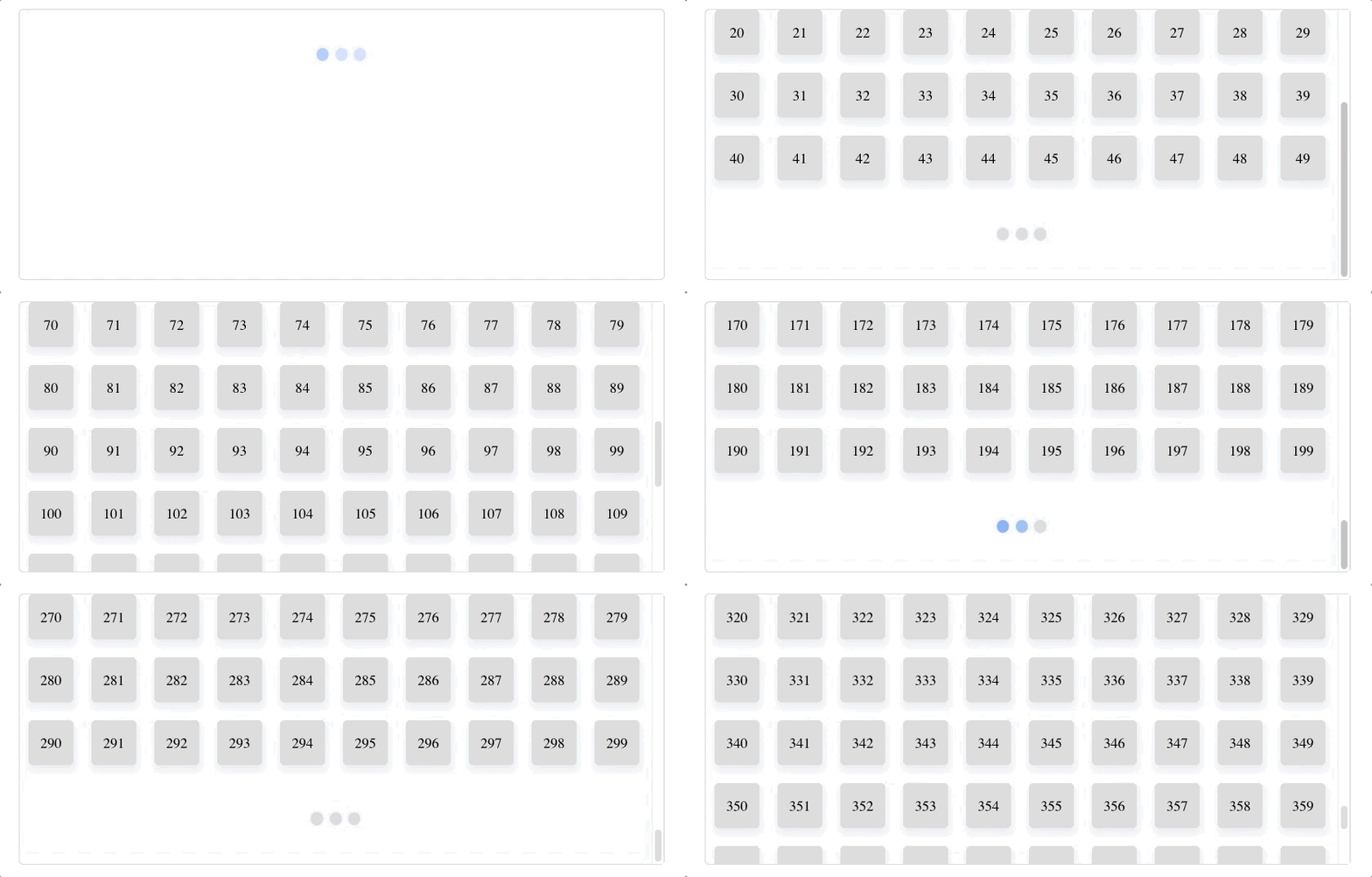
Infinite scrolling is a web-design technique that loads content continuously as the user scrolls down the page, eliminating the need for pagination.
An effective implementation of Infinite scroll involves:
- Detect when the scroll thumb reaches the bottom of the container.
- Maintain the state of
offsetand fetch the next set of items. - Synchronization of API calls over the network, the response will come out of order often.
We will see how generators make this a breeze. Note: this article assumes basic understanding of how generators work in Javascript.
First, we will setup a source for us. We will just create a mock web-service which returns numbers given an offset and batchSize.
function getContent(offset, batchSize) {
  let arr = [];
  for (var i = offset; i < offset + batchSize; i++) {
    arr.push(i);
  }

  return new Promise((resolve) => {
    // Random delay to mimic real REST API calls.
    setTimeout(() => {
      resolve(arr);
    }, Math.random() * 2000);
  });
}
This simply returns a promise which resolves after a random delay with an array of numbers or content. We will streamify this service method, by wrapping it inside a generator.
async function* items(batchSize) {
  let offset = 0;
  while (true) {
    yield await getContent(offset, batchSize);
    offset += batchSize;
  }
}
This method just keeps on yielding the next set of results. Notice that the maintenance of offset state is encapsulated within the generator method.
Now, to get the events when the scroll reaches the bottom. We will create a generic event stream, which listens on an UI event and emits whenever the supplied condition is satisfied.
async function* events(el /* HTMLElement to attach the event to */,
                       name /* name of the event eg. 'scroll' */,
                       condition /* Condition to check on each trigger */) {
  let resolve;
  el.addEventListener(name, e => {
    if (condition(e)) {
      // Resolve the promise whenever the supplied condition is truthy
      resolve(e);
    }
  });
  while (true) {
    // Emitting when the conditional event promise resolves
    yield await new Promise(_resolve => resolve = _resolve);
  }
}
Here, we setup an eventListener on el for the name event. Whenever the event is fired we check the supplied condition and when satisfied we call the resolve method. The resolve method is nothing but a saved resolution callback from a Promise. We use the Promise property here that they can only be resolved once, thus multiple calling of resolve() method is a no-op, until a new promise is created.
Alright, if you are still with me you know how generators work! Now let me introduce the magic which will glue everything together and make shit work:
const container = document.getElementById('root');

async function init() {
  // The conditional event stream.
  let eventIterator = events(container, 'scroll', () =>
    // This checks when the scroll reaches the bottom.
    container.scrollHeight <= container.scrollTop + container.clientHeight);

  // Iterating over the items stream, appending items
  // as they arrive.
  for await (const page of items(50)) {
    append(page);
    // Await the next emission of the conditional event.
    await eventIterator.next();
  }
}

function append(items) {
  let dom = items.map(item => `<div class=item>${item}</div>`).join('');
  container.insertAdjacentHTML('beforeend', dom);
}

init();
The init method creates the eventIterator on the container with the condition of the scoll thumb reaching the bottom. And in a loop:
- Gets the next set of items, waits until they are received.
- Appends the items to the container
- Wait for the next emission of the conditional event stream.
Done! Simple & Elegant. Pure native javascript.
You can see the full source, with the working
[story continues]
tags