


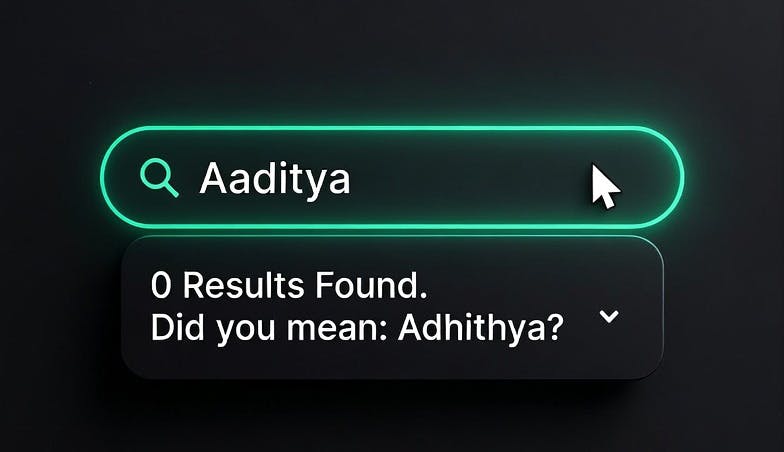
Imagine trying to find an old friend on Facebook, you remember their name but not the exact spelling of their name. You search for your friend’s name "Aaditya" and get no results. You know they must be on the platform, everyone is. You just don’t remember that their name is spelled as "Adhithya". Both the names are close but not quite.
As a developer you are expected to account for these variations in search texts. Standard search engines use "stemming" to address variations in word forms. Stemming is a process of reducing a word to its base or root form (the "stem") by stripping away suffixes. For example, a stemmer turns "running," "runs," and "ran" into the root form "run," allowing a search for "run" to match documents containing any of these variations. This works well for regular text but fails for names, for example: "Smyth" doesn't stem to "Smith", both of them are already root forms, both valid names with different spellings.
To solve this we need a combination of Edit Distance and Phonetic Matching.
1. Edit Distance (Handling Typos and Variations)
Edit distance measures how many character-level changes are needed to turn one string into another.
Hamming Distance
Hamming distance counts positions where characters differ.
- Example: "Smith" vs. "Smyth" — position 3 differs (i to y), so the distance between strings is 1.
For calculating Hamming distance however both strings must be of same length. It cannot handle insertions or deletions, limiting its use. Let's look at our "Aaditya" and "Adhithya" example. Because the strings are of different lengths (7 characters vs. 8 characters), Hamming distance fails immediately.
Levenshtein Distance
This is the industry standard. It handles insertions, deletions, and substitutions.
This is how you would implement levenshtein distance:
def levenshtein(a, b):
    # Base cases: if either string is empty, distance is the length of the other
    if len(a) == 0: return len(b)
    if len(b) == 0: return len(a)

    # The indicator function: cost is 0 if characters match, 1 if they don't
    cost = 0 if a[-1] == b[-1] else 1

    # Return the minimum of the three operations: Deletion, Insertion, or Substitution
    return min(
        levenshtein(a[:-1], b) + 1,
        levenshtein(a, b[:-1]) + 1,
        levenshtein(a[:-1], b[:-1]) + cost
    )
- "Jon" to "John": 1 insertion (the "h"). Distance: 1.
- "Stephen" to "Steven": Distance: 2.
- "Kathryn" to "Catherine": Distance: 4.
Implementation:
-
Elasticsearch/OpenSearch: Uses the fuzziness parameter.
fuzziness: "AUTO"typically allows a distance of 1 for short words and 2 for words longer than 6 characters. -
Postgres: Use the
fuzzystrmatchextension:SELECT * FROM users WHERE levenshtein(lower(name), lower('jon')) <= 2;
Main limitation of Levenshtein distance is that all character changes are treated equal, irrespective of how they affect the sound of the name.
- The "False Negative" Problem: Names like "Kathryn" and "Catherine" sound identical to a human, but they require 4 edits (K → C, thry → theri, n → ne).
- The Threshold Conflict: Most search engines (like Elasticsearch) cap "fuzziness" at an edit distance of 2 for performance reasons. Because the distance between "Kathryn" and "Catherine" is 4, a standard fuzzy search will never find the match, even though it’s the same name.
The "Aaditya" Problem: What about our missing friend? Turning "Aaditya" into "Adhithya" requires 3 specific edits: deleting an 'a', inserting an 'h', and inserting another 'h'. Because most search engines cap fuzziness at a distance of 2, standard fuzzy search fails us again. The record is there, but the algorithm gives up before finding it.
2. Phonetic Matching (Matching by Sound)
Phonetic algorithms encode names based on how they are pronounced, rather than how they are written. This is essential for names like "Sean" and "Shawn," which share few characters but sound identical.
Soundex
The oldest algorithm (1918). It encodes any name to a four-character code (one letter followed by three numbers) using a set of rules.
Why "Smith" and "Smyth" match:
- Smith: Keep S. Drop i and h. m → 5, t → 3. Final code: S530.
- Smyth: Keep S. Drop y and h. m → 5, t → 3. Final code: S530.
Even though the spelling varies, they still match.
SELECT * FROM users WHERE soundex(name) = soundex('Katherine');
It is English-centric and often too broad. "Katherine" and "Katrina" will result in the same code, leading to false positives.
Double Metaphone
Unlike Soundex, which just maps letters to numbers, Double Metaphone looks at the context of letters. It treats "C" differently depending on what follows: "CH" in "Christopher" encodes as a "K" sound, "CI" in "Ciara" as "S," and "CZ" in "Czekowski" as "Z." Soundex would encode all three identically.
1. Context-Aware Rules
The algorithm has hundreds of rules for specific letter combinations. For example, it treats the letter "C" differently depending on what follows it
2. The "Double" in the Name
This is the most powerful part of the algorithm. For ambiguous names, it produces two codes: a Primary (how an English speaker would likely say it) and an Alternate (how it might be said in its original language)
SELECT * FROM users
WHERE dmetaphone(name) = dmetaphone('Schmidt')
   OR dmetaphone_alt(name) = dmetaphone_alt('Schmidt');
Limitation: still primarily built around English and European pronunciation rules. It doesn't truly understand the linguistic origin of a name.
Finding our Friend:
This is how we finally solve our "Aaditya" vs. "Adhithya" problem. Because it encodes based on pronunciation rules rather than raw characters, Double Metaphone recognizes that 'd' and 'dh', as well as 't' and 'th', produce the exact same foundational consonant sounds in this context. Both variations strip away the silent vowels and map to the exact same phonetic key (ATT). Despite the 3-character spelling difference that broke Levenshtein, Double Metaphone registers a perfect match.
Beider-Morse (BPM)
Beider-Morse first detects the linguistic origin of a name, then applies language-specific phonetic rules. The name "Jorge" is pronounced "hor-hey" in Spanish, "yor-geh" in German, and "george" in English — BPM encodes each correctly by recognizing the origin through letter patterns: "sch" signals Germanic, "ovic" signals Slavic, "oux" signals French.
The tradeoff: BPM is significantly slower than Double Metaphone. For English-heavy applications, Double Metaphone is sufficient. BPM earns its place when your user base is genuinely multilingual.
Implementing Phonetic Search in Elasticsearch / OpenSearch
Unlike Levenshtein distance, which can be applied on the fly using the fuzziness parameter, phonetic algorithms transform the actual text tokens. To use them, you must install the analysis-phonetic plugin and define custom analyzers in your index settings.
Here is how you configure an index to support all three algorithms, ensuring that both the original text and the phonetic code are stored by setting "replace": false:
PUT /people
{
  "settings": {
    "analysis": {
      "filter": {
        "soundex_filter": {
          "type": "phonetic",
          "encoder": "soundex",
          "replace": false
        },
        "dmetaphone_filter": {
          "type": "phonetic",
          "encoder": "double_metaphone",
          "replace": false
        },
        "bpm_filter": {
          "type": "phonetic",
          "encoder": "beider_morse",
          "rule_type": "approx",
          "name_type": "generic"
        }
      },
      "analyzer": {
        "soundex_analyzer": {
          "tokenizer": "standard",
          "filter": ["lowercase", "soundex_filter"]
        },
        "dmetaphone_analyzer": {
          "tokenizer": "standard",
          "filter": ["lowercase", "dmetaphone_filter"]
        }
      }
    }
  },
  "mappings": {
    "properties": {
      "name": {
        "type": "text",
        "fields": {
          "dmetaphone": {
            "type": "text",
            "analyzer": "dmetaphone_analyzer"
          }
        }
      }
    }
  }
}
Once indexed, you can query directly against the specific phonetic sub-field that fits your use case (e.g., name.dmetaphone).
3. Combining edit distance based fuzzy matching and phonetic matching to build a production search for people names
The most effective systems combines these techniques using a weighted score.
|
Priority |
Method |
Logic |
|---|---|---|
|
1. Highest |
Exact Match |
"Sean" matches "Sean" |
|
2. Medium |
Phonetic Match |
"Sean" matches "Shawn" |
|
3. Lowest |
Fuzzy Match |
"Sean" matches "Seam" (Typo) |
Implementation Example
Opensearch
{
  "query": {
    "bool": {
      "should": [
        { "match": { "name": { "query": "Sean", "boost": 10 } } },
        { "match": { "name.dmetaphone": { "query": "Sean", "boost": 5 } } },
        { "match": { "name": { "query": "Sean", "fuzziness": "AUTO", "boost": 1 } } }
      ]
    }
  }
}
SQL
SELECT
    name,
    CASE
        -- 1. Highest Priority: Exact Match (Score: 10)
        WHEN lower(name) = lower('Sean') THEN 10

        -- 2. Medium Priority: Phonetic Match (Score: 5)
        WHEN dmetaphone(name) = dmetaphone('Sean') THEN 5

        -- 3. Lowest Priority: Fuzzy Match (Score: 1)
        WHEN levenshtein(lower(name), lower('Sean')) <= 2 THEN 1

        ELSE 0
    END as match_score
FROM users
WHERE lower(name) = lower('Sean')
   OR dmetaphone(name) = dmetaphone('Sean')
   OR levenshtein(lower(name), lower('Sean')) <= 2
ORDER BY match_score DESC;
Precision vs. Recall
- High Precision: Use tighter fuzziness (distance of 1) and heavy exact-match boosts. Best for banking/Identity Verification where a wrong match is dangerous.
- High Recall: Use looser fuzziness and aggressive phonetic layering. Best for CRM or Customer Support where you want to find the record even if the spelling is significantly off.