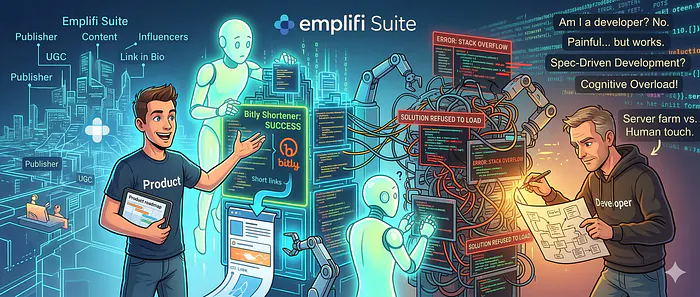
No, no, I am not. But I managed to extend an enterprise-grade product with a new functionality. Does it work? Yes. Was it painful? Also yes. Is the code any good? Ehm. Let’s dive in, shall we?
If you read my last piece on the “Synthetic Web,” you know I believe AI is a massive lever for productivity, but it requires a human to inject the variance, the taste, and the strategic direction.
Recently, I decided to skip the vibe coding phase of building something super simple from scratch. The plethora of overhyped YouTube influencers has already established that you can prompt a new app, website, or Chrome extension. Impressive, but not what I am looking for.
As a Group Product Manager overseeing content creation tools at Emplifi, I spend my days in Productboard, Jira, and strategy meetings. I speak in User Stories, Customer Feedback, Market Trends, and Workflow Optimization. I do not speak fluent JavaScript. I am not a developer. I was one 11 years ago, but the skill is rusty, to say it nicely, and I worked in C#.
Armed with this diminishing coding experience, I wanted to test the limits of what a PM could build using modern agentic tools. The goal? Build a custom domain URL shortener integration for the Emplifi Publisher.
The Use Case
When you are scheduling a massive multi-channel campaign through the Publisher, having a generic short link often breaks the brand experience. The goal was simple: allow brands to plug in their paid Bitly accounts directly into the Publisher workflow, enabling them to automatically use their custom, branded domains for shortened links.
To build this, I armed myself with Cursor and Claude. What followed was a rollercoaster of AI magic and humbling reality checks.
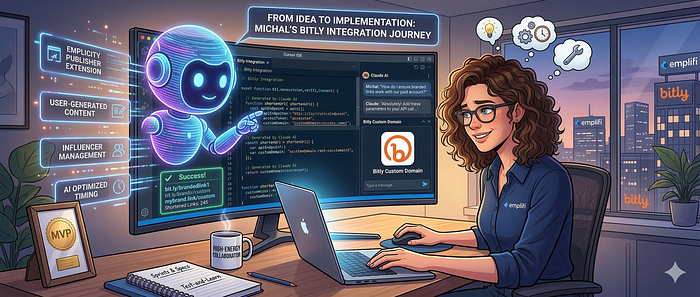
Screenshot Debugging Feels Like Wizardry
Let’s start with the impressive part. Getting the initial skeleton of the integration up and running was incredibly fast. I described the business logic, pointed the machine in the right direction within the vast space of our enterprise suite, and Claude generated the code.
But code rarely works on the first try. When I hit errors, I discovered one of the most mind-bending capabilities of multimodal AI: visual debugging. I would literally take a screenshot of the error trace in my console, paste it into the prompt, and watch the AI instantly diagnose the issue and rewrite the function. I am aware I am using a multibillion-dollar neural network that read the whole Stack Overflow, but it still felt a tiny bit condescending when the first response was:
The error is clear. Let me check where to fix it.
And it did, the fragile ego of a human soul was crushed and defeated in a few seconds by a server farm. But he who laughs last, laughs longest. And it was I who laughed last, and cried because the solution stopped loading with no meaningful error to screenshot.
The Illusion of “Zero-Friction” Development
Here is the candid truth: it was a painful process. The tech world loves to push the narrative that AI will turn anyone into a 10x developer overnight. That is a dangerous oversimplification.
Because I don’t actually understand the code being generated, I lacked the architectural foresight to see when the AI was painting us into a corner. The generated code is not perfect. It’s definitely not elegant. It’s a brute-force statistical output that happens to achieve the desired state. It would not pass the code review.
At one point, the entire solution just refused to load. The UI was dead, the console was full of useless warnings, and feeding screenshots back to Claude just resulted in the AI hallucinating fixes that broke three other things. I guess the error is no longer clear, huh? That will teach ya! But now what?
I had to go old-school, walk over to a real Emplifi engineer, and ask for help. It took an experienced human developer looking at the broader context of our codebase to untangle the knot that the AI and I had created. After the human touch, I was able to prompt away again.

Spec-Driven Development
The feature works. You can add a Bitly token and generate custom branded links. But building it taught me exactly where the current limits of AI-coding lie, at least for a non-technical PM.
My next step is to move toward Spec-Driven Development.
In the future, I won’t just ask the AI to build a new feature according to the business specification and let it rip. The prompt will be a rigorous, detailed specification that includes Emplifi’s specific development practices, our component library standards, and our architectural constraints. If we want AI-generated code to fit seamlessly into an enterprise suite without breaking the build, we have to feed it the right boundaries. We have to give it the map before asking it to drive.
AI isn’t replacing our engineering team anytime soon. We must understand the code. Otherwise, one day your AI agent breaks the massive solution without a clear clue what went wrong, and nobody would understand what is happening under the hood. If you break a simple app generated entirely by AI with no way back, you can always generate it from scratch using the spec. We can argue if it is efficient or not, but it is clear that this tactic doesn’t work for massive systems already in production.
The Hidden Cost of Cognitive Overload
There is also a hidden, much more dangerous cost to this accessible “magic”: cognitive overload. When AI makes generating a functional component seem as easy as writing a user story, the temptation is to just do it yourself. Suddenly, you aren’t just managing the roadmap and thinking about ROI, GTM, and market. You’re also trying to navigate and maybe even debug JavaScript logic.
As Aruna Ranganathan from UC Berkeley’s Haas School of Business recently pointed out (with findings published in the Harvard Business Review and discussed in the Wall Street Journal), AI often leads people to take on more work, not less. Because AI makes these new, complex tasks feel deceptively simple and accessible, it creates a false sense of infinite capacity. We get a short-term productivity high, but Ranganathan warns that this exact dynamic eventually leads to cognitive overload, burnout, worse decision-making, and a declining quality of work. The industry push to ship faster is very real, but just because a PM can brute-force a custom Bitly integration with Cursor doesn’t mean we should absorb the cognitive weight of an entirely new engineering discipline.
[story continues]
tags